← Home About Archive Blog roll Search Also on Micro.blog
  • LibreOffice 7: First impressions of a solid update

    Last month The Document Foundation released LibreOffice version 7.0.1.

    Taken at face value it is a free, open source office suite. It is interesting on many levels. You should consider downloading and investigating the software, it won’t cost you anything.

    LibreOffice is not right for everyone. Yet it is an important alternative to Microsoft Office, Apple iWork and Google G suite. There are versions of LibreOffice for Windows, MacOS, ChromeOS and Linux. Android and iOS uses can get versions from Collabora. This is also a paid Enterprise edition.

    Free as a starting point

    LibreOffice is free. There was a time when free was its main attraction.

    The world needed a free alternative to Office because people found Microsoft expensive. Many still do.

    The Document Foundation, the not-for-profit organisation behind LibreOffice, asks people to donate to help pay its bills. That’s fair enough, especially if you use LibreOffice in business.

    Open source

    These days open source is often more important than free.

    The importance of this control was recognised early—back in 2000, Bob Bishop predicted that countries like Russia and China would embrace Linux specifically because being “open” mattered more than being free.

    Open source means you can get the code and tinker with it if you wish. You may be able to improve it, add features or otherwise tweak it to do things the original developers did not.

    Being open has broader advantages than being able to rewrite code. As Dave Koelmeyer pointed out after I looked at LibreOffice 5.2, it uses open standards throughout. You get full document interoperability.

    LibreOffice won’t lock you out because of proprietary traps. Microsoft Office and other proprietary suites don’t trap you as much as in the past, but risks remain.

    There is a security angle: Governments and many large companies can be wary of proprietary software. This is even more the case now that cloud computing plays a large role. They fear their data might find its way into a remote data silo and be vulnerable. Microsoft has talked about Office being able to connect to Linkedin. Google can sift through data looking for advertising sales leads and so on.

    With LibreOffice, open means everything is transparent.

    When you don’t want clouds

    Microsoft and Google want you to move everything to the cloud. That’s where they see the future. Google has never favoured the desktop. Microsoft now sees desktop versions of Office as a last resort.

    There are cloud options for LibreOffice, but it is the last remaining cross platform old-style office suite that lives on your computer. No other office suite leaves you this much in control of your destiny.

    More compatible than ever

    Speaking of Microsoft Office, LibreOffice has boosted its compatibility with the popular commercial suite. The Document Foundation says it has better compatibility with docx, xlsx and pptx files.

    Earlier versions of LibreOffice didn’t lag when it came to Microsoft compatibility.

    The main difference this time is that you can save docx in native 2013, 2016 or 2019 formats. In the past the best option was the 2007 format.

    Open Document Format

    LibreOffice 7 now supports the 2019 Open Document Format. It uses this as its standard document format. You can add digital signatures and use document encryption.

    Graphics are better supported in LibreOffice 7. There is Skia, an open source graphics library you can use to draw shapes. Vulkan is an addition to add graphics acceleration.

    Although LibreOffice 7 has been around for a while, it is not the right version for everyone. Version 7, or even the version 7.0.1 that I downloaded last week, is somewhere between a beta and the finished product.

    The Document Foundation says it is for the “technology enthusiast, early adopter or power user”. On the download page it recommends everyone else, including business users stick with LibreOffice 6.4.6 for now. The time for others to move will be when 7.1 arrives.

    Historic criticism

    In the past I’ve written about two aspect of LibreOffice that I don’t like. There has been a lack of polish and the software has felt cluttered and over complex.

    Readers disagreed with both these criticism. The first is no longer the case. The software looks and feels as polished as anything in the proprietary world. The font support needs work, some typefaces don’t look as crisp as they should. But that’s a minor niggle. As for the clutter: If you don’t want clutter and complexity you shouldn’t be looking at an office suite. This software category is all about complexity.

    That’s why I don’t use an office suite for my writing. That said, I have to work with Word or Google Docs when collaborating with clients. For now, there’s an online LibreOffice for collaboration. It is not as developed as the proprietary alternatives. It’s no accident that Office has become far cheaper since LibreOffice has been a viable alternative.

    → 12:20 PM, Mar 29
  • Typora - a markdown editor for people who don't use Macs

    Typora is a great Markdown editor that brings distraction-free writing to Windows and Linux.

    .

    There’s a full smorgasbord of Markdown editors for Apple users. Windows and Linux users who want to simplify writing have fewer options. Typora changes that.

    It’s possible to run Typora on a Chromebook. While there are no versions for Android or iOS, that may change.

    Markdown editors are stripped-back distraction-free writing apps. If you want to focus on getting your words onto the virtual page and nothing else, they are your best option.

    Many writers swear Markdown improves productivity.

    Typora offers a different Markdown take

    Markdown editors have a limited range of type and formatting options compared to traditional word processors like Microsoft Word.

    Even Google Docs offers a wider range of choices.

    That’s deliberate, it keeps things simple.

    With Markdown editors you can enter formatting codes directly into your text. A pair of * symbols tells Markdown the next few characters are in bold type and so on.

    Keep it out of sight

    Other Markdown editors tend to keep these codes in sight. You type onto a blank pages and can see your markup codes. You can then switch to a second screen to see how they look after formatting.

    Typora doesn’t do that. In normal use, it styles the text as you type. This takes us back to an acronym that we don’t hear much these days: wysiwyg – what you see is what you get.

    There is an option to choose a view with pure Markdown codes. Yet, for the most part, Typora keeps this out of sight. I’m not convinced this is an improvement, but you may feel otherwise.

    Themes

    The other departure from standard Markdown editors is that Typora offers a series of themes. Many allow you to switch from dark text on a light background to light on dark, or perhaps, format the output in different ways.

    Typora takes themes further than that. There is a theme gallery, you can download more themes If you are handy with CSS, you can create your own custom themes.

    While this is neat, it is a form of distraction. Instead of procrastinating over font choices and layout options when using Microsoft Word, you can now waste valuable writing time looking at these themes.

    Document format

    There are Markdown editors that store files in a proprietary format. Thankfully, Typora does not do this. Proprietary formats are a backward step.

    The files store as .md documents that you can open with other Markdown editors and applications or services that accept Markdown input. This can be handy if, say, you have a WordPress blog.

    You can save direct to Word format if you need to stay compatible with colleagues. Typora has HTML and PDF output too.

    Typora verdict

    If you already use a Markdown editor, Typora can make sense if being able to see formatted text as you type appeals. I find it doesn’t help, but it doesn’t do any harm.

    Typora is the best Markdown editor I’ve seen for Windows and Linux systems. If you want to simplify your writing and you use one of these, it is the smartest option.

    If you are a Mac user, take advantage of the free trial period to see if Typora suits better than the other Markdown options. Typora costs a one-off US$15. There is no cheeky annual subscription to worry about. I couldn’t find it in app stores, you can buy direct from the Typora site.

    → 12:48 PM, Mar 3
  • iA Writer 5 review — straightforward writing tool

    This story was first posted in November 2017.

    Is iA Writer 5 a text editor? Or is it a minimal word processor? The software is both and neither at the same time. It’s an elegant stripped down writing tool that’s perfect for 2018.

    iA Writer starts from the premise that some writers focus on their words, not how they look on a page.

    There are no distractions. The software has almost no moving parts. Words on a screen, that’s it. iA Writer feels the nearest thing to using paper in a typewriter and yet it is as modern as the iPhone X.

    If you like your writing software flashy and complex go elsewhere. If you need to do tricky typographic work or lay out pages, this is not for you. It is a writer’s tool, pure and simple.

    MacOS and iOS

    There are versions of iA Writer for iOS, MacOS and Android. It works best with Apple kit. If you don’t use Apple hardware, the software is a good reason to change. If you have an iPad Pro, this would be a good time to invest in a keyboard, although iA Writer is fine if you write on a glass keyboard.

    That’s because cloud is central to the software. You can store documents locally on a Mac, iPhone or iPad, but why would you when you can save them the cloud and have them sync between devices.

    This works so well that you can type away on, say, a MacBook, race out the door and pick up from where you left off on an iPhone. The app-OS-hardware integration has only improved with Apple’s recent move to iOS 11.

    iA Writer a breeze compared to Word, Pages

    Of course you can do much the same with, say, Microsoft Word or Apple Pages. Up to a point.

    Word is a hefty MacOS app. It rarely starts without checking to see if there is a software update — usually once a week. Often you’ll need to wait 15 minutes or so before working while Microsoft handles the latest updates to all the Office apps.

    Even when there are no updates Word is not instant on. iA Writer is ready immediately. Often a Word work session starts with something other than jumping straight into writing. Maybe you need to find the right fonts or styles. There are always things to fuss over.

    With iA Writer you are ready to go almost from the moment you click the app’s icon. There is nothing to fuss over. Almost no possible choices to make.

    Focus

    The idea behind iA Writer isn’t new. A decade ago there were minimalist word processors and writing tools for Macs and PCs. You may recall WriteRoom or Q10.

    There were others. And if you didn’t want a special app, there were the basic text editors shipped with operating systems and tools derived from the Linux or Unix text editors. Even the MS-Dos versions of Word Perfect were minimal in this way. So were older programs like WordStar.

    All of them attempted to keep out of your way. In place of a fancy user interface and menus full of esoteric commands, they relied on the user learning a few standard codes. These were embedded among the words to handle things like bold text, heads and so on.

    There is a WordPress OSX app that aims to simplify writing blog posts on a Mac. In practice I’ve found sticking with iA writer and integrating with WordPress is much more efficient.

    Markdown

    iA Writer uses Markdown to do this. Markdown is simple and keeps out of the way. Type a single hash # character at the start of the line for a top level head, two hashes means second level head and so on. It takes seconds to learn, days to master.

    One key difference between iA Writer and earlier simple writing tools is the beautiful integration with the hardware, software and cloud services.

    It’s as if the the software developers digested the entire Apple less-is-more credo and spat it out as a perfect writing application. Perfect is not too strong a word here. Although this style of perfection may not be to your taste.

    iA Writer 5 rival

    Only one other application comes close to iA Writer’s elegance and simplicity. The excellent Byword has its own minimalist aesthetic. It too is lightweight, simple and stays out of the way.

    Unlike iA Writer which offers next to zero choices, Byword gives you some options. You can change a few things.

    This may sound like a cop-out. It isn’t. I have a medical condition which means my eyes sometimes don’t work well. When I’m having bad eyesight days, I can’t adjust the iA Writer type to a bigger size, I can’t alter the font or screen colour to make reading easier. With Byword you can make these changes.

    Subtle difference

    The result is the two similar minimal writing tools have distinct personalities. They work for different types of use. iA Writer is all about the writing and precious little else. You can use it for complex writing jobs, but it works best for blog posts, putting down thoughts and things like journalism.

    Byword is a touch more sophisticated. You can write a book or a 3000 long-form feature in either app. If you want something more, Byword is the first stop on the road from iA Writer to more complex tools like Apple Pages or Microsoft Word.

    Efficient

    There’s something else important about iA Writer and Byword. The two apps have an impact on the way you write. I find I can sit at a Mac or iPad and zip through a thousand words or so in quick time. This blog post will take less than an hour to write.

    Between the minimal software and the Markdown editing language there is almost no reason to move your hands from the keyboard. That’s when you have one on a Mac or say with your iOS device.

    With, say, Word, the composition part of the writing process takes longer. There’s more scrolling up and down the page. More distraction. Sure, you can make the words look pretty as you go, but that’s a barrier to getting the right words written efficiently.

    iA Writer 5

    In November iA Writer reached version 5. It was a free upgrade to those who had earlier versions. There are changes. First the iOS version now works with the new iOS file system.

    There are other changes which added functionality without adding complexity. One is that it is now easier to create tables in text. iA Writer’s other big change is there is a new duospace font. Since the software first arrived there has been no choice other than a standard monospace, typewriter-style font. Now you can choose monospace or duospace.

    This sounds like a big deal. In many ways it is. And yet, you’d hardly notice it. I knew I had set the new font in my preferences after downloading the update, but had to go back a moment ago to check I was using it. That’s how subtle it is.

    Indeed, while typing away you hardly notice any of the improvements in the last seven years and five versions of iA Writer. That’s the whole point of a minimalist application.

    → 8:18 PM, Feb 28
  • Ten years of Markdown and iA Writer

    It may not work for everyone, but switching from Microsoft Word to a Markdown or text editor boosted my productivity.

    Almost everything I’ve produced in the last 13 years was written first using Markdown.

    If we want to be technical about it, Markdown is a simple, lightweight markup language.

    At a pinch you can write Markdown using a plain text editor. It is better when you use an app. My favourite Markdown app is iA Writer.

    Swiss Army knife

    Microsoft Word is the writing equivalent of a Swiss Army knife. It aims to cater for every possible need.

    Markdown and iA Writer are like one of those extra sharp Japanese cooking knives.

    They do far less, but what they do, is done better with greater efficiency.

    If you don’t know what life will bring you, the Swiss Army knife makes sense. But a chef would choose the latter to prepare a meal.

    Simple, minimal, that is the whole point

    The beauty of Markdown is there are a mere handful of commands to remember. There are few features.

    That is a good thing. It means you can focus on writing words. Nothing else.

    In this sense it is the closest thing to using a typewriter.

    A few good commands

    You can type out the commands for, say, bold text. That would be a couple of * symbols before and after the words you want in bold.

    In a Markdown app you could also use Command-B (on a Mac) and the symbols are inserted for you. That’s the same code used in word processors like Microsoft Word.

    This means there is almost nothing new to learn. You can be up and running with Markdown immediately.

    Zero distraction

    The advantage of this simple, minimal approach is you are not distracted by things that don’t matter.

    There is no dithering over font choices or layout options.

    Trust me, you can spend hours wondering if that editor waiting for your latest story prefers to get copy in Arial or Times Roman.

    Faster

    Simple means fast. A moment ago I fired up Microsoft Word on my state-of-the-art Apple M1 MacBook Air.

    The app took three minutes to check for and download upgrades. Then it did something in the background before opening.

    There are times when I have waited much longer to get started.

    A Markdown editor is there immediately with a blank page ready to go.

    Sure, there are times when I use Word. I have clients who expect to receive Word files or Google Docs. It can be easier to go there from the outset.

    That said, converting Markdown to Word or Google Docs is no more than a mouse click away.

    Comfortable

    Markdown has another advantage. It is all about text.

    If, like me, you can touch type, it means you can spend more time with your hands on the keyboard and less time mousing. I find that over time Microsoft Word needs extra mouse activity – or touch screen action. That can give me overuse pains in my hands and arms. The more time you stay with the keyboard, the less discomfort.

    It’s easy to miss this point, but if you find yourself cutting text from PDFs or web pages, pasting them into iA Writer is a cinch. Compare that with the fussiness that can happen when you past text into a word processor.

    Markdown apps

    Many of the posts on this site were written with iA Writer. A handful were written using Byword.

    Byword is a Markdown Editor for Apple users. There is a Mac version and an iOS version that will also run on iPadOS.

    iA Writer started life in the Apple camp. There’s a reason for that. Markdown has a strong Apple lineage. One of the authors is John Gruber who runs Daring Fireball, a blog about Apple products and services.

    Today there are Windows and Android versions of iA Writer.

    iA Writer and Byline

    For me two apps run on iOS, iPadOS, which for a long time was, in effect, the same as iOS, and they run on MacOS.

    My first iOS version of iA Writer cost NZ$2.59 at the end of 2011.

    It was, and remains, a bargain. That was the best $2.59 I ever spent on software. In 2016 iA charged a further NZ$5.99 for an upgraded app.

    I’m not complaining. Even after buying MacOS apps, iA Writer works out at a fraction over one New Zealand dollar a year.

    Phone, tablet, laptop, desktop

    Because both apps store files in Apple’s iCloud, you can switch between Apple devices without missing a beat.

    I can, and have, started writing on a phone, edited on a desktop, polished on a tablet and send from a laptop.

    iA Writer and Byword are both solid apps. I recommend iA Writer over Byword because it has had more consistent attention from the developer over the years.

    Although there is not a lot in it.

    At the time of writing the most recent update of iA Writer was three months old. The most recent Byword was six months ago.

    This longer review of the latest version of iA Writer explains why it can be better than a word processor.

    Ten years on

    After a decade with iA Writer, it remains my main writing app on iPhone, computer and iPad.

    There are a few minor niggles. iA Writer works best for my journalism and blog posts.

    Once a story needs to go longer than a few thousand words it can be unwieldy. Last year I wrote around 4000 words for a book chapter using iA writer.

    If that happens, I find it best to break the text into smaller chunks. There is no question I’m more productive with Markdown than with any alternative. I get more done with less mental and physical strain.

    That has to a killer feature by any standard.

    💡 If IA Writer is not for you, Typora is an alternative Markdown editor that brings distraction-free writing to Windows and Linux.

    → 9:16 AM, Feb 26
  • Touch typing on the 2016 Apple MacBook Pro

    Apple introduced its butterfly laptop keyboard design for the 2015 12-inch MacBook. It is shallower than previous keyboards. The 2016 Apple MacBook Pro keyboard uses the same design.

    The key action is less positive than on older Apple laptops like the MacBook Air or earlier MacBook Pros.

    Put aside for one moment the Touch Bar that appears on most 2016 MacBook Pro models. What remains of the keyboard looks like those on Apple’s recent MacBooks.

    The Force Touch trackpad on the 15-inch MacBook Pro is huge. Because of its size, the MacBook Pro keyboard sits further up the body, closer to the screen. This doesn’t make any difference to typing in practice.

    Flush versus recessed keys

    Although it has the same underlying design, it is not identical. On the 12-inch MacBook the keys are flush with the body. The new MacBook Pros have keys recessed a millimetre or so below the body.

    Apple has improved the butterfly key action. There is more click and greater travel when you hit a key. You hit them harder.

    The keys sound louder when you type. This audio feedback helps but I can’t articulate or measure how that works. In practice I found it all adds up to make typing and touch typing easier than on the 12-inch MacBooks.

    MacBook Pro keyboard for touch typists

    When I first used the 12-inch MacBook keyboard it took a while to adjust my touch typing technique. That’s not unusual, this happens every time I use a different machine or keyboard.

    After a few hours I was typing with ease. I made a few more errors than before, but there was no performance hit. At that stage I decided the butterfly keyboard was an acceptable change.

    Then I returned to the old MacBook Air keyboard. It was like swapping smart new shoes for comfortable slippers.

    Although I didn’t get through my work faster, it felt right. There’s a more pleasing bounce to the keys that feels right or maybe it’s a matter of familiarity.

    Comfy

    There is less of a comfy slippers effect moving back and forth between the 2016 MacBook Pro and the Air. It could be down to what some describe as muscle memory.

    My error rate is still higher on the new keyboard, but not as high as it was on the 12-inch MacBooks. Unlike then, this time I’m certain that it will soon be back to normal.

    The new keyboard is not without flaws. The up and down arrow keys are too small and close-packed. They are hard to use. There’s a good chance you’ll hit the wrong one by accident. Yet with the trackpad, there is less need for arrow keys.

    Flat, less travel keyboards seem to be a feature of 2016 premium laptops.

    Surface Book comparison

    Microsoft echoes some aspects of the butterfly keyboard in its Surface Book. The MacBook Pro and Surface Book have a different fundamental design. They come from different philosophies of what modern laptops should be. Yet in many ways they are head to head rivals.

    Both are flat, both keyboards have a hard feel. If anything the Surface Book keyboard has a better layout and spacing. In practice the typing experience is similar.

    Some other reviewers are unhappy about the missing esc key. It always turns up on the Touch Bar when you need it, but having a conventional esc key would be better.

    You might argue that a MacBook Pro is not the device for someone who spends a lot of time typing so all this is academic. That view is nonsense. A keyboard is why you buy a computer instead of a tablet. It is not an essential component it is the essential component.

    There is always a payoff between portability and function with laptop keyboards. Apple has balanced the two well here. You may find better keyboard experiences elsewhere. Yet the MacBook Pro keyboard goes well beyond being an acceptable compromise given the size and weight. It’s a worthy keyboard for a Pro laptop.

    The MacBook Pro and Surface Book have a different fundamental design. They come from different philosophies of what modern laptops should be. Yet in many ways they are head to head rivals. I’ll explore this idea in more depth elsewhere.

    → 6:05 PM, Feb 22
  • Platform, ecosystem, environment: What are they?

    People selling technology love using words like platform, ecosystem or environment.

    Almost everything in the tech world is one of the three.

    Some are all three. Hence: the Windows platform; Windows ecosystem and Windows environment. Are they the same thing are are they each different? 

    Likewise Apple, Android, AWS and so on.

    The words are a problem for trained journalists because they are non-specific, even ambiguous. They rarely help good communication. We prefer to nail things down with greater precision where possible.

    Often you can replace one of these words with thing and the meaning doesn’t change.

    Platform: redundant, used badly

    Or you can remove the word altogether. Usually Windows, Apple and Android are good enough descriptions in their own right for most conversations.

    The other problem is that the words are used interchangeably. People often talk about the Windows platform when they mean the ecosystem.

    There are times when you can’t avoid using platform or ecosystem. That’s not true with environment, the word is always vague or unnecessary.

    Ben Thompson offers great definitions of platform and ecosystem in The Funnel Framework:

    A platform is something that can be built upon.

    In the case of Windows, the operating system had (has) an API that allowed 3rd-party programs to run on it. The primary benefit that this provided to Microsoft was a powerful two-sided network: developers built on Windows, which attracted users (primarily businesses) to the platform, which in turn drew still more developers.

    Over time this network effect resulted in a powerful lock-in: both developers and users were invested in the various programs that ran their businesses, which meant Microsoft could effectively charge rent on every computer sold in the world.

    Ecosystem:

    An ecosystem is a web of mutually beneficial relationships that improves the value of all of the participants.

    This is a more under-appreciated aspect of Microsoft’s dominance: there were massive sectors of the industry built up specifically to support Windows, including value-added resellers, large consultancies and internal IT departments.

    In fact, IDC has previously claimed that for every $1 Microsoft made in sales, partner companies made $8.70. Indeed, ecosystem lock-in is arguably even more powerful than platform lock-in: not only is there a sunk-cost aspect, but also a whole lot more money and people pushing to keep things exactly the way they are.

    Thompson then goes on to discuss why platforms and ecosystems are no longer as important as they were in the Windows era. His point is that in the past owning the platform and ecosystem was the key to sales success, today being the best product or service for a consumer’s needs is more important.

    → 5:30 PM, Feb 22
  • People read less online than with print

    This story was originally posted June 2009. It remains relevant today.

    People spend less time reading online news than reading printed newspapers because reading a screen is more mentally and physically taxing. For a closely related take on this see E-books harder to read, hard to comprehend.

    This has consequences.

    In Newspapers online – the real dilemma, Australian online media expert Ben Shepherd examined why online newspapers earn proportionately less money than print newspapers. He says it comes down to engagement. A typical online consumer of Rupert Murdoch’s products spends just 12.6 minutes a month reading News Corporation web sites. In comparison the average newspaper reader spends 2.8 hours a week with their printed copy.

    Print still better in some ways

    There are other factors. But I’d argue, the technology behind online reading is part of the problem:

    • Newspapers and magazines are typically printed at 600 dots per inch or higher resolution.
    • Computer screens typically display text and pictures at 72 pixels per inch. Some display at 96 dots per inch. This was the case in 2009 when the story was orignally written today’s phones typically have 300 to 500 dots per inch. Tablets are around the 200 to 300 DPI range. Laptops are 150 to 250 DPI. Desktop displays vary from 90 to 160 DPI.
    • Contrast is usually far better on paper than on screen.
    • Screens often include distracting elements. This can be particularly bad where online news sites have video or audio advertising on the same page as news stories.

    Lower resolution means it takes more effort for a human brain to convert text into meaningful information. Screens are fine for relatively small amounts of text, but over the long haul your eyes and your brain will get tired faster even when there are no distractions. You’ll find it harder to concentrate and your comprehension will suffer.

    Print readers can stay up all night with a decent book, but many find it hard to stick with most eBook readers for long periods.

    Also, sub-editors and proofreaders generally find more errors on a printed page than on a screen.

    → 10:56 AM, Feb 21
  • Technology product reviews: Science and anecdotes

    scientist

    Tech product reviews take many forms.

    Some are scientific. Others are anecdotal.

    Scientific reviews involve research, prising the back from things, taking them apart and dropping them on hard surfaces. Listening to noises. Measuring everything. Running battery life tests.

    You come away from these tests with numbers. Often many numbers. Maybe you’ve heard of data journalism. This is similar, you need maths and statistics to make sense of the numbers. Scientific reviews take time. And money. You need deep pockets to test things to breaking point.

    Benchmarks

    Benchmarks are one reason scientific reviews take so much time. You do them again and again to make sure. You draw up meaningful, measured comparisons with rival products. Then put everything into context.

    We used the scientific approach when I ran the Australian and New Zealand editions of PC Magazine.

    This was in the 1990s. ACP, the publishing company I worked for, invested in a testing laboratory. We had expensive test equipment and a range of benchmarking software and tools. Specialist technicians managed the laboratory. They researched new ways to make in-depth comparisons, like the rest of us working there, they were experienced technology journalists.

    The scientific approach to product reviews

    My PC Magazine colleague Darren Yates was a master at the scientific approach. He tackled the job as if it were an engineering problem. He was methodical and diligent.

    You can’t do that in a hurry.

    There were times when the rest of my editorial team pulled their hair out waiting for the last tests to complete on a print deadline. We may have cursed but the effort was worth it.

    Our test results were comprehensive. We knew to the microsecond, cent, bit, byte or milliamp what PCs and other tech products delivered.

    There are still publications working along similar lines. Although taking as much time as we did then is rare today.

    Publishing industry pressure

    It’s not only the cost of operating a laboratory. Today’s publishers expect journalists to churn out many more words for each paid hour than in the past. That leaves less time for in-depth analysis. Less time to weigh up the evidence, to go back over numbers and check them once again.

    At the other end of the scale to scientific reviews are once-over-lightly descriptions of products. These are little more than lists of product highlights with a few gushing words tacked on. The most extreme examples are where reviewers write without turning the device on — or loading the software.

    Some reviews are little more than rehashed public relations or marketing material.

    The dreaded reviewers’ guide

    Some tech companies send reviewers’ guides. Think of them as a preferred template for write ups. I’ve seen published product reviews regurgitate this information, adding little original or critical. T hat’s cheating readers.

    Somewhere between the extremes are exhaustive, in-depth descriptions. These can run to many thousands of words and include dozens of photographs. They are ridiculously nit-picking at times. A certain type of reader loves this approach.

    Much of what you read today is closer to the once-over-lightly end of the spectrum than the scientific or exhaustive approach.

    Need to know

    One area that is often not well addressed is focusing on what readers need to know.

    The problem is need-to-know differs from one audience to another. Many Geekzone readers want in-depth technical details. If I write about a device they want to know the processor, clock speed, Ram and so on.

    When writing for NZ Business I often ignore or downplay technical specifications.

    Readers there are more interested to know what something does and if it delivers on promises. Does it work? Does it make life easier? Is it worth the asking price?

    Most of the time when I write here, my focus is on how things work in practice and how they compare with similar products. I care about whether they aid productivity more than how they get there. I like the ‘one week with this tablet ‘approach.

    Beyond benchmarks

    Benchmarks were important when applications always ran on PCs, not in the cloud. How software, processor, graphics and storage interact is an important part of the user experience.

    While speeds and processor throughput numbers matter for specialists, most of the time they are irrelevant.

    How could you, say, make a meaningful benchmark of a device accessing Xero accounts?

    Ten times the processor speed doesn’t make much difference to Xero, or to a writer typing test into Microsoft Word. It is important if you plough through huge volumes of local data.

    I still mention device speed if it is noticeable. For most audiences benchmarks are not useful. But this does depend on context.

    Context is an important word when it comes to technology product reviews.

    Fast enough

    Today’s devices are usually fast enough for most apps. Much heavy-lifting now takes place in the cloud, so line speed is often as big an issue as processor performance. That will differ from user to user and even from time to time. If, say, you run Xero, your experience depends more on the connection speed than on your computer.

    Gamers and design professionals may worry about performance, but beyond their needs, there is little value in measuring raw speed these days.

    Instead, I prefer exploring if devices are fit for the task. Then I write about how they fit with my work. I call this the anecdotal approach to reviewing. There has been the occasional mistake, my Computers Lynx review from 40 years ago was a learning experience.

    Taking a personal approach this way is a good starting point for others to relate to their own needs.  My experience and use patterns almost certainly won’t match yours, but you can often project my experience onto your needs. I’m happy to take questions in comments if people need more information.

    Review product ratings

    I’ve toyed with giving products ratings in my reviews. It was standard practice to do this in print magazines. We were careful about this at PC Magazine.

    A lot of ratings elsewhere were meaningless. There was a heavy skew to the top of the scale.  Depending on the scale used, more products got the top or second top ranking than any other. Few rated lower than two-thirds of the way up the scale.

    So much for the Bell Curve.

    If a magazine review scale ran from, say, one to five stars, you’d rarely see any product score less than three. And even a score of three would be rare. I’ve known companies to launch legal action against publications awarding three or four stars. Better than average is hardly grounds for offence, let alone litigation.

    As for all those five-star reviews. Were reviewers saying a large proportion of products were perfect or near perfect? That’s unlikely. For any rating system to be meaningful you’d expect to see a lot of one or two-star ratings.

    That doesn’t happen.

    Loss aversion

    Once I heard an advertising sales exec (not working on my publication) tell a magazine advertiser: “we only review the good stuff”.

    That’s awful.

    Readers need to know what to avoid as much as what to buy. Indeed, basic human nature says losses are twice as painful as gains.

    Where possible, I like to warn against poor products. Companies that make poor products usually know better than to send them out for review, so you’ll see less of them, but it can happen.

    My approach to reviewing products isn’t perfect. I’d like to do more scientific testing, but don’t have the time or resources. Often The review loan is only for a few days, so extensive testing isn’t possible. Reviews here are unpaid. This means reviewing has to take second place behind paying jobs.

    More on media process:

    • SEO vs. quality – Why authority matters more than algorithms in the AI age.
    • When the internet disappears – Why digital preservation and archives matter for the future of news.
    → 1:48 PM, Feb 20
  • Text editors are the productivity tool most writers ignore

    This story was first posted in 2011 and needs a refresh, but the key points remain as relevant as ever.

    Text editors are a lowest common denominator for dealing with documents. That is their appeal.

    Plain text always travels smoothly between applications, operating systems and devices. The same can’t be said for Word documents or anything else that uses a proprietary format.

    Text is compact and efficient. It is quicker to search and easier to manage than word processor documents.

    Geeks already spend large parts of their working life dealing with plain text. Text is widely used for settings and configuration files. Geeks write small programs to merge, sort and otherwise process text files.

    Plain text simpler than word processors

    Text editors are simpler than word processors. Many have been around for more than 40 years and have roots in pre-graphical-user-interface computing.

    They use keyboard commands — writing memos and other notes this way may look scary to non-technical types, but it isn’t much of a stretch if you’ve used the same tools to handle your everyday technical tasks for a decade or more.

    There’s an added bonus to text editing; the applications can bypass the computer mouse. Given mouse movements are one of the most troublesome sources of strain injury, switching to keyboard-oriented writing tools makes sense for technical types who spend hours hunched over their machines.

    Ergonomics

    Similar ergonomic concerns explain why some professional writers turn their backs on conventional word processors. This group has another problem: modern word processors are busy-looking. It is hard to concentrate on writing when there are so many distractions.

    It is tricky, but the old Dos favourite WordPerfect 5.1 could be shoehorned into working with Windows XP. Making it work with Windows Vista is more of a challenge. A small but vibrant user community at WP Universe provides tips and even drivers to make the software work with modern operating systems and hardware.

    You’d need to buy WordPerfect. Two recently developed applications channel its spirit for free. Darkroom and Q10 are both stripped down text editors designed to offer distraction-free writing.

    Darkroom fussily requires Microsoft .Net 2.0, a deal breaker for some, while Q10 mainly gets on with the job, but there is some beta-software strangeness with both programs. Perhaps for now, these text-editors-Word-replacements are a trend to watch and not follow.

    In the meantime, find a basic, old-fashioned text editor. If you can adapt, it could be your biggest productivity boost of the year.

    → 12:52 PM, Feb 20
  • Why geeks love text and so could you

    _While this was originally written in 2008 and the specific problems mentioned here are history, the main point remains as relevant as ever. _

    Converting documents from one format to another can be hard.

    Sometimes the problem is incompatibilities between different generations of the same application. Microsoft Word 2007’s docx file format isn’t automatically readable in older version of Word.

    The same is true for files generated by Excel 2007 and PowerPoint 2007.

    When you know in advance a colleague uses an earlier application version, you can choose to do the polite thing and save your document in the older format. This backward compatibility is built-in to Word 2007. Most applications offer similar backward compatibility.

    Backward compatibility – up to a point

    This is fine in theory, but you’ll either have to remember which format each colleague can use or you’ll just have to send everything in the older format. The problem with this approach is important things in the newer document format may go missing during translation to the older format.

    If someone sends you a unopenable docx file – and you’re running an older, yet still reasonably up-to-date version of Word, you’ll only be able to work with the file if you’ve downloaded the Microsoft Office Compatibility Pack. This will also work with your Excel and PowerPoint files.

    Things can be harder when converting files between applications from rival software companies or between applications running on different operating systems.

    Not all software companies go out of their way to may conversion simple. Dealing with ancient documents from long-deceased operating systems is almost impossible. I’ve got MS-Dos Wordperfect and Planperfect files that I can no longer read.

    Text, the lowest common denominator

    Some geeks by-pass conversion problems by sticking with lowest-common-denominator file formats. Just about every application on any kind of operating system or hardware device that deals with text, from supercomputers to mobile phones and mp3 players can cope with data stored as plain text (.txt) files.

    Plain text is enjoying something of a revival thanks to the popularity of texting and similar lo-fi applications.

    Text makes sense if you don’t need to keep style formatting information such as fonts, character sizes and bold or italic characters in your documents. An alternative low-end file format allowing some basic style formatting is .rtf, the rich text format. This was originally developed by Microsoft some 20 years ago to allow documents to move between different operating systems and it is still present as an option in just about every application that uses text today.

    While I can no longer read my ancient Wordperfect files, I have recently found prehistoric documents from the early 1980s when I ran the CP/M operating system and a program called WordStar. Because they were stored as text files, they are still readable.

    → 10:29 AM, Feb 19
  • My iPad, my accidental typewriter

    As Robin Williams’ 1990 book title says: The Mac is not a typewriter.

    More than 20 years on, Macs and MacBooks are still not typewriters.

    Yet Apple’s iPad might be.

    My iPad links to an Apple Wireless Keyboard and runs iA Writer. This combination gives me the closest thing I’ve seen in 25 years of computing to an old-school manual typewriter.

    For a journalist that’s a good thing.

    Typewriter easy

    Apple didn’t design the iPad with word processing in mind.

    On its own the iPad is a poor writing tool. Although the larger on-screen keyboard makes for better typing than using a smartphone. Yet here I am tapping away and loving the experience more than I have done since my last typewriter ribbon dried up back in the 1980s.

    Have I taken leave of my senses?

    Let me count the ways I love you

    Three things make the iPad typewriter-like:

    1. Radical simplicity. The iPad, Apple’s Wireless Keyboard and iA Writer make for simple and distraction free writing.

    There’s no mouse. That’s great because lifting hands off the keyboard to point and click is the number one cause of pain for old-school touch typists working on PCs.

    Until you stop writing, the keyboard controls everything.

    At the same time, the crisp serif text on a plain screen is the nearest thing to a type on a sheet of paper. Wonderful.

    2. Text editor iA Writer is a text editor. Not a word processor.

    There’s nothing dancing on my screen. No pop-ups, no incoming email. At least not the way I’ve set things up. It is just me and my words. The only word processor-like feature is the iPad’s built-in spell checker, which mainly stays out of the way.

    Best of all, iA Writer doesn’t do page layout. I don’t care how my words look because I can’t tinker. That’s one less thing to worry about.

    This all adds up to fast, productive writing.

    3. Quick on the draw Typewriters don’t need to warm-up, to boot or load applications. Nor does the iPad.

    My normal morning practice with a laptop was to make a cup of tea while waiting for the PC to be ready for writing. The iPad is ready in seconds.

    I can get my thoughts down while they are still fresh. The first 100 words or so are nailed on the iPad before I’d get started on the PC.

    The best computer bits are still there

    While my iPad writing combination kills the bad stuff about word processing, it keeps the best feature: The ability to go back over copy and make corrections. This was always a pain when using a typewriter.

    And I send my writing to just about anywhere in the world in a matter of seconds. Try doing that with a real typewriter.

    Other iPad typewriter plus points

    My iPad and keyboard are a lot easier to carry than my ageing and neglected portable typewriter – and easier than my laptop. The battery life is long. I can work a whole day without needing to find a power point.

    iA Writer uses cloud storage. You can choose DropBox or Apple’s iCloud. This means my work is available to me on any computer anywhere in the world.

    The Mac still might not be a typewriter, but the iPad does the job.

    → 10:24 AM, Feb 17
  • Ten tips to make sure your press release fails

    This post was originally written in 2008, hence the mention of Blackberrys. It’s just as relevant in 2026.

    Any fool can write a good press release that hits its target audience and creates an impact.

    Writing one that fails means work. There are people who have mastered the art.

    As an editor I’ve seen some great efforts over the years. I’d like to share them with you.

    Here are my top ten tips for making sure press releases get minimum attention:

    1. Cripple its chances of reaching editors and journalists

    Everyone can read plain text messages in the body of an email. The message will almost certainly get through to any kind of desktop email clients, all flavours of web mail, as well as Blackberrys, iPhones and Palm Pilots.

    To reach less than 100 per cent of your potential audience, try putting some of these clever barriers in the way.

    Attachments are an effective way of cutting down the reach of your press release. People reading email on mobile devices have trouble reading them. Spam filters treat them with suspicion and if you’re lucky the recipient may use Lotus Notes or some other arcane technology as a client and have difficulty decoding the attachment.

    Another advantage of attachments is that you can trim your audience further by using difficult-to-open file formats: such as the new .docx file format used by Word 2007 – many journalists will struggle to read them.

    Attachments are also great for bulking up the size of your release so it won’t squeeze through email gateways. If you’re clever, use high-resolution logos in, say, your Word attachments. These add nothing to the press release but can swiftly push the file size over the email gateway threshold.

    A further reason for sending a press release as an attachment is its invisibility to email search. So, when a journalist finally decides to look for your press release among the hundreds and thousands in their email in-box, it will be difficult to find.

    2. Minimise relevance

    One way to make sure your press release fails is to make sure it has no relevance to any sane audience. For example, if you are a technology company and you buy a new fleet of cars you can squander your PR budget and make sure any future release goes directly to an editor’s recycle bin by sending the story to the technology press.

    3. Send your press release out whenever

    Timeliness is everything. So send releases out when you feel like it to boost your chances of failure. Better still, for print publications try waiting until five minutes after the final deadline. For online publications, wait until the story has already broken elsewhere. Editors love that.

    4. Organise schedules so contacts are unavailable for interview

    Good journalists are annoying creatures. Rather than printing your press release verbatim and passing the contact details over to their advertising departments, they may want to speak to the people mentioned in your releases.

    A tried and tested technique for avoiding these complications is to send the people overseas shortly after dispatching the release. International communications are good these days, so just packing them off to a partner conference in Atlanta isn’t good enough, you need to make sure they are on an 18 hour trans-pacific flight or, better still, holidaying on a remote island.

    5. Use poor writing skills

    Obvious when you think about it. If your writing is poor and confused so that editors and journalists can’t understand your message you kill two birds with one stone.

    First, you’ll make sure the first message gets spiked in the too hard basket.

    Second, as a bonus, you can establish your reputation as an illiterate idiot that isn’t worth bothering with under any circumstances. That way, your future releases will go straight to the junk pile without even being read.

    6. Try bullying

    Sadly this powerful technique is underused. By threatening to talk to a journalist’s editor, or an editor’s boss about their poor response to your press release you can permanently undermine your relationship with scores of people (remember journalists talk to each other so this is an efficient way of burning lots of bridges).

    Another approach is to tell the journalist the company in question is advertising in the publication thus triggering their professional editorial independence.

    7. Don’t bother with press release photographs

    Journalists and editors like photographs. They love good photographs. By making sure they are no photographs of any description you’ll increase the chances that your press release is regarded as useless.

    If you think that’s taking things too far, try sending out crappy, unusable photos. Photos with dozens of un-named people work well in this respect. Getting people to hold champagne glasses, stand in front of company logos, gather around an unreadable normal-size bank cheque or impersonate public enemy number one mug shots are all effective techniques for creating instantly ignorable press release photographs.

    8. Send it to everyone regardless

    This is a great way to upset journalists and degrade both your personal and company reputation. At the same time if you work for a PR agency you can bill the client heaps for having a, er, comprehensive, mailing list and then bill them for time as you and your staff spend all day on the phone dealing with angry editors.

    9. Keep your press release as dull as possible

    Journalists prefer interesting stories. Public relations professionals recognise this and use clever tricks like passive sentences, boring ideas, irrelevant background facts, tired clichéd adjectives and implausible anodyne quotes to turn them off and help speed their press releases on their way to the great recycle bin in the sky.

    Press releases use a surprising amount of predictable material.

    In-house and government public relations people are usually better at delivering boring releases than agency staff – if you’re worried your writing sparkles too much, they have much to teach you.

    10. Make sure the subject line obscures the message

    Even experienced public relations operatives can slip up by giving an email release an interesting subject line. The danger is that after putting in all the hard work required to guarantee nobody takes the slightest notice of their press release they use active language to put a relevant, timely subject line message that tempts editors and journalists to open the document and read more.

    The good news is there are fail-safe subject lines that are certain to turn off editors and journalists so they can just skip past your release. A classic subject line like press release will probably work, if that’s too simple try **important press release **or important press release from Company Name.

    A neat by-product of badly written subject lines is they can fool spam detection engines into rejecting a message altogether; phrases like important announcement from Company Name or message for Clark Kent can come in handy here. Going straight to spam is the most efficient way of making sure your press release fails.

    And whatever you do, don’t try to manipulate journalists with fake exclusives–that’s a guaranteed way to burn bridges permanently.

    Bonus tip: Get email greetings wrong

    Want to guarantee journalists ignore your follow-up emails? Start them with “Good morning” so your message looks thoughtless when it arrives at 3pm, or worse, when they read it at 11pm while catching up on email.

    Use time-appropriate greetings if you want to look professional. Or don’t, if your goal is to signal that you haven’t thought about the person on the receiving end.

    → 6:47 PM, Feb 16
  • Grumpy editors and how to deal with them

    Grumpy editors

    Modern public relations people often don’t understand how the media works. Many don’t get journalism.

    This wasn’t a problem in the past when most PR people were ex-journalists. Today, many publicists have never seen the inside of an editorial office.

    Or if they have, they haven’t seen how editors and journalist work. They know little about what makes journalists tick. What motivates and drives reporters and editors.

    Harmful PR failures

    As a result many PR people end up harming their client’s chances of getting publicity. Or at least the right publicity. Instead they get in the way of journalists and annoy editors.

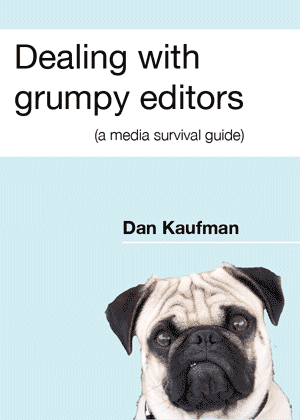
    Which is where Dan Kaufman’s Dealing with grumpy editors gets its name. To public relations people journalists often appear grumpy, rude and obstructive.

    This should not surprise anyone. You wouldn’t believe some of the nonsense editors have to put up with from PR people. Some of that nonsense passes for wisdom or craft in the PR industry.

    Rubbish public relations

    After 17 years before the editorial masthead Kaufman has seen some rubbish PR. He has also seen some sharp operators. In this book he provides practical advice for communications workers wanting to get an editor’s attention.

    If you work in PR, you may not agree with everything Kaufman says. He tells it like it is in straightforward language. It is a valuable work, worth every cent of the ridiculously low $4.99 he is charging for the PDF version.

    I can come to your offices – or meet you in a fancy restaurant – and give you the same advice for $150 an hour. So on second thoughts, don’t buy the book. Hire me instead.

    Grumpy editors

    In the spirit of good journalism, I should disclose my connection with Kaufman. I hired him as a junior journalist some 17 years or so ago. Hopefully he wasn’t thinking of me when he gave his book its title.

    → 6:17 PM, Feb 16
  • How to write like an old-time journalist

    A blog post, article or other piece of copy is what journalists call a story. Here’s how to write one.

    You start a story by telling the reader what it is about. You do this briefly in the headline. Then again in the introduction or intro, which is a stop press paragraph.

    Ask yourself:

    • what is this story about
    • what information am I trying to get across
    • what points must I make to do this?

    Sum up the story in your mind in one simple sentence. This is your intro.

    Its purpose is to tell the reader what the article is about and draw the reader in. As a rule, readers prefer brief intros.

    Write so a reader who only samples your intro still has a basic grasp of your story.

    Newspapers teach journalists — on both tabloid and quality papers — to start with a single sentence of between 15 and 21 words. This is what you should strive for, although at times you’ll need to use more words.

    As an aside, proper nouns made up of multiple words only count as a single word when you’re calculating the ideal intro length.

    Your first paragraph can be one sentence or three but keep it short and crisp.

    Next comes the how: how did it happen or, more usually in your case, what happens next?

    This is background information or explanation.

    After the explanation comes amplification. You amplify the point or points following on from the intro.

    Make these points one by one and in descending order of importance.

    Last, after making all the main points, tie up any loose ends — that is add any extra or background information deemed necessary but of lesser importance.

    Originally published March 25th, 2010.

    → 10:19 AM, Feb 13
  • Technology writing - a guide for beginners

    A vintage typewriter sits on a dark wooden surface Follow a few simple rules and you’ll be able to write decent, readable articles or stories about technology for any audience.
    Good technology writing doesn’t come easy. Not at first

    Most people can write simple, straightforward text even if they’ve little formal writing experience.

    That is the best place to start.

    Next you need to learn to put your readers first. Understand what they need to know and the barriers they might face getting to the information.

    After that, good technology writing is about understanding your subject matter and clear thinking — then turning your thoughts into words.

    If you can do this in a logical way, the shape of your story will lead the reader through the key points.

    Step one: Start simple

    Start by sticking to basic words and simple sentence structures. Don’t worry if this feels like plodding. You can experiment with language when you feel more confident.

    Inexperienced technology writers often have one of four faults:

    • A pompous and overbearing style. Avoid this by being friendly, although not chatty. And use active language, it is easier to understand and unambiguous.

    • Too technical. In other words the writer does not explain the technical aspects clearly enough to non-experts. Fix the problem by keeping jargon to a minimum and explaining tricky ideas in simple terms. You can’t assume your readers know all the basics, so make as much of this as clear as possible. Don’t worry if this makes your writing longer.

    Never worry if geeks tell you your technical writing is too simplistic. They are not the target reader and anyway they probably think they know everything about the subject already.

    • Trying to be cute. There’s nothing wrong with making jokes or using everyday speech, but beginning writers can take this too far, to the point where it is hard to understand their meaning. Think of how jokes often don’t work in emails or text messages.

    • Being non-specific. Avoid vague jargon like calling everything a ‘platform’ when you mean operating system, software or hardware. These days that word can mean just about anything.

    Hitting the right note

    Pitching your copy at the right level is the hardest part of technology writing.

    Experienced technology writers know no one ever succeeds by overestimating the reader’s intelligence. They also know no one succeeds by underestimating readers.

    Remember people who are expert in one area of technology, may not understand other areas. And a technically literate readership does not give one a licence for sloppy explanations of complex technical matters.

    If you find this difficult, imagine you are writing for an intelligent colleague working in another area of your organisation.

    • Picture that person reading your words.
    • What questions would they ask if you were in the room with them? Make sure your text answers these questions.
    • Have you written something they would find patronising? Hit the delete button and make that point again.

    Lastly, if you can, always get someone to proofread your copy.

    Ask them to point out what doesn’t make sense and to see if you’ve made any obvious errors. Don’t take offence if they find things that need changing. Your pride will be more wounded if the rest of the world saw your mistakes.

    Apply good writing to all your communications

    Technology writers spend significant time communicating via email with sources, PR representatives and editors. The same principles of clear, thoughtful writing apply here.

    One seemingly small detail matters: avoid starting emails with time-specific greetings like “good morning.” Your message might arrive when it’s not morning, making you look thoughtless. Use greetings that work at any time.

    → 7:26 PM, Feb 11
  • Writing for the web in 300 words

    All you need to know about web writing in under 300 words. From my 2010 Wordcamp NZ presentation.

    1. Start straight away. Don’t waste time warming up.
    2. Reduce barriers between your ideas and your audience.
    3. Write clearly. Use readily understandable language. Be unambiguous.
    4. Learn grammar. Forget what teachers said about long words making you look smart. It isn’t true.
    5. Instead use simple words, grammar and sentences. It is harder to go wrong.
    6. Go easy on adjectives and adverbs.
    7. Spellcheck.
    8. Try to imagine your reader – an ordinary bloke or woman. Write for that person.
    9. Use ‘be’ verbs sparingly to make your writing more interesting. Use them even less in headlines.
    10. “I would have written a shorter letter, but I did not have the time.” Most people think it was Mark Twain; it was Blaise Pascal, a French Mathematician.
    11. Keep sentences short; up to 20 words. A 15 word sentence limit is better.
    12. Keep paragraphs short; usually one to four sentences. Only use more if you need to.
    13. Use plenty of full stops and line breaks. Use lists and bullet points. Be generous with crossheads (secondary headings).
    14. Highlight keywords with bold or italics.
    15. Writing is story telling.
    16. Summarise your story in the headline.
    17. If you write an introduction use it to tell readers what your story is about. Expand on your ideas in the following paragraphs.
    18. Write so you can cut the story at any point yet readers have the maximum information.
    19. Aim for short and crisp. Online readers tire after 200 words and start dropping out at around 300. Keep most stories below this length although you can write longer pieces.

    You can find longer explanations of all these points elsewhere on this site.

    While all this remains true in 2026, there are good reasons to write more than 300 words. Google favours longer posts and readers are less scared of scrolling down than they were in the past.

    → 6:30 PM, Feb 8
  • Good morning, g'day, kia ora, how are you?

    Writing good morning at the start of an emai seems a good idea. The words sound friendly and upbeat.

    It’s not as good as kia ora.

    You don’t know for sure when your message will arrive at the other end. Nor do you know when the reader opens it. There’s a good chance it won’t be in the morning.

    At best good morning when it isn’t morning doesn’t make sense. At worst, it looks rude. It says the writer hasn’t thought about the person at the other end.

    This matters if you are in business. An out-of-place good morning might be interpreted as “I’m happy to take your money, but I’m too lazy to think about how you might read my email”.

    Writers have no control over when people read their emails, so it is best not to start communications that way even when you’re in the same time zone as the reader. And if you are not in the same time zone, it only serves to underline the fact.

    Assumptions

    Good morning makes an assumption. If it’s the wrong assumption it can come across as arrogant.

    If you want to seem polite or friendly, just start the email with hi or hello followed by the person’s name. Use the first name if you know them. Use the first and second name if you don’t or if you are uncertain.

    Nothing signals the person at the other end is not paying attention more than getting this wrong. If I get an email that starts “Hello Bennett”, I know something odd is going on.

    Kia ora

    New Zealanders have two better options.

    Kia ora is a Māori language – we call it te reo – phrase everyone should know. Strictly speaking it means “good health” but it is widely used as an alternative to “hi”. Kia ora is a great way to start an email.

    The other possibility is g’day – a term we share with Australia. It’s seen as a little old-fashioned these days, but serviceable. Hi, kia ora and g’day have the advantage of working at any time of the day or night. They don’t make presumptions about what is going on at the other end of the communication.

    Both will set you apart from locals when you communicate with people in other parts of the world. It is is the best ice-breaker.

    Good morning, g’day, kia ora, how are you? was originally posted on July 13, 2010 at billbennett.co.nz.

    → 1:49 PM, Feb 8
  • Capital letters and product names

    A handful of technology brands insist their names are written entirely in capital letters. In the past brands like Asus and Gigabyte pushed this idea. Today the Oppo phone brand likes to see its name appear in lights… sorry all capitals. There are other examples.

    The jibe about ‘appear in lights’ is no accident. That’s exactly the effect companies who do this want.

    Of course companies can write their names however they want

    They don’t need to worry about being literate, sensible or easy to read. Although all of those things might help them.

    Journalists should not write company names in capital letters. Their goal is to make information easy to understand. This means ignoring demands to spell company names in capitals unless there are good, practical reasons to do otherwise. We’ll look at these in a moment.

    Readers come first

    Journalists serve readers, not markets nor companies. They do this by making information easy to get and understand. Messing around with capital letters interferes with that.

    Capitals are the reading equivalent of speed bumps. They slow a reader’s flow. As you scan a text, your eye stops when it reaches a word spelled out in capitals. They appear in lights.

    This is a reason companies want their name spelled that way. It increases the impact of the word. They thing words spelled out in capital letters stand out in text passages. They leap out from a page or screen.

    Narcissistic companies

    A less charitable interpretation is that spelling a company name in capital letters is a variation of [narcissistic capitals.](https://billbennett.micro.blog/2022/07/28/narcissistic-capitals-companies.html)

    Puffed-up fools think capitals makes them look more important. It doesn’t. In fact it can do more harm than good.

    Editors who nod through product names in capitals knowingly or unknowingly put brands’ interests ahead of their reader’s interests. There can be commercial pressure to do this, especially from companies that are potential advertisers.

    Smart readers will realise this and learn not to trust the publication. For similar reaons, readers are, subconciously, less inclined to trust companies who insist their names are spelled in capitals. This may not be true in other cultures, but in ours, a name spelled all in capitals is a warning.

    When company name are capital letters

    We pronounce names like HP or IBM as a string of letters. It makes sense to write them as capitals. This doesn’t apply when company names are acronyms forming a pronounceable word.

    → 5:00 PM, Dec 18
  • The best way to use acronyms in your writing

    Acronyms are words formed from a series of initial letters or parts of other words, such as: IBM, BBC, Unesco, WHO, Anzac, laser and radar.

    Acronyms can make text simpler, easier to read and understand – life would be harder if you had to write light amplification by stimulated emission of radiation every time you refer to a laser.

    Spell an acronym out in full the first time you use it unless you are writing for a specialist audience and the term is instantly familiar.

    I prefer to write the full term, followed by the acronym thus: The United Nations Educational, Scientific and Cultural Organisation (Unesco).

    Others like to write the acronym, followed by its full title in brackets. Both are equally correct, it is a matter of editorial style. And there are times when you may want to swap, for example when someone uses an acronym in reported speech.

    Confusing acronyms If an acronym is confusing, don’t use it.

    Some style guides allow acronyms written with full stops (or periods) between each letter or segment. I don’t. It’s ugly and adds nothing.

    Likewise, there are those who think acronyms should always be written in capital letters. Again I disagree. In both cases the result is both inelegant and distracting.

    You’ll notice in the examples above, I’ve written some acronyms in capitals, some with an initial capital and some in lower case. Here’s why:

    Initialisms When you pronounce the acronym as a string of letters, ie. eye, bee, emm for IBM the computer company, you should write the word in capitals. This type of acronym is an initialism. Linguists and grammar teachers make a distinction between acronyms and initialisms, but journalists generally tend to regard them as the same.

    If the acronym is a word and spoken as a word, then treat it as a normal word with an initial capital if it is a proper noun. Otherwise with a lower case initial letter.

    Some American newspapers automatically use an initial capital followed by lower case if the acronym had more than six letters. One difficulty is deciding whether to use a or an before an acronym. The important thing is how it sounds when spoken. If the first letter sounds like a vowel, use an.

    Certain acronyms were deliberately designed from the outset as pronounceable words. For example, Action on Smoking and Health (Ash). T he Economist Style Guide offers good advice: …try not to repeat the abbreviation too often; so write the agency and not the IAEA, the Union and not the EU, to avoid splattering the page with capital letters. There is no need to give the initials of an organisation if it is not referred to again.

    → 6:16 PM, Dec 17
  • The BBC's contribution to online journalism

    Paul Bradshaw at the Online Journalism Blog says the BBC gave online journalist three gifts.

    He mentions the editors' blogging and the way the BBC opened up its back-end to developers. Both matter.

    His first item, the BBC’s web writing style, may prove more important in the long-term.

    The organisation’s online news writers write crisp, tight news copy. They get right to the point, line up the important facts, then get out-of-the-way.

    BBC learned the hard way

    Bradshaw says the BBC learnt to write tight news stories when it ran Ceefax – a teletext information service which predates the internet. Ceefax allows little in the way of graphics and only 24 lines of 40 characters. Journalists had less than 200 words to tell their story.

    Sharpening skills on Ceefax before the internet, gave the BBC a head start over other written news outlets which had become wordy thanks to larger newspapers.

    Bradshaw says: “Even now it is difficult to find an online publisher who writes better for the web.”

    The online team is even better at writing news headlines. Its editors compress the gist of an entire story into just five or six words. Most headlines fit inside that Ceefax page width of 40 characters.

    Originally posted at billbennett.co.nz on Feb 21, 2011

    → 7:22 PM, Oct 3
  • Corporate writing is often awful - let's fix that

    Big companies worry about communications. They want every word they send out to stay on message. Their goal is to protect or promote brands.

    This means a lot of unreadable corporate writing pours out of their headquarters.

    Many companies have brand bibles. These are like editorial style guides – they standardise language.

    Newspaper style guides are written to make life easier for readers. Brand bibles have other goals. They aim to help the company sell.

    Counterproductive

    That’s the theory. In practice this is often counterproductive.

    Companies love complicated product names, often littered with jarring capital letters in weird places. Some add odd-ball punctuation. You’ll find trade marks and copyright symbols. Some pepper text with stock market abbreviations.

    They give everyday nouns capitals. Some insist on spelling entire words in capitals. They use obscure acronyms and far too many adjectives. Often passive voice sauce is ladled over this sickly concoction.

    You’ll even see companies refer to themselves and other companies in the plural, not singular. Perhaps they think this makes them sound like a bunch of fun people. In reality it makes them look like amateurs.

    Companies often focus on writing about the wrong things, like dull histories. That is another story.

    Corporate writing is often hard to read

    None of this is easy to read. It doesn’t help the flow of information from one mind to another. Every non-standard affectation is like a roadblock on the highway to understanding.

    Readers often switch off. They just don’t care.

    And yet companies persist. Why?

    They carry on turning out rubbish communications because it is safe. Nobody loses their job if they stick with the brand bible. Managers can tick off boxes all the way up and down the chain of command.

    Sign off is guaranteed.

    Everyone is happy. Except the poor soul who has to read the awful prose.

    You might be interested in Technology writing for beginners. Follow a few simple rules and you’ll be able to write decent, readable articles or stories about technology for any audience without confusing or boring them.

    → 11:43 AM, Oct 3
  • Get straight to the point

    Don’t waste time warming up when writing for online audiences. Get started straight away.

    Readers are busy. They scan text looking for meaning and they want it fast. Other writing competes for their attention and it is only a click away.

    Your first paragraph should summarise the entire story in less than 40 words. A 30-word intro is better. And make sure those words aren’t all in one sentence.

    Don’t overload the first paragraph with too many facts. Save details for later.

    Move straight to the action. Passive first sentences send readers fleeing for the exit.

    Online, opening words are often a teaser to lure readers. If Google indexed your story, the first 150 characters become the descriptive text telling people what to expect when they click the link.

    If you struggle to write short, snappy first paragraphs, imagine you are writing an old-style tweet. When Twitter still had its 140-character limit that was excellent training for writing introductions.

    → 5:18 PM, Jan 26
  • Seven steps to a crisp blog post

    One of the great things about Micro.Blog is you can use it for quick social-media style thoughts or you can write a more expansive blog post.

    Good blog posts communicate ideas and information. Do it with crisp, unambiguous writing.

    There’s nothing wrong with flowery writing. Just leave it for poetry, song lyrics and literary fiction.

    Here are seven steps to help you turn out snappy blog posts that’ll have readers coming back for more:

    1. Get straight to the point. Set out your store in the opening paragraph. Tell readers what the rest of the story will be about. If you’ve got one, make the first paragraph your opening argument.

    2. Prove it. Follow your opening paragraph by building on the first idea or argument. Provide back-up information to explain or support the first paragraph. Tell readers why you said what you did in that first paragraph.

    3. Make extra points in descending order of importance. Readers can drop out at any point. Make sure they get the best points early while you still have their attention.

    4. Use plenty of full stops and line breaks. Short sentences make your copy dynamic and fast-moving. Short paragraphs make text easier to read. This is more important online. As a bonus, tight copy helps you articulate your ideas.

    5. Murder your darlings. If you think you’ve written something clever, chances are you haven’t. Hit the delete key and move on. Don’t use favourite obscure words or complicated metaphors. Anything that sounds like poetry needs cutting, unless you are writing poetry.

    6. Get on, get off, don’t hang around. And don’t outstay your welcome. Don’t feel the need for a long wrap-up. Make your last point, summarise if it helps, then stop writing.

    7. Check before hitting the send button. Read through your post, spell-check, look for poor grammar, weed out the needless words, make sure the text is understandable. I sometimes walk away from the screen and do something else before returning for one last read. The distance helps.

    → 11:56 AM, Jan 24
  • A thesaurus with short words

    Rules number four and five in Writing for the web in 300 words say:

    Learn grammar. Forget what teachers said about long words making you look smart. It isn’t true. Instead use simple words, grammar and sentences. It is harder to go wrong.

    Finding simple words isn’t always easy, especially when you are in a hurry.

    A thesaurus helps. There are online thesauri and there are two paper ones on my bookshelf at home. There’s a thesaurus built into MacOS.

    And then there is Ironic Sans’ Thsrs.

    Thsrs is a short word thesaurus designed to help social users find shorter words to fit in tight character limits. Thsrs is a great tool for digging out a simpler, easier-to-read alternative, option, choice.

    → 1:04 PM, Jan 22
  • How to write like an old-time journalist

    You may call it a blog post, article or something else. A journalist would call it a story. Here’s how to write a good one.

    Start your story by telling the reader what it is about. You do this briefly in the headline. Then again in the introduction or intro, which is a stop press paragraph.

    Ask yourself:

    • What is this story about,
    • what information am I trying to get across and..
    • what points must I make to do this?

    Sum up the story in your mind in one simple sentence. This is your intro.

    Its job is to tell the reader what the article is about and draw the reader in. As a rule, readers prefer brief intros.

    Write so a reader who only gets as far as your intro still has a basic grasp of your story.

    Newspapers teach journalists to start with a single sentence of between 15 and 21 words. This is what you should aim for, although at times you’ll need to use more words.

    As an aside, proper nouns made up of multiple words only count as a single word when you’re calculating the ideal intro length.

    You can have one sentence in your first paragraph or two or three. Either way keep it short and crisp.

    Next comes the how — how did it happen or, more usually in your case, what happens next?

    This is background information or explanation.

    After the explanation comes amplification. You amplify the point or points following on from the intro.

    Make these points one by one and in descending order of importance.

    Last, after making all the main points, tie up any loose ends — ie., add any extra or background information deemed necessary but of lesser importance.

    → 7:02 PM, Jan 21
  • If it sounds like writing, rewrite

    Elmore Leonard wrote this as the last of his ten rules of writing.

    If it sounds like writing, rewrite it

    Leonard is an author. A first-rate author who writes fast-paced novels with great dialogue and plenty of action.

    While Leonard is an artist, his advice applies to journalists and anyone else who writes for a living.

    What he means is make sure your writing doesn’t sound like an undergraduate essay or a high school homework.

    → 11:24 AM, Jan 21
  • When words end in -al

    There is a useful post at the Columbia Journalism Review chewing over the difference between words like electric and electrical or historic and historical.

    → 11:03 AM, Jan 19
  • Full stops beat commas

    Years ago, when training journalists, I would joke that Americans use more commas than British journalists because they are rich and can afford the extra ink. The same applies to journalists in Ireland, Australia or New Zealand.

    You would often find long, comma-packed sentences in American newspapers. They don’t make for easy reading.

    It’s better to write using plenty of full stops instead — periods if you’re American — and go sparing on the comma.

    Keeping track of who does what to whom is hard in long, comma-laden sentences. Breaking sentences into smaller units of meaning makes writing easier to follow.

    Only use commas where they aid understanding.

    Writers often underrate the comma’s use as an aid to sense.

    Some Americans put commas between all clauses and sub-clauses. Som grammar checking software tells you to do the same.

    British-trained writers avoid them between short clauses at the start of sentences.

    Americans also use commas before and at the end of a list of items. This is sometimes called the Oxford comma. As the name suggests, this is an not exclusively American habit.

    Argument in favour of the Oxford comma seems to be gaining ground in some circles. That’s partly because writers who favour the Oxford comma have trained us to read prose the way we might read a formal logic argument.

    Some experts say Americans are moving towards British patterns and commas are now less common on both sides of the Atlantic. Let’s hope so.

    One last point. Neither approach is right or wrong. How one uses commas and full stops is a matter of editorial style, not grammar. The important thing about style is to be consistent.

    → 1:26 PM, Jan 16
  • When journalists quote

    Quotes are important in journalism and reporting because they tell readers the information in question wasn’t made up by a reporter, but is someone’s account or opinion.

    Not all quotes are equal. The best come directly from an interviewee’s speech and are faithfully reproduced. In electronic media these are obvious – you see or hear the person in question saying their own words.

    With written media, quotes can be either direct or indirect.

    Direct quotes

    Direct quotes are written inside speech marks and are more or less exactly the interviewee’s words.

    I say “more or less exactly” because many journalists, myself included, tidy up, taking out the hesitations, the ums and the ahs. This is perfectly OK. What isn’t acceptable is putting words in someone’s mouth – words they didn’t use.

    It would be normal to correct the grammar up to a point.

    We often edit – often the reader only sees part of an interview. It wouldn’t be practical to include every word.

    Indirect quotes

    Journalists use indirect quotes to simplify and summarise an interviewee’s words, they improve readability.

    Most quotes you see in written media come from interviews. Some come from prepared statements.

    Organisations use prepared statements to control their message rather than answering pesky questions from nosey journalists whose job is to extract the truth not parrot propaganda.

    Robotic speech patterns

    Prepared statements generally don’t read like human speech. For some reason people think robotic English makes them sound more sincere or knowledgeable. Often the reverse is true.

    Journalists don’t always make it clear when they repeat a prepared statement. This isn’t dishonesty. It happens because constantly telling readers where information comes from all the time quickly gets boring. We come from a tradition where the column inches allocated to a story was limited. And we still work in a market where readers lose patience with too much detail.

    On the other hand, journalists shouldn’t pull the wool over reader’s eyes.

    I tell my readers when a quote is from a statement when I’m writing a news story or feature, but not if I’m writing a two paragraph snippet. Most of the time I also tell readers if a quote is from an emailed response – which may have been written by committee or a social media post.

    There’s a fine line between full disclosure and boring readers. But if the story is controversial or important, it is best to take the risk and be candid.

    → 12:37 PM, Jan 15
  • Write without creating traps for your readers

    Your job as a writer is to get your message across clearly and quickly.

    One way you can sabotage communication is by laying traps for readers. Traps that halt a reader’s natural flow as their eye scans over text.

    Punctuation – as the name suggests – stops flow. This is why I leave out optional commas.

    You can also slow down a reader’s flow when you use capital letters incorrectly. For the same reason you should never write a word entirely in capitals.

    Companies that insist their names are spelled out in capitals only do this because they want to halt the reader’s flow and make them take notice. You do not have to indulge them. It’s another story if they are paying you to write marketing copy.

    Likewise I don’t use the ‘&’ symbol – instead I always write ‘and’. The exception to this rule is when the ‘&’ forms part of a company’s name.

    The same applies to ‘+’.

    It is also better to write out percent in full than use %. Although some newspapers, including one where I work, insists on using the symbol.

    Never resort to phone text-style language in anything written for a wider audience. It isn’t funny, clever or useful.

    → 12:52 PM, Jan 14
  • When you have to use jargon

    Avoid jargon if you can. Sometimes you have no choice.

    It makes your writing difficult to understand and puts readers off. Jargon confuses readers and in many cases jargon is ambiguous – always a sign of poor communication. It puts a barrier between you and your readers.

    This is especially hard if you interview someone who talks in jargon and mangement cliches. You have a duty to report their words accurately, but you also have a duty not to bombard readers with gobbledegook.

    Where you can, turn quotes into indirect speech and simply drop the jargon term. Use easily understood descriptive words and phrases instead.

    When you can’t avoid a jargon term give your reader a short definition in plain English.

    If possible add an example to illustrate the definition.

    I had to write about management when the term ‘participative management’ came up as unavoidable jargon.

    I explained this as:

    Participative management, a way of running things where the workers take part in decision-making.

    It would have been so much better if the interviewee said that in the first place.

    → 7:38 PM, Jan 9
  • Does spelling still matter?

    The post is ancient, but Erin Brenner wonders “Does spelling still matter?”

    It does. It matters a lot.

    Some people think worrying about spelling and grammar is anal and backward. They are wrong.

    There are two reasons why spelling and grammar are important and will remain important for as long as people still read printed words:

    First: Well-written, properly-spelt, grammatically-correct English is unambiguous.

    Poorly written English is open to misinterpretation.

    If being understood is important, then worry about spelling and grammar.

    Second: Well-written text flows, it’s a pleasure to read. It sends readers a message about your professionalism and wisdom. It is credible. People want to read more of it.

    Poorly written English jerks around, it causes readers to stumble. They may not realise why this sets off alarm bells in their heads, but it does. They won’t look for follow-up reading.

    Too much poor English and they’ll question the message. This may not happen on a conscious level. It may not happen with all readers. It will happen enough for it to matter. So yes, spelling still matters.

    → 12:08 PM, Jan 8
  • Where you should use capital letters

    Use capital letters for proper nouns. Avoid them for common nouns.

    Proper nouns are the names of things. So use capitals for the names of people, places, months, days of the week, companies and so on. Don’t use capitals for common nouns.

    People run into difficulty with capitals because there’s a temptation to use them for important words. In business writing people often use capitals as a way of avoiding offending someone or something by implying he or it isn’t important.

    Another difficulty is with titles. Newspapers typically use a capital letter when the title comes directly before a person’s name but not otherwise.

    New Zealand Prime Minister John Key is correct, but it would be the prime minister’s desk.

    For more on this see Narcissistic capitals.

    In his book Newsman’s English British newspaper editor Harold Evans says;

    “Avoid using them unnecessarily. The Parks Committee, but subsequently the committee. The South West Regional Hospital Board, but then the hospital board.”

    One piece of advice I had early in my career as a journalist is: “If in doubt use lower case unless it looks wrong”.

    Lastly, do not use capital letters for emphasis and avoid writing words in all capitals.

    → 1:32 PM, Jan 7
  • They don't make newspapers like they used to

    I’m so pleased this had nothing to do with me. This was published in _The Australian _ 15 years ago and spotted by Mumbrella.

    So let’s do some role playing. You’re a sub on The Australian.

    Your boss has just given a speech about the health of newspapers.

    You’ve got to put a headline on the speech.

    Do you a) Check the spelling of the word “newspapers” in the headline or b) Not check the spelling of the word “newspapers” in the headline? Remember, your career may depend on the choice you make.

    → 5:22 PM, Oct 18
  • Hear me on the New Zealand Tech Podcast

    I’m on the New Zealand Tech Podcast with Paul Spain.

    nztechpodcast.com/new-iphon…

    Talking about the Christchurch Call Summit and whether you need to constantly upgrade your phone among other things.

    I explore the phone upgrade story in greater depth here:

    billbennett.co.nz/how-long-…

    → 6:08 PM, Nov 15
  • Go ahead, end a sentence with a preposition

    Your school may have taught you not to end a sentence with a preposition. This is a hangover from Latin and Greek. Sentences in those languages never ended with prepositions.

    Years ago I worked in communications for Britain’s Science and Engineering Research Council. My boss took me to task for ending a sentence with a preposition.

    He told me it was; “Something, up with which, I will not put” – a quote from Winston Churchill.

    Churchill was on my side in this. I suspect my boss didn’t realise the quote was a joke.

    While the grammar police won’t agree, this is a rule you can ignore. It doesn’t apply to everyday writing, business writing, journalism and online communications.

    There will be times it doesn’t make sense to twist sentences to avoid ending with a proposition. Your writing will be clearer and easier to understand.

    Relax. You’ll be in great company. Most newspaper style guides allow it. Most popular authors and the overwhelming majority of modern literary authors sidestep the rule.

    → 9:08 PM, Sep 6
  • Google as a verb

    Google is one of a rare breed of companies that has moved into everyday language as a verb.

    There are language purists who argue against turning nouns into verbs.

    Don’t worry. It’s fine to “google something” online. People have “hoovered carpets” for years.

    Note the lower case G and H.

    Most of the time Google and Hoover are proper nouns requiring a capital.

    There’s no such thing as a proper verb, so why should Google or Hoover take a capital when they are used as verbs?

    Years ago when I was starting out as a journalist there was a regular supplement in the UK Press Gazette which argued exactly that: a company name used as a verb needs a capital.

    I wasn’t convinced then. I’m not convinced now.

    → 8:22 PM, Aug 29
  • Seven things I’ve learnt about blogging

    1. You don’t need fancy software to blog.
    2. Free hosting services, like WordPress.com can as good as or better than self-hosting. You’ll need to pay for a few basics, but it won’t cost more than web hosting.
    3. A low-cost, minimalist option like Micro.blog (where you are reading this post) is the best for anyone who’d rather write posts than mess around with code.
    4. Blogging can take up a huge amount of time. It doesn’t have to.
    5. There’s a community aspect to blogging. It isn’t apparent until you dive in and do it yourself.
    6. Blogging is similar, but not the same as journalism.
    7. My blogs don’t have any direct economic benefits, but they keep me in touch with audiences and show prospective clients that I’m alive and kicking.
    → 12:31 PM, Aug 22
  • Structure your writing like a journalist

    Newspapers teach journalists to write using the inverted pyramid.

    It isn’t always the best approach, but it is reliable. the inverted pyramid has worked for news writing since the days reporters telegraphed dispatches to editors. Today it works for online writing.

    The structure echoes the classic essay structure you were taught — or should have been taught — at school.

    The basic format:

    Introduction — say what the piece is about; answer questions like who, what, where and when. You can also explain why at this point, although that can wait until later.

    Then — expand, amplify;

    Keep doing this until you’ve told the whole story. Make the most important points first then add more and more detail in each additional paragraph.

    How did this develop? Printed newspaper had limited space for news. Traditional newspaper subeditors would cut a story from the bottom if it needs to fill a specific space on a printed page.

    The inverted pyramid structure, with each paragraph being progressively less important, means editors remove the least important information first.

    A news story written using the inverted pyramid structure can be cut at the end of any paragraph, even the first paragraph, and still be a self-contained story.

    Online this means search engines pay more attention to the most important words – which helps people find your writing. Those opening paragraphs also make neat summaries for listings and similar online uses.

    The most important information goes in the first paragraph and each extra paragraph carries progressively less weight. That’s where the inverted pyramid name comes from: the foundation sits at the top, the less important details are at the bottom.

    → 6:15 PM, Jul 24
  • Use be verbs sparingly

    If you want to make your writing clearer and more interesting, use ‘be’ verbs sparingly.

    The verb to be includes:

    Be, being, been, am, is, are, was, were.

    Be verbs make text dull partly because of overuse, but also because they remove the reader one step from the action. They take readers the long route to meaning and can be long-winded.

    Compare:

    Fred is dismissive of cowboy films

    with

    Fred dismisses cowboy films.

    The second phrase has more energy, it propels the reader along. It expresses the same idea in a clearer, more concise way.

    Be verbs turn up in passive language, staying away from them helps keep your writing in the active voice.

    Old-school newspapers taught journalists to never use be verbs in headlines, but prefer strong action verbs instead. It’s hard to get away with that in today’s online world, so think instead of keeping them to a minimum.

    → 6:15 PM, Jul 21
  • Make the active voice your first choice

    The active voice is usually better than the passive voice because it is direct. This makes it easier to understand and unambiguous. With the active voice a subject does something to an object: Andy kicked the ball.

    In the passive voice the object is acted on by the subject: The ball was kicked by Andy.

    An active voice makes for tighter writing and easier reading. It is more personal and less formal.

    Efficient writing The passive sentence used six words while the active sentence needed only four. It has simpler grammar. Active sentences are economic and clear.

    Active voice phrases are easier to understand because they involve fewer stages. Think of it as fewer mental hoops to jump through. This becomes important in more complex sentences and longer pieces of text.

    While active voice sentences are also easier to write, you might not always find this in practice. The good news is that writing active sentences helps organise your own thoughts. That way you’ll write clearer.

    Confident words Sentences written in the active voice read as if the writer is confident about the facts. In contrast, phrases and sentences written in the passive voice seem tentative or uncertain.

    Bureaucrats and corporate managers often like hiding behind the passive voice’s ambiguities. Academics like to use it.

    For example, in the phrase; “the claims have been analysed”, it isn’t clear who did the analysis. On the other hand; “We analysed the claims” is definite.

    It gets worse when the writer resorts to using the word ‘it’ instead of ‘I’ or ‘we’: In the sentence “It was decided no claims would be payable” the author is deliberately hiding behind the ‘it’ implying that authority comes from on high and not identifying the person who did the deciding.

    There are times when you need to use the passive voice. That’s another post

    → 9:22 PM, Jul 19
  • Why short words are the best words

    Winston Churchill said: “Broadly speaking, the short words are the best, and the old words best of all.”

    He was right.

    Short words are best because they don’t get in the reader’s way. They are familiar.

    This makes them easy to understand and easy to spell.

    They are also easier to pronounce.

    Most short words in modern English come from Anglo-Saxon, not Latin, roots.

    They mainly describe real world objects and actions, not abstract concepts.

    Short words get straight to the point. Use as many of them as you can.

    → 12:58 PM, Jul 12
  • Let concrete nouns pin down your writing

    Good writing is direct, clear and precise. It gives readers direct insight into your thoughts and ideas.

    Concrete nouns keep your writing on track. They are unambiguous and specific.

    Use concrete nouns when you need to pin down facts and inform readers.

    We describe nouns as concrete when they refer to something you can touch, smell, see, taste or hear. They are all things you sense directly.

    Banana, chair, piston engine, trumpet, pterodactyl are all concrete nouns.

    I like to think of concrete nouns as crunchy, but they could just as easily be squishy, smelly, loud or colourful.

    As opposed to abstract nouns

    On the other hand, abstract nouns are things you can’t form a picture of. They are ideas, conditions and qualities, such as courage and happiness.

    Many abstract nouns started life as verbs or adverbs, but become abstract nouns with suffixes. So fascinate, becomes fascination, credible becomes credibility and so on.

    Yet if you want to report on events or describe something, steer clear of abstract nouns.

    Abstract nouns are useful when you want to generalise or when writing about ideas. They can be good for poetry, song lyrics and other flowery types of writing. At the same time they make it hard to figure out exactly what the writer means and are open to misinterpretation.

    → 2:08 PM, Jul 8
  • Can you start sentence with “And”?

    At school we were taught never to start sentences with “And”.

    And yet newspaper journalists do it all the time. Not starting a sentence with “and” is one of the first so-called rules professional writers learn to break.

    There’s nothing wrong with using “and” to begin a sentence or a paragraph. It is a great way to smooth the flow when you have a series of short sentences that would otherwise be too staccato for comfortable reading.

    Only break this rule in moderation. Overusing “And” at the start of sentences quickly becomes boring.

    As Keith Waterhouse points out in Daily Mirror Style, too many sentences starting with the word means your writing reads like the New English Bible.

    Aim for only one “And” sentence start in a short piece of 300 words. For longer stories, you can get away with using it a few times – about once every 3-500 words. Control any urge to sprinkle sentences starting with “And” through your copy.

    Other conjunctions

    The school rule didn’t just apply to “And”, starting sentences with other conjunctions was also forbidden. As an aside, conjunctions are ‘joining’ words used to string phrases together – usually, but not always, to build more complex sentences.

    There are plenty of alternative conjunctions to call on at the start of your sentences:

    “But” is a great way to start a sentence that disagrees with the previous one. “Yet” is a less-frequently used alternative. “Or” is a great word for helping text flow. Some people don’t like sentences to start with “However”. That’s another rule worth breaking. “Although” is a possibility. In practice, it can be better to shorten the word to “Though” at the start of a sentence.

    → 10:02 AM, Jul 7
  • The term “content” is a barbarism that bit by bit devalues what journalists do.

    • Jay Rosen, Chair of Journalism at New York University
    → 12:13 PM, Jun 30
  • Short, snappy writing works best online.

    Snappy writing works best online

    First, people are less ready to read long pieces online than short articles.

    Second, people read online material about 25 per cent slower than print. Jakob Nielsen explains why in In defence of print. Nielsen wrote his article in 1996, but things haven’t changed.

    Countering distraction

    Third, people get distracted easily online. There are advertisements and links to other websites as well as bleeping notification of incoming emails, tweets and instant messages.

    If you write a brief article, there is more chance a reader will get to the end before skipping off elsewhere.

    Brevity is the key

    Fourth, skilled writers aim for brevity because good, vigorous English is concise.

    A writer’s goal is to get messages to readers as swiftly and as accurately as possible.

    Get on. Say what you need to say. Get off.

    Leave the fancy, flowery stuff to poets and fiction writers.

    → 2:51 PM, Jun 28
  • A Mac user's guide to word processors and other writing apps

    Mac owners have a wide range of great writing apps to choose from. Here’s how to find the one that best suits your needs.

    billbennett.co.nz/macos-gui…

    → 7:31 PM, Jun 26
  • Guidelines for writing better headlines

    Short – cram the maximum amount of meaning into the minimum number of words. There’s no strict guide to ideal word length, but search engines only care about the first 64 characters. Make every word count.

    Clear – good headline are unambiguous. They must be immediately understandable in any context. Not everyone reading your writing will be a native English speaker. Keep this in mind.

    Straightforward – use mainly nouns and verbs. Remember your nouns will be keywords for people using search engines.

    Use simple words – short, Anglo Saxon words are best. Everyone knows exactly what they mean and they help you cram more meaning into fewer characters.

    Active – use the active voice.

    Avoid – forms of the verb to be. Articles ‘a’, ‘an’ and ‘the’ are space wasters best left out of headlines. Use a comma rather than the word ‘and’. Try not to use pronouns.

    Plain English – there’s a grab-bag of short clichéd headline words that people never use in real life – such as nix, slam, rap. It’s better to stick with everyday language.

    Some experts will tell you lists, questions and commands work well in online headlines. All may be worth trying, it depends what you are aiming for. Either way, they’ll work better if you keep my earlier points in mind.

    → 2:07 PM, May 27
  • Go easy on adjectives

    As old school journalists, we were taught to write mainly with nouns and verbs. Editors let us use adjectives only if they make the meaning more precise.

    And even then, subeditors would remove them as they tightened copy.

    In Daily Mirror Style Keith Waterhouse describes the old school journalist’s view. He says:

    Adjectives should not be allowed in newspapers unless they have something to say.

    Writers think adjectives add colour to their words. They do. But colourful writing isn’t always easier to understand.

    In volume one of Editing and Writing, another newspaper journalist Harold Evans says they give writing a “superficial glitter”.

    He goes on to say:

    Every adjective should be examined to see: is it needed to define the subject or is it there for emphasis?

    Evans says “over-emphasis destroys credibility”.

    Adjectives for emphasis

    Take care when using adjectives for emphasis. For example, the word ‘very’ adds nothing to a phrase. Most of the time you can lose the word without changing any meaning.

    The same usually applies to words like really, actually, rather and quite.

    It also applies to the f-word. It may be fashionable to use it in today’s writing, but nine times out of ten all it does is function as a synonym for ‘very’.

    Often there’s a better, more elegant way of expressing the same idea. “The train crawled into the station” is better than saying it was “very slow”.

    In practice many adjectives have no substance. You can remove most from your sentences. You won’t lose much, but you will gain clarity.

    On a personal note, publishers and others have paid me for years to write by the word. Loading my copy with lucrative filler words including adjectives makes economic sense. Over the years they have paid off my mortgage.

    Yet my writing would certainly better without them.

    A quick refresher:

    Nouns are names of people, places, things and ideas.

    Verbs are doing words. They tell you what is going on.

    We say Adjectives modify nouns. They tell you what kind it is, how many there are and which one is being talked about.

    Adverbs do the same job for verbs.

    → 8:38 PM, May 20
  • Murder your darlings

    “Whenever you feel an impulse to perpetrate a piece of exceptionally fine writing, obey it — whole-heartedly — and delete it before sending your manuscript to press: Murder your darlings.”

    Sir Arthur Quiller-Couch

    This quote, or a version of it, has been attributed to many writers Quiller-Couch was the original source. It’s unlikely you’ve ever heard of him, so this Wikipedia page will help.

    The key point here is that often when you think you’ve written something brilliant, you probably haven’t. This is something older journalists would knock out of juniors during training. These days the young ones don’t have time for fancy writing.

    Using a word like Murder is a great way of making the message memorable.

    Another way of putting the same idea is: Don’t try to be clever. Keep your writing as simple as possible.

    → 1:41 PM, May 7
  • Posted a massive update to my Guide to writing on an iPad - billbennett.co.nz/ipad-pro-…

    It covers most of the bases, but if you find something I’ve missed get in touch.

    → 3:43 PM, Jan 12
  • Exclamation marks: Caution!

    Exclamation marks, some people call them bangs, have almost no place in serious writing.

    Tabloids use them in headlines. You may use exclamation marks in reported speech or where they form part of a name or title.

    And that’s it.

    It’s no accident many newspapers and publishing companies ban exclamation marks.

    They don’t add drama.

    They don’t improve poor writing.

    Like laughing at your own jokes

    Exclamation marks don’t tell readers a sentence was funny.

    They may tell readers a sentence was supposed to be funny. That’s quite different.

    In the newspaper business, the exclamation mark is sometimes known as a shriek or screamer. These names give a clue to why they best left on the shelf.

    It is often used to add emphasis to sentences. It’s versatile, you’ll see it used to show surprise, anger or joy.

    You’ll see it used far too often.

    Fake hysteria

    The exclamation mark is the punctuation equivalent of raising your voice – maybe hysterically. Hence the name ‘shriek’.

    Here’s why you should avoid them:

    • They distract readers. Not in a good way.
    • They are an excuse for lazy writing – funny or dramatic writing doesn’t need propping up.
    • Once people start using exclamation marks, they usually overuse them – which makes writing look amateur.
    • They hint at a gushing bygone world of “what-ho Jeeves!”,  “lashings of ginger beer!” and “golly gosh!”. - Your readers will wonder if they’ve stepped into a time warp.
    • They make your writing seem inauthentic.

    As an editor, I told a young reporter working for me who used one in a story that was his year’s allocation gone.

    I was only half-joking. If you must use exclamation marks, use them rarely. Once a year is too often.

    The reporter got the message. I never saw another one in his copy.

    → 4:45 PM, Jul 25
  • Orwell on language

    Everyone who thinks at all has noticed that our language is practically useless for describing anything that goes on inside the brain.

    – George Orwell

    → 1:49 PM, Jul 19
  • David Ogilvy: How to write

    “Never use jargon words like reconceptualize, demassification, attitudinally, judgmentally. They are hallmarks of a pretentious ass.”

    From a memo advertising man David Ogilvy sent to employees at his agency in 1982, titled: “How to Write”.

    → 1:24 PM, Jul 17
  • The verb of attribution

    Earlier I wrote that most of the time you should use said when reporting someone’s words. Said is the best verb of attribution.

    Said is a wise choice of word for journalists. It is neutral and judgement free. This makes it a safe and accurate choice.

    A simple word like said is readily understood and unambiguous — that’s always a sign of good writing.

    You might choose something else if you’re writing poetry, literature or fiction. Yet for everyday writing use the simplest option. Your readers will thank you.

    The boring trap

    Don’t let anyone tell you that sticking with said makes your writing boring. Nor should you listen to those who tell you the word is overused.

    It is less boring than sitting through a defamation action because someone misinterpreted an alternative word.

    It is less boring than expecting your reader to look up the meaning of an alternative word.

    Readers can misunderstand almost every alternative to said.

    This is just between us

    The term ‘verb of attribution’ is correct. Yet, outside of academic discussions about language, it is not the best phrase to use in your writing.

    ‘Verb of attribution’ is the kind of formal, technical language that puts readers off, even when they know what it means.

    → 1:25 PM, Jul 16
  • First, second, third

    Remember when list posts were all the rage?

    There’s nothing wrong with writing lists – especially when publishing online – so long as you don’t overdo it.

    When the list items are short, you can use bullet points. Or, if the order is important, choose numbered bullets.

    Both options make text easy to scan and read quickly.

    Another, more elegant, approach is to write out your list using a variation on the following theme:

    First, something happened. Second, something else. Next, we used a little elegant variation to make things more interesting. Then, we did this. Last, we finished up.

    Use sparingly

    Ideally a list written this way should have only a few points. Keep it to four or five at most. Six is pushing it. Seven is far too many.

    When writing numbers this way you should spell out the words from first to ninth1 then write 10th, 15th, hundredth. You should never get as far as ninth.

    Some people use firstly, secondly, thirdly and so on. While strictly speaking both approaches are grammatically correct, adding -ly is old-fashioned and unnecessarily fussy.

    What’s more, you’ll end up looking silly if you want to deal with lots of items and reach eleventhly or even millionthly.

    So, stick with the simpler format.


    1. or perhaps tenth. This depends on your taste or if you have one, your house style guide, but remember to stay consistent. ↩︎

    → 1:06 PM, Jul 15
  • It's best to use said when reporting someone's words

    When reporting someone’s words, it’s best to use said in most cases.

    Newspaper and other style guides disagree over whether to use past tense (said) or present tense (says).

    It doesn’t matter which. Pick one and stick with it. At times you may need to write someone says this now, but said something different in the past.

    While you can use said even with written words -  if you are quoting what someone wrote in a mail or in tweet - it is better to make it clear the person wasn’t talking at the time.

    Alternative verbs are mainly pompous or value-laden. I once worked with a journalist who sprinkled his copy with words like averred or commented because he thought said was too dull.

    Neither word adds useful information. The pompous language may frighten off some readers. To me it read like something from Edwardian times.

    ##Not using said sows seeds of doubt

    Your readers may interpret any alternative to said as suggesting the speaker is lying, misinformed or doesn’t know what they are talking about. Think of claimed or according to.

    It is perfectly OK to used claimed or according to when you want readers to understand there may be some doubt.

    One alternative I allow myself is the verb ask. This only works when someone is clearly asking a question.

    ##How about when writing fiction?

    Fiction writer Elemore Leonard has another perspective on this. In his excellent Ten rules of writing he said:

    Never use a verb other than “said” to carry dialogue.

    The line of dialogue belongs to the character; the verb is the writer sticking his nose in. But said is far less intrusive than grumbled, gasped, cautioned, lied. I once noticed Mary McCarthy ending a line of dialogue with “she asseverated,” and had to stop reading to get the dictionary.

    Leonard wrote fast-paced fiction with terrific dialogue, if sticking with the one word was good enough for him, it is good enough for the rest of us.

    Sharp-eyed readers will have noticed I wrote: Elmore Leonard said not says. The writer died in 2013, that’s definitely past-tense.

    → 2:21 PM, Jul 10
  • 10 million words

    I’m a journalist.

    Writing for newspapers and magazines has been my main job for almost 40 years.

    For most of the past decade, I’ve worked seven days a week, 50 weeks of the year. Earlier in my life I had regular jobs which had paid holiday and I didn’t always need to work through the weekend. But still long hours.

    I estimate that over the long haul I’ve written an average of 5,000 words a week. That’s around 250,000 a year. Over 40 years it adds up to 10 million words give or take.

    → 9:09 AM, Dec 22
  • RSS
  • JSON Feed
  • Micro.blog