This post was written in April 2015.
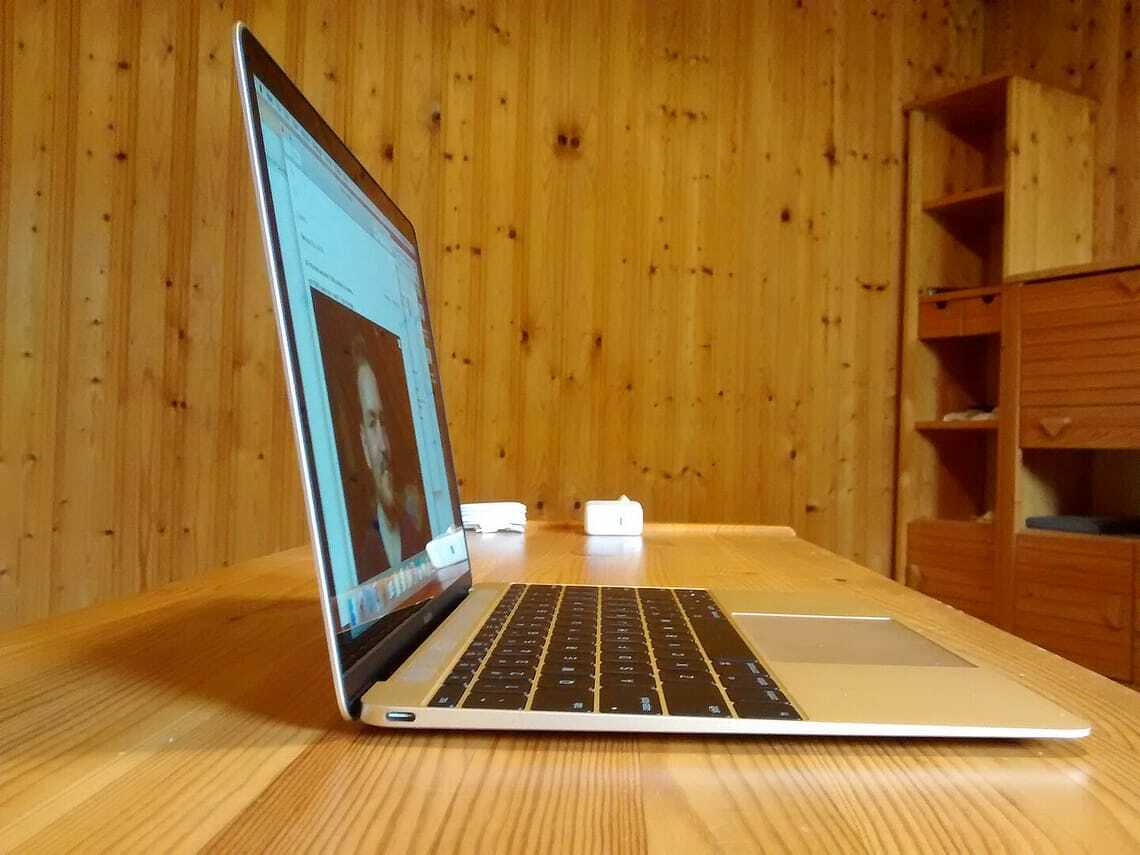
Apple’s newest lightweight laptop isn’t a MacBook Air. It’s simply called MacBook — a pared-down name for a pared-down computer.
It draws on ideas Apple developed for the iPhone and iPad. The result is a mobile computer as elegant, compact and polished as anything you can buy in 2015.
The new MacBook is thinner, smaller and lighter than any other laptop.
Not laptop, nor tablet, nor hybrid
In some ways it isn’t a laptop, at least not a traditional one. Nor is it a replacement for the MacBook Air.
It sits between the Air and an iPad with a Bluetooth keyboard running OS X. It’s laptop-like and tablet-like, but not a hybrid. Think of it as a new class of device for people who need more than an iPad and less than a full-blown laptop.
Built for mobile work
This isn’t a computer for everyone. The MacBook comes with compromises many won’t accept.
But it suits anyone who needs reasonable power on the move, say, a journalist working away from home. I took one to Wellington earlier this month to cover a conference.
Journalists were among the first laptop users. If you’ve ever carried a portable typewriter on a plane, you’ll understand why. On the road we value three things above all: portability, a good keyboard and enough power to run essential apps.
The MacBook ticks all three.
Portable
Apple designed the MacBook for portability above all else. Some reviewers worry about the keyboard. I’m fussy, yet had no trouble with it.
If there’s a weak point, it’s the processor. It’s fine for my work, but may not suit yours.
Small and light
It never occurred to me I’d want a laptop smaller or lighter than a MacBook Air. Then I met the MacBook.
My 2013 13-inch MacBook Air has travelled everywhere with me. It never felt heavy or burdensome. The MacBook doesn’t either — but it is lighter.
At 900g, it’s about a third lighter than the Air’s 1.35kg. On paper that’s significant. In a travel bag, less so.
You notice the difference more when carrying a backpack all day or using a briefcase. There the reduced weight means less strain — and, more than once, I found myself checking the bag to make sure the MacBook was still there. It really is that light.
You notice it immediately when holding the machine. The Air can be held one-handed, but not for long. The MacBook is easier to carry that way.
It’s also remarkably small. Despite the 12-inch screen, it has a smaller footprint than the 11-inch Air and is only a little larger than an iPad. At 13mm thick, Apple has effectively built a full laptop in something close to tablet size.
Built to travel
There’s more to portability than size and weight. The MacBook is beautifully made, with Apple’s usual attention to detail.
The anodised aluminium unibody feels solid and durable — important for a machine that spends its life on the move. It inspires confidence.
Battery life
Battery life is part of portability. My MacBook Air once ran all day — 12 or 13 hours — on a charge.
The MacBook doesn’t quite match that, but it gets close. On my Wellington trip it handled around 10 hours of solid work with charge to spare, including some time using cellular data after the venue WiFi timed out.
That’s good enough.
Keyboard
Typing is my trade. I write thousands of words a day and have done so since the days of manual typewriters.
So I pay attention to keyboards.
Despite criticism elsewhere, I had no problems with the MacBook keyboard after two weeks and around 10,000 words.
Apple says it designed the keyboard first and built the computer around it. That feels right.
The keys are larger, flatter and backlit individually. They travel less than traditional keys, which some dislike. I didn’t notice the difference.
There’s a short adjustment period — muscle memory takes time — but that’s true of any new keyboard. My typing speed didn’t suffer. If anything, it may have improved.
Trackpad
Until now, the MacBook Air had the best trackpad around. The MacBook’s Force Touch trackpad is better.
It responds to pressure as well as movement. A light press selects; a deeper press triggers extra functions like dictionary lookups.
It takes a day to learn, then becomes second nature.
Retina display
I’d seen Apple’s Retina displays before, but not used one for everyday work.
What surprised me wasn’t the sharpness, but how it changed the way I work. On the Air I tend to use full-screen apps. On the MacBook, the higher resolution makes it easier to juggle multiple windows on a small screen.
USB-C
The most controversial feature is the single USB-C port, which also handles charging.
It’s more versatile than older ports, but there’s only one. Apple expects you to rely on wireless connections and use adapters when needed.
So far, that works for me. My storage is mostly wireless. The only awkward moments come when connecting an iPhone or iPad — something I’ll deal with when necessary.
I do miss MagSafe. It was reassuring to know a power cable trip wouldn’t send the laptop crashing to the floor.
Reasons not to buy
This is not a mainstream laptop.
If you need power, look elsewhere. It will struggle with heavy tasks like video editing or large-scale image work.
If you rely on ports, the single USB-C connection may frustrate you.
And it isn’t cheap. At around NZ$2000, it carries a premium.
But “better specs” depend on what you value. If portability matters most, the MacBook delivers.
Should you buy one?
Maybe. It depends on your needs.
If you travel often, don’t need much processing power and can live without plugging in devices, it makes sense. Few laptops are this mobile.
If you were thinking of replacing a laptop with a tablet and keyboard, the MacBook is a compelling alternative.
Otherwise, stick with the MacBook Air or Pro.
For my work, the Air remains the better fit — but if I spent more time on the move, I’d choose the MacBook.
