Apple’s sixth generation 2018 iPad is a bargain. In New Zealand it costs NZ$540. For many people it is all the computer they will ever need.
Sure, there will be people who consider it dull next to the swept-up iPad Pro. It doesn’t have as many features. Yet it does one important thing that, until now, only the Pro model iPad could handle. The 2018 iPad works with Apple Pencil.
That’s great if you want to use an iPad to create art or jot quick notes without adding a keyboard or dealing with the device’s glass keyboard. This, coupled with the price should open up the iPad to new audience.
It’s a solid, reliable alternative to buying a low-cost computer. Some geeks will hate me writing that.
With this iPad, Apple is doubling down on the strategy that made the recent iPhone SE so compelling; by pairing a powerful, current-generation processor with a tried-and-true physical design, Apple created a entry point into its world that doesn’t break the bank. It will pull new customers to the iPad.
Half the price of an iPad Pro
While the 2018 iPad doesn’t have all the features you’d find in an iPad Pro, it’s close to half the price of the cheapest Pro. The basic model $540 2018 iPad Pro comes with 32GB of storage. In contrast, the cheapest iPad Pro model costs NZ$1100 and has 64GB of storage.
There’s a NZ$700 version of the 2018 iPad with 128GB. If you can find the extra $160 it’s worth it. If you have a large library of music, videos or photographs you’ll soon bump up against the limits of 32GB. With a 128GB you won’t need to continually swap out files to a back-up device or the cloud.
What you get with both models is the classic 9.7-inch iPad Retina display. There are not as many pixels as you’ll find on the 10.5-inch iPad Pro, but the resolution is much the same. It has 2048 by 1536 pixels compared with the Pro’s 2224 by 1668. The 2018 iPad weighs exactly the same amount as the 10.5-inch iPad Pro; around 480 grams.
At 7.5mm, the 2018 iPad is a sliver thicker than the Pro which is just 6.1mm. That’s enough to notice, but not much of a compromise. It’s about 10mm shorter and 5mm less wide. This means you can’t swap covers or keyboards between the two devices. Not that many people will be doing that.
Adding a keyboard
And anyway, the 2018 iPad doesn’t have the Smart Connectors found on iPad Pro models. These make it easier to use a keyboard without resorting to Bluetooth. If you want to run a keyboard with the 2018 iPad there are dozens of options, many are excellent.
It’s a fine tablet for writing on.
The speakers are not as loud or as clear as you’ll find on an iPad Pro.
Another difference between the Pro and the 2018 iPad is that you only get a first generation Touch ID button. It’s a little slower than the newer version and more prone to stumble when you use a fingerprint to sign-in. This is noticeable in practice if you’re stepping down from a newer iPad Pro or have an iPhone 7 or 8.
There’s a software difference too. The 2018 iPad only allows two apps to appear on screen at any time. While the Pro models allow three, this is something I never use on my tablet. I doubt many others will miss it.
The 2018 iPad uses Apple’s A10 Fusion chip, it’s similar, but not as powerful as the A10x Fusion chip in the Pro model. In theory it doesn’t run as fast, you could probably prove this by running benchmarks. In practice, you won’t notice. I didn’t find any lag on the 2018 model, it doesn’t feel slower. In fact, when it comes to speed, it feels almost exactly the same as my first generation 9.7-inch iPad Pro.
Where the 2018 iPad fits
Apple launched the 2018 iPad with an emphasis on education. It’s a great choice for students. Apple critics will tell you the iOS operating system is a walled garden and restrictive. Although there is some truth in this, in practice iOS is as open to the rest of the computing world as all the alternatives. Chromebook, Android and Windows are all as flawed in their own ways – possibly more flawed given their business models.
I’ve spent much of the last year using a 12.9-inch iPad Pro as my main mobile computer. It doesn’t do everything I need, but for most purposes it is more than enough computer. It has travelled overseas and out-of-town with me several times. For the most part the limitations of the 2018 iPad would be the same. If you’re on a tight budget and don’t need a lot of fancy features it could be all the computer you need. It’s a great device for creativity, just don’t expect to edit movies on its 9.7-inch screen.
The key to the 2018 iPad is that you get a lot of computer for not much money. You can buy cheaper Chromebooks, Android tablets and, at a pinch, Windows PCs. Unless you’re looking for an app that doesn’t appear in Apple’s store, this beats all those devices for most people who have light computing needs.
Posted in May 2024. From the outside, Apple’s latest MacBook Air appears identical to its 2022 counterpart. It has the same ports, a great screen, terrific keyboard and the best trackpad you’ll find on any laptop. It is still thin and light.
From the outside, Apple’s latest MacBook Air appears identical to its 2022 counterpart. It has the same ports, a great screen, terrific keyboard and the best trackpad you’ll find on any laptop. It is still thin and light.
Despite two years of hefty inflation, the M3 MacBook Air’s NZ$2050 starting price is unchanged. You could view that as a de facto price cut. Apple still offers the 2022 model with prices starting at NZ$1800.
The main change is the switch from the M2 to M3 chip. This brings a significant bump in power, depending on the application the laptop is anywhere from 15 to 20 per cent faster than its immediate ancestor. It’s a huge leap up from the M1 or Intel MacBooks.
Better WiFI
Other changes include a welcome upgrade to WiFi 6E. If your router supports WiFi 6E you’ll notice a huge jump in data speeds. My gigabit connection gives me more than 600 mbps direct to my home office.
Apple has also reconfigured the external monitor hardware so you can run two external screens from the M3 MacBook Air.
Beefing up the processor does not take a toll on the computer’s battery life, you can still get more than 16 hours use before needing a recharge.
You can be forgiven for thinking that a 15 to 20 per cent increase in power does not amount to much. Nothing could be further from the truth. For many years now Intel-based laptops have only managed low single digit increases in computing power between generations. Apple continues to squeeze performance from its chips.
The performance jump is immediately noticeable when moving between MacBook Air models. It is even more noticeable when moving from an Intel Windows laptop to the Air.
M3 MacBook Air closes gap with MacBook Pro
In practice it means the new MacBook Air can run apps that might previously have required a MacBook Pro. In the meantime the MacBook Pro has moved up to the point where it outperforms many “workstation class” Windows laptops.
For the past month the 13-inch M3 MacBook Air has been my main computer. During that time, I haven’t heard the fan switch on once. Indeed, I had to check to see if there is a fan in the case.
Apple says you can get 18 hours from a single battery charge. That may be true, but I need to have a brighter screen and find I can work for around 16 hours without needing to use the MagSafe cable. On a recent two-day trip away from home I took the wrong power cable and power anxiety only kicked in late on the second day.
Price
Prices for the M3 MacBook Air start at NZ$2050. That buys a computer with 8GB of memory and 256GB of storage.
It’s adequate if you never run lots of apps at the same time and mainly use your laptop for the web, basic office applications and video calls.
Otherwise you’d need to look higher up the range. More demanding applications and practical multitasking require 16GB of memory. That takes the price to $2400. There’s also a 24GB option. You need to make the right call when you buy as the memory is not upgradable.
Storage
The base model’s 256GB storage is modest by 2024 standards. You could live with this if you don’t store many media files your computer. More likely you will need to buy more storage at the time of purchase. Like memory, this is not upgradable.
There are options with external drives, network drives and cloud services but these are clumsy compared with getting a bigger drive in the first place. I find 512GB is essential.
Adding 16GB memory and 512GB storage to an M3 MacBook Air lifts the price to NZ$2750. Apple sent a review model with 16 GB of memory and a terabyte of storage. This configuration costs NZ$3100.
There is a 15-inch model with prices starting at NZ$2500.
Premium laptop
These prices place the M3 MacBook Air firmly in the premium laptop bracket. That’s fine, it is more than competitive with rival premium laptops from the likes of HP or Dell.
People tend to think of Microsoft’s Surface Laptop as a direct competitor to the MacBook Air. Prices are similar. The base model Microsoft Surface Laptop 5 is NZ$2000 for a model with 8GB of memory and 256GB of storage.
The M3 MacBook Air is considerably more powerful than the Surface Laptop 5 which feels like it is at least a generation behind Apple’s laptop.
M3 MacBook Air verdict
For now Apple’s M3 MacBook Air is the best all-round laptop in the world and certainly the best option in its price range. You won’t find a better blend of features, functionality and performance anywhere else. You’ll power through your daily work with ease.
Unless you work for an employer who insists on Windows, this would be a good time to think about jumping ship to MacOS.
Apple either beats or equals every rival when it comes to the laptop’s keyboard, trackpad and the physical case. You won’t find a better screen or better speakers and its webcam is top class.
They don’t get much attention but Apple’s Touch ID and the WiFi 6E modem are also huge plus points. There is an attention to detail that rival laptop makers rarely match.
That said, it’s not cheap and it might be overkill for some readers. If your needs are not demanding and want to spend less, the M2 version costs NZ$250 less and has almost everything.
In 2021 Apple moved ahead of the laptop pack with its M1-powered MacBook Pro. That model set new standards for processing power and battery life. This report from 2023 looks at how the M2 MacBook Pro takes performance and battery life further. It's not cheap, but the most demanding users will see it as a wise investment.
Apple MacBook Pro M2 and M2 Max
16-inch MacBook Pro at a glance
For:
High performance, very long battery life, miniLED ProMotion screen, excellent speakers and great design. MagSafe.
Against:
Expensive. Can’t upgrade Ram after purchase. No Ethernet port.
Maybe:
Not compatible with Windows Boot Camp can run Parallels desktop. Webcam is excellent, but doesn’t feature Centre Stage.
Verdict:
Every aspect is best in class. It’s an outstanding laptop for people who need power, but it comes with a hefty price tag.
Price:
From NZ$4600. Review model costs NZ$6350.
At first sight Apple’s 2023 MacBook Pro looks identical to the 2021 model. Externally, little has changed and that’s no bad thing.
The 16-inch model has a full-size backlit keyboard (280mm by 115mm). It’s the best I’ve used on a laptop, with a precise, comfortable feel. A Touch ID key handles security, making logins and payments quick and painless.
The trackpad is large (160 × 100mm) and superbly responsive—again, the best I’ve seen on any laptop.
Apple’s Liquid Retina XDR display is stunning. It refreshes at up to 120Hz, with sharp text, vivid images and, if needed, searing brightness. Apple quotes a 1,000,000:1 contrast ratio. On the review unit the 16.2-inch screen delivers 254 pixels per inch.
There’s also an SDXC card slot. In testing, file transfers from an older camera card were effectively instantaneous.
Raw computing power
The review unit has a 12-core M2 CPU: eight performance cores and four efficiency cores. The 2021 model’s M1 Pro had 10 cores, so the newer chip adds two efficiency cores.
In practice, this MacBook Pro is about 20 percent faster than its predecessor. That’s noticeable, though probably not enough to tempt 2021 owners to upgrade. Anyone coming from an Intel MacBook will see a huge leap.
Benchmarks only tell part of the story, so I focused on real-world tasks. Using HandBrake to encode a library of DVDs for Apple TV, the MacBook Pro completed the job in less than a quarter of the time taken by my 2020 Intel MacBook Air.
It’s not a gaming laptop, but it handles demanding graphics work with ease. Rendering lossless audio from a digital audio workstation took a fraction of the time compared with the MacBook Air.
Beyond that, I struggled to find anything in my workflow that could push the M2 to its limits.
Outstanding battery life
The 100Wh battery combined with Apple Silicon’s efficiency delivers extraordinary endurance.
Apple claims up to 22 hours of video playback. In a controlled test, with WiFi and Bluetooth off, moderate brightness, video looping, the MacBook Pro ran for 27 hours, comfortably exceeding that figure.
In everyday use, writing, browsing, light photo work and background encoding, I saw around 16 hours. That’s roughly two full working days on a single charge.
Long battery life changes how you use a laptop. You stop thinking about chargers, power points or rationing screen time. It feels closer to using a phone.
It’s also enough to cover most of a New Zealand–Europe flight, assuming you sleep part of the way.
Fast charging
Apple’s 140W power adapter delivers a 50 percent charge in about 30 minutes, with a full charge taking roughly 90 minutes.
MagSafe has returned, which means a stray foot won’t send your laptop crashing to the floor. You can still charge via USB-C if needed.
Video camera
Laptop webcams are often poor, but not here. The MacBook Pro has a 1080p camera with a four-element lens. In video calls, others consistently reported clearer images.
That clarity can cut both ways: during one call, someone spotted a competitor’s product on a distant desk.
Like modern phone cameras, it uses computational video powered by the M2’s neural engine to improve exposure, colour and noise. You can’t easily judge that from your own feed, but the results are obvious to others.
macOS Ventura also lets you use an iPhone as a webcam. On this machine, the built-in camera is good enough that the feature feels redundant.
Speakerbox
Laptop audio is usually an afterthought. Here, it’s a highlight.
While testing FL Studio, I accidentally switched from headphones to the built-in speakers. The difference was striking: full, balanced sound with real bass, that’s something laptop speakers rarely deliver.
The six-speaker system (four woofers, two tweeters) handles music and video calls with clarity and volume, with little distortion even at higher levels.
Apple also supports spatial audio. With compatible content, the effect is impressive. It won’t replace a hi-fi, but it’s ahead of any laptop I’ve used.
WiFi 6E and Bluetooth 5.3
WiFi performance is strong. With WiFi 6E support, you can use the less congested 6GHz band, assuming you have a compatible router.
In testing, downloads peaked at over 920 Mbps on a gigabit fibre connection, matching wired Ethernet speeds.
Weaknesses?
There’s a good selection of ports, but no built-in Ethernet. That’s usually fine, but I still needed a dongle to connect directly to a network drive.
Memory and storage aren’t user-upgradable. While repairs are possible, unofficial upgrades may run into restrictions.
Running Microsoft Windows
Apple Silicon Macs can’t use Boot Camp. Instead, I used Parallels Desktop to run Windows. It works well, but it’s expensive and comes with licensing complexity.
VirtualBox is a free alternative, but the Apple Silicon version remains unstable at the time of writing.
Talking points
You can spend far more on a laptop. Workstation-class machines like HP’s ZBook Studio cost considerably more in some configurations, yet the MacBook Pro often outperforms them.
Apple says a third of the machine uses recycled materials. Its environmental report is worth reading if sustainability matters.
macOS Ventura is close enough to Windows to feel familiar, while offering useful extras like using an iPad as a second display.
The display notch is easy to ignore, though not everyone will like it.
Even under sustained heavy workloads, the MacBook Pro stays cool and quiet.
There’s no Face ID. An odd omission given how well Face ID works on iPhone and iPad. Apple sticks with Touch ID.
Despite its size, the 16-inch model remains portable and well balanced—never clumsy.
Apple’s annual update cycle is also a marked improvement on the long gaps seen in the Intel era.
Verdict: 16-inch MacBook Pro
Apple’s 2023 16-inch MacBook Pro is an outstanding high-end laptop. It delivers immense performance and class-leading battery life, with few meaningful weaknesses.
It’s expensive. Prices start at NZ$4600 for a model with 16GB memory and 512GB storage. The reviewed configuration (32GB, 2TB) costs NZ$6350, while fully loaded versions climb far higher.
Even so, pricing is competitive with workstation-class PCs. If anything, Apple has the edge in performance per dollar.
This unconventional review of the M1 MacBook Air, written February 2021, is about the experience. Think of it as a glimpse into a possible mobile computing future
At first sight there’s little to tell the new M1 MacBook Air from the most recent MacBook Air model. From the outside they are peas in a pod.
The only physical difference are the small icons printed on the F4, F5 and F6 function keys. You have to look to notice. They show controls for MacOS’s Spotlight search, dictation and Siri features.
A globe printed on the function key at the bottom left of the keyboard tells you this can open an emoji picker.
Clues
There are a few more clues to help distinguish the two MacBooks. The M1 model is much faster. We’ll come to that in a moment.
The battery goes for hours longer between charges. We’ll look at that in more depth later.
Apple’s M1 MacBook Air is cooler and quieter. There is no cooling fan. It doesn’t need one. Mind you, the fan on the older MacBook Air doesn’t kick in until you push the hardware. With my writing work, that’s not common.
I’m a journalist. I spend the bulk of my MacBook time writing. I prefer lightweight writing apps over the big, sprawling word processors. Yet there are jobs where I have to use Microsoft Word. In normal use none of the writing apps in my toolbox draw on enough resources for the cooling fan to kick in.
Goodbye humming fan
To get the fan humming I’d need to run a media creation app or do a demanding spreadsheet or database task. It also hums when playing games.
That said, the old MacBook Air can still warm up during a lengthy work session. After two months with the M1 model, I’ve yet to detect the merest hint of processor heat.
Given that I spend the bulk of my MacBook time writing, I didn’t expect to get much of a performance kick from the M1. After all, it doesn’t help me type faster.
Processor intensive
Yet, in practice there are dozens of small processor intensive tasks that now work faster. I rarely used dictation on my Mac. It wasn’t great. It is now. The new MacBook Air shows how much processor speed changes that experience.
Likewise Siri. Because I’ve been a touch typist for years I tend to use keyboard commands others might prefer speech.
Movies load faster. Complex web pages perform better. On the odd occasion where I need to edit a photo, clip audio files or chew through a lot of data it all happens at speed.
I’ve never had a problem waiting for a MacBook Air to wake-up when I open the lid. It happens in a few seconds. With the M1 model, it happens in fewer seconds. That’s not a big deal, but I like it.
Pushing Safari
The other effect is more subtle than that. I’ve learned not to have more than a handful of apps open at any given moment and to not push Safari by opening lots of tabs. That could test my old MacBook Air. These restrictions have gone. when. testing this, I got bored opening new apps and tabs long before the new Air began to struggle with the workload.
You can benchmark the new Macs to get interesting looking figures. These numbers may mean something to certain people. Yet I’d argue everyday use matters more: The new Macs offer a much improved experience. It feels more fluid, more natural, there’s less of a gap between what you might want from a computer and what you get.
One aspect of the M1 Macs that worried users was the 16GB limit for system Ram. The MacBook Air never had more Ram, but MacBook Pro models could have 32GB. Desktop Macs could have 64GB.
In the event, it’s not an issue. M1 Macs have a design that does more with less Ram.
To my surprise I found I ended up more excited and enthusiastic about the new M1 MacBook Air than expected.
The new normal
The problem with performance boosts is that higher speeds soon become normal. As an acid test, I fired up the old MacBook Air. I wanted to know different the new experience was. The test confirmed it, the M1 MacBook is much better.
There’s a link between a fast processor like the M1 in the new MacBook Air and gigabit fibre or Fibre Max as the Commerce Commission prefers us to call it.
Few, if any, everyday applications that push a gigabit fibre connection to the limit. Yet having plenty of headroom means you’re never going hit a speed barrier. Likewise, even if you have modest computer needs, there are times when headroom is useful.
Say you’ve spent months working from home on gigabit fibre. Then, say, you return to the office and a more modest connection speed. That connection now feels laggy and flat, even though it may be fast by accepted standards.
That’s how the M1 MacBook Air feels after using the Intel model.
Battery
One reason I switched from Windows to a MacBook Air seven years ago was the improved battery life. I could get more than ten hours from the MacBook. The Windows machine it replaced struggled to do three hours.
At that time I had a job working part-time in an office. I’d take my MacBook on the bus and work a full nine-hour day without hunting for a power outlet. Two years later the MacBook could still last the entire working day. It changed how I worked.
The Air had enough battery life for a long-haul flight. Enough to work in the Koru lounge and for the trip to, say, Singapore with a few hours of down time for naps or meals.
Apple’s M1 MacBook Air almost doubles that time. I won’t be taking any long-haul flights soon, but, if I did, it would get me to Barcelona or Paris.
Working from home, I can go a couple of days without charging.
This is the start
It’s interesting to realise that Apple used its new processors first in low-end models. There are M1 models of the MacBook Air, the entry-level 13-inch MacBook Pro and the Mac Mini. The message isn’t that subtle. If Apple’s low-cost laptops are this fast, what can we expect from more expensive models?
Which leaves us with another question. How is this going to affect the Windows laptop and PC market? At the time of writing, Apple’s low-end Macs are at least a generation ahead of Windows computers. When Apple releases its Pro model computers that gap could be wider.
Let’s stop and qualify that last paragraph. The NZ$2200 eight core M1 MacBook outperforms almost every Intel-based laptop. This includes models costing twice as much. There may be faster Windows laptops out there. Good luck finding one.
Fanless
Intel can’t build a fast fanless Windows laptop. The Air is silent. If that matters to you, that’s an Apple advantage its rivals can’t match.
When I first switched back to Macs from Windows, I configured my MacBook to dual boot Windows and MacOS. I stopped doing that years ago. If there’s a spare Windows licence in my home, I can no longer find it.
Reports suggest a MacBook Air runs Windows faster than native Windows laptops. That has to rattle Intel.
Last week Intel responded with its own set of cherry-picked benchmarks in an attempt to prove… well, it’s not clear what that goal was other than to muddy the waters.
From a user point of view, you now need a powerful reason to choose a Windows laptop over a MacBook.
A few days after first wearing the Apple Watch I found myself scratching my irritated wrist. I took a break from wearing it and my wrist got better.
For a while I fell into a pattern of only wearing the watch when I worked away from home. At home, I’d leave it off. This runs counter to the idea of wearable devices, but it worked for me.
At least I thought it did. I was getting a mild rash and would find myself scratching my wrist and the area around it. But things seemed under control.
It turns out they weren’t.
Discomfort
There was still some discomfort. I took to loosening the band in case the problem was to do with it being too tight. My skin didn’t improve. In fact the problem got worse. I found the area where my thumb meets my hand was red and itchy.
At home, Johanna says she noticed swelling around my wrist, across the lower part of my hand and thumb. We compared my right and left hands. I wear the watch on the left hand, but am right-handed for most things. The left hand is clearly swollen in comparison with the right.
My instinct was to wear the Watch even less and keep an eye open for more symptoms.
Warning Will Robinson
Ten days ago I visited a medical specialist needing treatment for another medical problem. Like a lot of people he noticed my Apple Watch. I thought he was interested in the technology. He wasn’t. Instead he took a closer look at my rash and told me to take the watch off.
He told me I had an allergic reaction to the material. It could be the strap — my Watch has a black Sports Band. Or it could be the watch itself.
The medical specialist asked if my reaction had worsened over the weeks I’ve been wearing the watch. I couldn’t be certain, there’s a boiling frog aspect, you don’t notice a slowly worsening skin reaction creeping up on you.
After some thought, I realised it was getting worse.
Potentially serious
He said this could be serious. It turns out some allergic skin reactions have a cumulative effect. They can go on getting worse and reach a point where it is hard to recover. In extreme cases it can lead to anaphylactic shock.
Now, this was the doctor’s reaction after seeing the rash. I wasn’t there for this condition and we didn’t take things further. It wasn’t a formal diagnosis, just some friendly, informed advice.
It says: “A great deal of care and research go into choosing materials for all our devices. A small number of people will experience reactions to certain materials.
“This can be due to allergies, environmental factors, extended exposure to irritants like soap or sweat, and other causes.
“If you know you have allergies or other sensitivities, be aware that Apple Watch and some of its bands contain nickel and methacrylate.’
Apple suggests people who have problems should talk to a doctor before wearing or returning to wearing the Watch. I’ve done that and for me, the long-term review is over.
The best thing about the Apple Watch is that has made me more aware of my health. Some irony there.
Apple 2015 MacBook - photo: Rüdiger Müller - CC BY-SA 4.0
This post was written in April 2015.
Apple’s newest lightweight laptop isn’t a MacBook Air. It’s simply called MacBook — a pared-down name for a pared-down computer.
It draws on ideas Apple developed for the iPhone and iPad. The result is a mobile computer as elegant, compact and polished as anything you can buy in 2015.
The new MacBook is thinner, smaller and lighter than any other laptop.
Not laptop, nor tablet, nor hybrid
In some ways it isn’t a laptop, at least not a traditional one. Nor is it a replacement for the MacBook Air.
It sits between the Air and an iPad with a Bluetooth keyboard running OS X. It’s laptop-like and tablet-like, but not a hybrid. Think of it as a new class of device for people who need more than an iPad and less than a full-blown laptop.
Built for mobile work
This isn’t a computer for everyone. The MacBook comes with compromises many won’t accept.
But it suits anyone who needs reasonable power on the move, say, a journalist working away from home. I took one to Wellington earlier this month to cover a conference.
Journalists were among the first laptop users. If you’ve ever carried a portable typewriter on a plane, you’ll understand why. On the road we value three things above all: portability, a good keyboard and enough power to run essential apps.
The MacBook ticks all three.
Portable
Apple designed the MacBook for portability above all else. Some reviewers worry about the keyboard. I’m fussy, yet had no trouble with it.
If there’s a weak point, it’s the processor. It’s fine for my work, but may not suit yours.
Small and light
It never occurred to me I’d want a laptop smaller or lighter than a MacBook Air. Then I met the MacBook.
My 2013 13-inch MacBook Air has travelled everywhere with me. It never felt heavy or burdensome. The MacBook doesn’t either — but it is lighter.
At 900g, it’s about a third lighter than the Air’s 1.35kg. On paper that’s significant. In a travel bag, less so.
You notice the difference more when carrying a backpack all day or using a briefcase. There the reduced weight means less strain — and, more than once, I found myself checking the bag to make sure the MacBook was still there. It really is that light.
You notice it immediately when holding the machine. The Air can be held one-handed, but not for long. The MacBook is easier to carry that way.
It’s also remarkably small. Despite the 12-inch screen, it has a smaller footprint than the 11-inch Air and is only a little larger than an iPad. At 13mm thick, Apple has effectively built a full laptop in something close to tablet size.
Built to travel
There’s more to portability than size and weight. The MacBook is beautifully made, with Apple’s usual attention to detail.
The anodised aluminium unibody feels solid and durable — important for a machine that spends its life on the move. It inspires confidence.
Battery life
Battery life is part of portability. My MacBook Air once ran all day — 12 or 13 hours — on a charge.
The MacBook doesn’t quite match that, but it gets close. On my Wellington trip it handled around 10 hours of solid work with charge to spare, including some time using cellular data after the venue WiFi timed out.
That’s good enough.
Keyboard
Typing is my trade. I write thousands of words a day and have done so since the days of manual typewriters.
So I pay attention to keyboards.
Despite criticism elsewhere, I had no problems with the MacBook keyboard after two weeks and around 10,000 words.
Apple says it designed the keyboard first and built the computer around it. That feels right.
The keys are larger, flatter and backlit individually. They travel less than traditional keys, which some dislike. I didn’t notice the difference.
There’s a short adjustment period — muscle memory takes time — but that’s true of any new keyboard. My typing speed didn’t suffer. If anything, it may have improved.
Trackpad
Until now, the MacBook Air had the best trackpad around. The MacBook’s Force Touch trackpad is better.
It responds to pressure as well as movement. A light press selects; a deeper press triggers extra functions like dictionary lookups.
It takes a day to learn, then becomes second nature.
Retina display
I’d seen Apple’s Retina displays before, but not used one for everyday work.
What surprised me wasn’t the sharpness, but how it changed the way I work. On the Air I tend to use full-screen apps. On the MacBook, the higher resolution makes it easier to juggle multiple windows on a small screen.
USB-C
The most controversial feature is the single USB-C port, which also handles charging.
It’s more versatile than older ports, but there’s only one. Apple expects you to rely on wireless connections and use adapters when needed.
So far, that works for me. My storage is mostly wireless. The only awkward moments come when connecting an iPhone or iPad — something I’ll deal with when necessary.
I do miss MagSafe. It was reassuring to know a power cable trip wouldn’t send the laptop crashing to the floor.
Reasons not to buy
This is not a mainstream laptop.
If you need power, look elsewhere. It will struggle with heavy tasks like video editing or large-scale image work.
If you rely on ports, the single USB-C connection may frustrate you.
And it isn’t cheap. At around NZ$2000, it carries a premium.
But “better specs” depend on what you value. If portability matters most, the MacBook delivers.
Should you buy one?
Maybe. It depends on your needs.
If you travel often, don’t need much processing power and can live without plugging in devices, it makes sense. Few laptops are this mobile.
If you were thinking of replacing a laptop with a tablet and keyboard, the MacBook is a compelling alternative.
Otherwise, stick with the MacBook Air or Pro.
For my work, the Air remains the better fit — but if I spent more time on the move, I’d choose the MacBook.
Last June I switched from a Windows 8 desktop, without a touch screen, to an Apple MacBook Air.
Four reasons prompted the move:
I needed portability and my older Windows laptop was too long in the tooth, not portable enough.
After looking at and test-driving Windows UltraBooks I saw Apple’s 2013 MacBook Air cost the same as a comparable Windows 8 PC. In the event I picked up a 13-inch Apple MacBook Air with a 256 GB solid state drive for NZ$1700.
I’d been using an Apple iPad for a year and an iPhone for a few months. It was clear Apple’s technology stack suits the way I work.
The MacBook Air’s thin, light design was important but more than anything I couldn’t go past its claimed 12-hour battery life
How did it work out?
Portability
Although I didn’t work away from home as often as expected, when I did, the MacBook Air’s thin, light design was everything I hoped for. It did service at four or five away from home conferences and many client offices around Auckland. I also used it on planes and in cafes.
Because I’m a journalist, I need a decent keyboard and a good, readable screen. While on paper Windows UltraBooks offer similar hardware, to date no-one has improved on the six-year-old MacBook Air format.
MacBook Air all-day battery
Battery life isn’t what it was. A year ago I could work more than ten hours on a single charge. Today there’s still enough juice to last a whole day away from home. I get about eight hours out of the MacBook Air now.
I rarely feel the need to pack a power supply when I’m working in someone’s office which means I can slip the computer into a neat leather case.
In part the shorter time is because battery life declines over time. However, I’ve changed the settings and now crank up the screen brightness which drains power faster. I also tend to leave Bluetooth and Wi-Fi on even when I’m not using them.
Even so, I’d say Apple more than delivered on its battery life promise.
Keyboard, screen
I worried about ergonomic problems when I moved from a Windows desktop with full keyboard to the MacBook Air. There were none. Even when I ran into serious eye problems earlier this year, the MacBook and its ability to zoom was just fine.
Some complain the MacBook Air doesn’t have the high-resolution Retina display found on the iPad Air or the MacBook Pro. Presumably a big increase in pixels would push the battery harder — I prefer to stick with the existing display.
One other point, the MacBook Air’s 3:4 format screen is better for writing than the thinner postbox-shaped displays found elsewhere.
OS X, applications
Moving from Windows to OS X didn’t present any serious problems. A year on I still have to look up how to do obscure, rarely performed tasks on the Macintosh operating system. But I didn’t experience any hiccups. OS X is stable, I can go a long time between reboots and I’m not always sure they are necessary anyway.
Microsoft makes it easy to switch from Windows to OS X. My Office 365 subscription means I have to put up with out-of-date Office apps.
When I wrote Two months with the MacBook Air I said:
The 2011 Mac version of Microsoft Office is a disappointment after the 2013 Windows version. I find myself using it less and less preferring other tools. Unless Microsoft fixes this, I won’t renew my Office 365 subscription when it lapses early next year.
That didn’t happen because my Office 365 licence is shared with the other computers at home and my iPad, iPhone and Windows Phone. Damn it, Office 365 is too good a deal. And anyway Microsoft says a refresh is due soon. Maybe. In the meantime, I’ve been using Apple’s iWorks software.
What happened since buying the MacBook Air?
Microsoft’s first generation Surface devices were on sale when I bought my MacBook Air. I passed over these because the original RT Surface was underpowered and the first generation Surface Pro was both a touch underpowered and overpriced.
Although Chromebooks are not ideal tools for journalists and professional writers, their throwaway price and ridiculously low management overheads make them worth thinking about. OK. I’ve stopped thinking about them. The keyboards, screens and writing software are not up to the job. Let’s move on.
To me the Surface sits somewhere between the MacBook Air and the iPad. It’s a tablet, but the letter box-shaped Window means it’s not so comfortable switching between portrait and landscape modes. It’s a tablet, but I bet few Surface owners choose not to buy the optional keyboard.
Microsoft Surface
In practice Surface feels more like a touch screen laptop. I’ve nothing against touch screens. They have their place, but when you bang out words for a living, you don’t want to move your fingers too often from the keyboard to the screen. When I spent time with a Surface I ended up with horrible wrist pains from that action.
Despite all that, second generation Surface devices — and more recently the Surface Pro 3 — are fine alternatives to the MacBook Air. Surface would be my second choice behind a new MacBook Air.
Three things give the MacBook Air an edge:
A better, squarer display is important for writing. I need to see more lines of text and not a greater width of text. Incidentally, it’s harder to proofread across a wide measure. And the 13-inch screen makes for better writing productivity.
Microsoft’s newer Type Cover 2 keyboards are better than most tablet add-ons, but they are not as good for my kind of bashing out words typing style as the MacBook’s keyboard. Also, having the keyboard as an add-on means there’s something that conceivably could get left behind. I can’t risk that.
Microsoft’s Surface makes the MacBook Air look inexpensive. A 2014 MacBook Air with 13-inch screen and 256GB storage costs NZ$1650. A Surface Pro 3 with the same storage and a typewriter style keyboard is 25 percent more expensive at NZ$2077.
One year on
So far I’ve not mentioned what is perhaps the most important aspect of owning any work computer: productivity.
Life with the MacBook Air is more straightforward than my time with Windows. I doubt I’ve spent more than an hour or two doing anything resembling maintenance since I got the computer. In contrast I spent a couple of hours last week fixing a minor problem on my daughter’s Windows laptop.
The hours I’ve regained are more than worth the price of the computer.
At the same time, OS X does better at getting out-of-the-way than Windows. There’s a better focus on the user interface and that leads to greater productivity. On the flip side, there’s less flexibility, but that’s not what I look for in a work tool.
After one year I’m still convinced I made the right decision with the MacBook Air. I’d certainly buy another, perhaps after the next refresh or the one after that.
If you need to charge a handful of devices at the same time and in a hurry, Satechi has the answer.
The product’s name, Satechi 165W USB-C 4-Port PD GaN Charger, spells out what it does and how.
From the top: There’s 165 Watts of power. That’s a lot. In comparison the 2023 16-inch MacBook Pro includes a 140W charger which is considered a lot by modern laptop standards.
More power means faster charging or charging more things at once. We’ll get back to that in a moment.
USB-C means it works with almost every modern device. Today’s laptops, tablets and Android phones use USB-C. Apple’s' iPhone is one notable exception although reports suggest it will switch with the next generation.
Not that it matters in this case, because the iPhone’s current Lightning connector cable has a USB-C port at the end that plugs into a charger. My Apple Watch is harder to accommodate. It has a USB 3.0 plug. There are compatible USB-C cables, but in my case I used a USB 3.0 to USB-C adaptor.
The review Satechi charger has four ports which means you can charge your laptop, tablet, phone and smart watch at the same time. It automatically configures the power output depending on what is connected and can use one of these schemes:
100W, 100W/60W, 60W/60W/45W or 100W/30W/30W, 60W/45W/30W/30W, up to a total of 165W.
Satechi uses Gallium Nitride (GaN) technology which replaces silicon-based semiconductors. This is used to make blue LEDs, there’s one on the case to drive this point home.
Gallium Nitride can work at higher temperatures and higher voltages than traditional power semiconductors. In practice the charger doesn’t tend to heat up as much as conventional chargers, even when it is working at full capacity.
Satechi’s marketing is understandably geared towards selling the 165W charger on the back of its fast charging and power efficiency. As we’ve seen, it delivers in both departments.
There’s another less obvious benefit. Peek under the desk in many home offices and there will be a rats' nest of cables, charging plugs and distribution boards. They can be the worst places for collecting dust and quickly become unsightly and unhealthy.
The Satechi four port charging hub can replace more than four traditional cables. You can rationalise your cables and chargers, sweep away the distribution boards and simplify the home office.
Talking points:
Apple and a handful of other manufacturers no longer include chargers with phones, which means a third-party charger capable of doing more can be a smart purchase.
It takes about 90 minutes to charge a 16-inch MacBook Pro from zero to full using the Satechi charger. That’s roughly the same time as Apple’s charger. I found an iPhone charges much faster than with the official charger. (The next two times it gets to empty I’ll benchmark that).
It is handy to take when travelling as hotels, motels or Air BnBs rarely have multiple spare sockets for charging devices.
If you go overseas it can automatically adapt to voltages between 100 and 240V.
The list price is NZ$185, but while writing this review I noticed local retailers selling it for $150.
Originally posted in April 2023, the Sony WH-CH520 are a pair of decent sounding headphones from a known brand at a low price. While there are few features, you won’t find better headphones for under NZ$100.
If you are on a tight budget and looking for decent Bluetooth sounds, the NZ$89 Sony WH-CH520 headphones are hard to walk past.
That money won’t get you active noise cancelling or fancy features. It does buy up to 50 hours of battery life, Sony’s Digital Sound Enhancement Engine1 and Bluetooth Multipoint which eases the handover as you move between devices.
There is voice control and the WH-CH520 will work with Sony’s Headphones Connect app.
You can buy the WH-CH520 headphones in four colours. There’s black, white and beige. Sony sent a blue pair for testing.
Surprisingly good sound
The sound is surprisingly good. You’d need to spend three or four times as much as you pay for the WH-CH520 to get a noticeably better sound.
You’ll be more than satisfied using the headphones to listen to voice calls or Zoom calls. The built-in microphone is average. You may be better off using your phone, tablet or laptop mic.
Headphone and earbud makers have a habit of boosting the bass and treble, occasionally pushing headphone speakers beyond their natural range and introducing distortion. Sony hasn’t fallen into this trap.
Balanced
Instead you’ll hear a pleasing well balanced sound. It’s not as natural as you might get from more expensive headphones and there’s a lot of audible compression, but you’d expect that in this price range.
You’ll be happiest if you listen to pop music or the less bass-heavy EDM. Mainstream rock works well, although prog rock fans might hit against the headphones’ limits if the music ventures into classical territory.
Classical music is less satisfying. If you are a fan then you would be better off spending more on headphones. Likewise, if you want lossless digital music or spatial audio, you should shop elsewhere.
Sony’s DSEE is optional. You can select it from the headphones app. Sony says it puts back the detail that is lost when music is compressed. In testing this was, at best, marginal.
This could be down to the specific tracks tested, despite running through a range of styles. What you do get from DSEE is a fraction more warmth. It’s nicer with DSEE than without, but the feature doesn’t take the headphones up a class.
DSEE Engine, is a Sony technology that improves the sound quality of compressed audio files. It restores the high-range sounds removed by compression.
Sony WH-CH520 headphones look good
The WH-CH520 headphones may be cheap, but they don’t look it. At least not at first. They may get scruffy with use, but from new they look classier than $89 suggests.
At the same time they are more comfortable than alternatives in this price range. They have decent cushioning and fit well on a standard head. If you have previously used more expensive headphones you’ll notice a difference. If you are new to Bluetooth over ear headphones it won’t bother you. Once again, you’d need to spend a fair bit more to get a better feel.
One area where the cheapness shows is the on-off and volume controls. There are trickier to use than those on more expensive headphones, at times you can press the buttons and nothing happens. Other times you can overcompensate and blast your ears with sound.
Verdict: Sony WH-CH520
These are decent sounding headphones from a known brand at a low price. While there aren’t many features, you won’t find better headphones for under NZ$100. A safe, affordable choice.
Last month The Document Foundation released LibreOffice version 7.0.1.
Taken at face value it is a free, open source office suite. It is interesting on many levels. You should consider downloading and investigating the software, it won’t cost you anything.
LibreOffice is not right for everyone. Yet it is an important alternative to Microsoft Office, Apple iWork and Google G suite.
There are versions of LibreOffice for Windows, MacOS, ChromeOS and Linux. Android and iOS uses can get versions from Collabora. This is also a paid Enterprise edition.
Free as a starting point
LibreOffice is free. There was a time when free was its main attraction.
The world needed a free alternative to Office because people found Microsoft expensive. Many still do.
The Document Foundation, the not-for-profit organisation behind LibreOffice, asks people to donate to help pay its bills. That’s fair enough, especially if you use LibreOffice in business.
Open source
These days open source is often more important than free.
The importance of this control was recognised early—back in 2000, Bob Bishop predicted that countries like Russia and China would embrace Linux specifically because being “open” mattered more than being free.
Open source means you can get the code and tinker with it if you wish. You may be able to improve it, add features or otherwise tweak it to do things the original developers did not.
Being open has broader advantages than being able to rewrite code. As Dave Koelmeyer pointed out after I looked at LibreOffice 5.2, it uses open standards throughout. You get full document interoperability.
LibreOffice won’t lock you out because of proprietary traps. Microsoft Office and other proprietary suites don’t trap you as much as in the past, but risks remain.
There is a security angle: Governments and many large companies can be wary of proprietary software. This is even more the case now that cloud computing plays a large role. They fear their data might find its way into a remote data silo and be vulnerable.
Microsoft has talked about Office being able to connect to Linkedin. Google can sift through data looking for advertising sales leads and so on.
With LibreOffice, open means everything is transparent.
When you don’t want clouds
Microsoft and Google want you to move everything to the cloud. That’s where they see the future. Google has never favoured the desktop. Microsoft now sees desktop versions of Office as a last resort.
There are cloud options for LibreOffice, but it is the last remaining cross platform old-style office suite that lives on your computer. No other office suite leaves you this much in control of your destiny.
More compatible than ever
Speaking of Microsoft Office, LibreOffice has boosted its compatibility with the popular commercial suite. The Document Foundation says it has better compatibility with docx, xlsx and pptx files.
Earlier versions of LibreOffice didn’t lag when it came to Microsoft compatibility.
The main difference this time is that you can save docx in native 2013, 2016 or 2019 formats. In the past the best option was the 2007 format.
Open Document Format
LibreOffice 7 now supports the 2019 Open Document Format. It uses this as its standard document format. You can add digital signatures and use document encryption.
Graphics are better supported in LibreOffice 7. There is Skia, an open source graphics library you can use to draw shapes. Vulkan is an addition to add graphics acceleration.
Although LibreOffice 7 has been around for a while, it is not the right version for everyone. Version 7, or even the version 7.0.1 that I downloaded last week, is somewhere between a beta and the finished product.
The Document Foundation says it is for the “technology enthusiast, early adopter or power user”. On the download page it recommends everyone else, including business users stick with LibreOffice 6.4.6 for now. The time for others to move will be when 7.1 arrives.
Historic criticism
In the past I’ve written about two aspect of LibreOffice that I don’t like. There has been a lack of polish and the software has felt cluttered and over complex.
Readers disagreed with both these criticism. The first is no longer the case. The software looks and feels as polished as anything in the proprietary world. The font support needs work, some typefaces don’t look as crisp as they should. But that’s a minor niggle.
As for the clutter: If you don’t want clutter and complexity you shouldn’t be looking at an office suite. This software category is all about complexity.
That’s why I don’t use an office suite for my writing. That said, I have to work with Word or Google Docs when collaborating with clients. For now, there’s an online LibreOffice for collaboration. It is not as developed as the proprietary alternatives.
It’s no accident that Office has become far cheaper since LibreOffice has been a viable alternative.
Sony’s WF-1000XM4 noise cancelling ear buds are a revelation. There may be ear buds with better sound quality and noise cancellation. But I have yet to hear them.
Sound quality and excellent noise cancellation comes at a price. At NZ$500, they are expensive. That is NZ$50 more than the price of Apple’s AirPod Pro. It could be more than you’d pay for a phone. What do you get for $500?
Size, design
Sony’s ear buds are bigger than AirPod Pros and heavier. In use they feel bigger and heavier. This makes them less comfortable, but not to the point that becomes an issue.
The WF-1000XM4 weigh 7.3g. With the charging case the total is around 41g. This compares to the AirPod Pro at 5.4g for the ear buds and 46g for the case.
Sound quality
That extra bulk is put to good use. Inside the ear bud are 6mm drivers that handle a wide frequency range. Sony has coupled these with its integrated V1 processor, it handles the music in real time.
The result is outstanding sound quality. You’ll get plenty of detailed sound. It’s hard to fault the quality. But if you don’t like what you hear first time, you can adjust the sound to better fit your tastes.
On my first try, I tested the WF-1000XM4 on factory settings against a set of corded studio monitor headphones. These have a flat response. I was listening to melodic house music and indie rock on Apple Music.
Sound Colour
It sounded great, but I could tell the ear buds added a few dB at the bottom and the top of the range. This makes them good for listing to modern music. Your taste may differ, but it felt like there is too much colour for softer classical music or jazz.
To fix this I turned to Sony’s Headphone Connect app. You would need to download this from the Apple or Google Play App Store. Here you will find a ‘sound’ tab. This takes you to an equaliser.
There are a series of presets which cover various types of music and two slots for you to customise the sound. This can all get fussy and tricky. Yet the software does a fine job of learning your tastes and needs and adjusting things.
Loudness
With other headphones and ear buds you often need to push phone, tablet or computer sound output towards the higher volumes to get the best quality.
In practice the WF-1000XM4 work best at around two-thirds to three quarters on the dial. Go higher and you may run into distortion. Likewise, the sound leaks at high volumes.
Noise cancelling
To make the most of noise cancelling, you need the ear buds to have a tight fit. Sony provides three sizes of tips and an app to help you get the best fit. I didn’t fly anywhere during the testing period. If I do, I’ll write an addendum to this post.
Instead I travelled around Auckland on a series of buses to give the noise cancelling a workout. For extra testing I worked for an hour in a noisy downtown coffee shop. There I barely heard a whisper as the barista hissed the espresso machine and called out orders. There was nothing to fault.
They do a fine job. When I read the marketing blurb, I suspected Sony might be talking up its noise cancellation. In use, the ear buds live up to the promise.
AirPods Pro comparison
If you are a committed Apple user, you might not choose the WF-1000XM4 in preference to the AirPod Pros. There are far too many Apple ecosystem advantages from staying with the brand.
AirPods are lighter, more comfortable and have terrific noise cancelling. That said, there’s no question the newer WF-1000XM4 beat Apple’s 18-month-old AirPods Pro on sound quality. They could be a smidgeon ahead on noise cancelling.
AirPods handle transparency and, so long as you have an iPhone, do phone calls better. The technology is improving fast. It will be interesting to see what Apple can do if it updates the Pods.
Minor niggles
The WF-1000XM4 ear buds arrived in a box that is 350 x 120 x 70mm. That’s a lot of packaging for ear buds. This compares with 100 x 100 x 50mm for Apple’s AirPods Pro. This may be special review packaging with consumers getting a smaller box.
If there’s an area of weakness it is the microphone. Sure, it isn’t important to talk in high definition sound in a phone call, but Sony is a distance behind Apple in this department.
The technology does a good job of capturing your voice among all the background hubbub, but it can make you sound robotic. It could be too much compression. Whatever the reason, it’s a minor negative.
Unless you plan to use your ear buds to make live radio crosses back to the studio, you can dismiss this as a problem. WF-1000XM4 comes in a white version and a black version with copper coloured highlights. No-one would mistake either for AirPods.
Verdict – Sony WF-1000XM4
If you don’t live in Apple’s world and you’ve got the budget the WF-1000XM4 ear buds would have to top your list. They tick the important boxes: sound quality, noise cancelling and enough battery life for a flight from New Zealand to Europe.
Dragon Anywhere is a speech-to-text dictation app for iOS that can transform how you work. It’s a version of Nuance’s Dragon speech recognition software.
It needs to deliver: an annual subscription costs a NZ$240.
At that price, Dragon Anywhere is not a buy, try, forget app store experiment. It’s a significant investment. It needs to earn its keep.
Worth the money?
For some people, Dragon Anywhere will be worth every penny. Accurate speech-to-text software can unpack new levels of productivity. Yet not everyone will see a return on the investment.
If you already use desktop dictation software, you’ll have an idea of what Dragon Anywhere can do.
Being able to dictate text to an iPhone is a bigger deal than it might sound at first hearing.
The designers made the iPhone for dictation. Writing on a tiny glass keyboard is a challenge if you want to do anything more than send a text or a tweet.
It also means you can replace desktop dictation with your iPhone. Given that your phone goes everywhere you do, it means you can produce text almost anywhere. This explains the product name.
You could, for example, write while in the back of a car or lounging in bed. In practice using the iPhone for dictation feels more natural than using a desktop or laptop Mac.
Anywhere
Mobility is important, because ideas do not work nine-to-five in an office. Your writing muse can turn up unannounced at any time. With Dragon Anywhere you can jot down your ideas as they appear. There’s no need to hunt around for a computer or a pen and paper.
Your phone is already your most important computer. Dragon Anywhere takes that further. Depending on how you work, you may be able to ditch the desktop altogether. Although if you don’t want to, Anywhere integrates with Nuance’s desktop dictation applications.
If Dragon Anywhere save you buying a new computer, the subscription starts to look like a bargain. Even if you don’t go that far, your typewriter keyboard may gather dust.
Dragon Anywhere works where there’s a connection
The software doesn’t quite work anywhere. Dragon Anywhere calls on Nuance’s cloud resourced to work its magic. That means you can only use it when you have a live internet connection.
It sips data. You might run through a megabyte or so dictating thousands of words. After an hour’s use, my data consumption was still measured in hundreds of kilobytes.
The phone to cloud round trip is fast. Speak a sentence or two, pause and the text is there on screen. It takes seconds. I found I couldn’t dictate fast enough to get ahead of the cloud connection.
In other words, you can use Dragon Anywhere while you’re on the move. If you have anything but a minimal data plan you can use it without counting the bytes or hunting for WiFi.
Nuance says it encryopts connections, so criminals can’t listen in on your dictations.
How well does Dragon Anywhere perform?
The performance is impressive. I used it to write a first draft of this review. From the first words I uttered it was catching almost everything without error.
The software stumbled over the word iOS in the first sentence. To be fair, it’s a specialist word. If you think of how you say the name: eye-oh-ess, not picking it up it understandable.
User error
It wasn’t the software that stumbled in the second paragraph. I can take the blame for not figuring out how to say NZ$240 in a way that made my meaning clear. Put this down to user error.
The third sentence was perfect.
Out of the first hundred words, Dragon Anywhere got everything except iOS right. That’s impressive. Remember this was my first try of the software. The software had not encountered my voice or accent before.
In practice it learns as it goes along. To see how this worked I read the words again and this time Dragon Anywhere scored a perfect 100 percent. It understood iOS. The software understood my speech far better than Apple’s Siri.
If you make an error, fixing your text is easy. The only barrier is that you have to memorise instructions. In most cases the words are obvious, you don’t need to guess them. Some take a little practice.
I ran into a problem with some New Zealand place names. That’s understandable. Dragon Anywhere allows you to add custom words to the system which gets around the problem after some training.
The productivity question
If you notice, I hedged my words when I said the software could be worth the money. Likewise when I said it may transform how you work or make you more productive.
That’s because, good as it is, speech recognition is not for everyone. In my experience it takes longer to dictate stories than to type them. I also find I struggle to compose while speaking. This could be down to 40 years of touch typing. With practice my dictation speed might improve.
There are also times where I need to write and dictation isn’t the best tool. Writing on a train, an airplane or somewhere public would be too much for everyone else.
If you find typing is difficult or run into overuse problems, then it’s a godsend. If you think by speaking, you’ll love it.
This simple iPhone mount gives your MacBook a far better webcam.
Belkin’s NZ$50 iPhone Mount with MagSafe for Mac Notebooks isn’t much to look at. One side has a hinged clip that attaches to the top of a MacBook. On the other side there is a magnet that clamps to the back of an iPhone.
Apart from the hinged ring grip on the same side as the clip, that’s it.
Apple’s recent MacOS Ventura and iOS 16 operating systems include a feature called Continuity Camera. This lets you use the high resolution camera on your iPhone instead of the MacBook’s webcam.
The software works beautifully. The Mac automatically detects your iPhone and adjusts. You have an option to move your image centre stage, to transmit a portrait-only image and there is Studio Light to brighten your face.
Continuity Camera is one of those Apple features that can feel like magic the first time you see it.
Belkin’s mount marries the MacBook and iPhone in an elegant, easy-to-use way. It takes seconds to set up - you can do it even if you take an incoming call at short notice.
You can rotate the mount, which means you can use the iPhone camera in portrait or landscape mode.
iPhone Mount with MagSafe for Mac Notebooks close up.
Why bother? Almost every laptop on the market comes with a low resolution built-in webcam. Laptop webcams are rarely good. MacBooks are better than many rivals, but still well off the pace.
When you take part in a Zoom, FaceTime or any other video call with a normal webcam, the people you talk to will see a poor quality image. This wasn’t an issue when we had low bandwidth connections, in 2023 it isn’t necessary. You might have reasons to prefer to send a low-resolution video image.
I tested the mount with a 2021 M1 MacBook Air and an iPhone 12. In practice the mount works best when you are seated at a table or desk. The arrangement is stable, but it quickly becomes unstable if you want to work with your MacBook on your lap.
You can use the grip ring on the clip side of the mount to hold onto your phone, it doubles as a kickstand for the phone. No-one is going to buy the mount for this reason, but it is a handy bonus.
Belkin makes a similar mount for desktop Macs and displays.
Many recent phone launch presentations have been all about the camera. Most of the rest spend more time talking about their phone cameras than anything else. I can’t think of a single phone presentation I’ve seen in the last three years where the camera was relegated to a footnote.
Apple, Samsung and Huawei all want you to know their phone cameras are better than before. It is always true.
They’d also like you to think their cameras are better than their rivals. That’s a losing game. They are all excellent. But each excels in different ways.
You wouldn’t be disappointed with the camera in any premium phone. You might find one phone misses a camera feature you’d like, or is a touch weaker in some department. You might find one suits your style, works the same way you do or has a user interface that’s easier to understand. Either way, they are all good.
Phone camera close up.
Phone cameras good, getting better
Indeed, phone cameras are now exceptionally good. So good that the stand alone camera market looks doomed for everyone except professionals and serious amateurs willing to part with lots of money.
Forget whinging about a NZ$2800 phone, the starting price for a full frame mirrorless camera from Sony, Nikon or Canon is about twice that. And then you buy extra lenses.
The low-end camera market is already dead. The mid-range is struggling. There is almost no casual stand-alone camera market these days.
It’s still worth buying a standalone camera if you want consistent great pictures
There are good reasons to buy a high-quality standalone camera if you want to take great pictures.
The physics of camera optics means that, in general, you get better images with a bigger and better lens along with a big sensor array. You also need some distance between the lens and the focal plane where light hits photosensors.
None of this is possible in a phone which is often less than 10mm thick. Phone cameras have small lenses. There is almost no distance between the lens and the sensor array. Sensor arrays are also small, usually smaller than a fingernail while a more traditional digital camera might have an array the size of a matchbox.
Phones have plastic lenses, which, on the whole, are not as good as the glass lenses in cameras. Plastic can distort images. Phone makers spend millions developing better materials and techniques to reduce this, but glass still beats plastic.
Phone cameras get around physical shortcoming with heavy duty computer processing. Upmarket phones have two or even three lenses. They combine their images to create better pictures. Most of the time this gets around the distortion.
Software does the heavy lifting
They do a hell of a lot of this in software. Which brings up an interesting philosophical point: Are they capturing reality or are they making it up?
You may wonder why phone makers keep putting faster and faster processors in their phones. After all, none of the last three or four generations of flagship phones have been slouches when it comes to handling most computing tasks.
The main reason for the extra grunt is to handle image processing. It’s a data-intensive task and phones have to do it in microseconds.
Phone makers love to tell you their models use artificial intelligence. Most of the time phones use the results of earlier AI work to inform their brute-force image processing. They don’t do on-the-fly artificial intelligence to process your pictures.
The results are impressive. When Apple gave me a demonstration of the iPhone XS Max, I was struck by how much like a digital SLR the results can be, in the right hands.
As much as I try, my iPhone or Huawei shots are never as good. I still get far better results from my ageing but trusty digital SLR. The pictures are often good enough to use in print.
Mirrorless
If I was to buy a new camera, I’d go for a modern mirrorless design. Until recently this would have meant a Sony Alpha, but Nikon and Canon now have tempting alternatives. I can’t put my finger on it, but to my eyes Canon images look better, so the Canon EOS R would be my probable choice.
Mirrorless means the camera doesn’t have a traditional optical viewfinder like an SLR or digital SLR. Instead you see the same image that the sensors see. This makes the cameras simpler, smaller and lighter.
For consumers stand alone cameras are on a path to becoming a retro-tech thing like vinyl records or analogue music synthesisers. Professionals will go on using standalone cameras. But the market is slowing.
I still take a camera along when I travel overseas or cover a conference as a journalist. The more traditional controls easier to use, even if I spend most of the time on automatic setttings. When I need to fiddle, it’s easy to tweak dials and press buttons than hunt for controls on a phone screen.
Having said that, often I find myself on a reporting job where the only camera to hand is my phone. If I take a little time, I can get good pictures with that too. I’ve already noticed I’m less likely to pack the standalone camera when heading out to cover a story. I no longer keep it handy, charged and ready to go. That’s not the case with my phone.
You don’t need to be told there is something different about the BlackBerry Passport.
For a start there’s a retro qwerty keyboard. Then there’s the shape. It’s different to any other phone. It is also big — as big as an Apple iPhone 6 Plus.
Passport is BlackBerry’s business class phone. BlackBerry built the Passport with productivity in mind. Although BlackBerry tailored the Passport for enterprise customers, it can work for smaller organisations operating in the corporate world.
The Passport is an impressive piece of engineering, but it arrives in a market that has fundamentally shifted. It is the literal embodiment of why enterprise hardware has become such a tough sell; business users now prioritise the flexibility and price of consumer products over specialised corporate tools.
Like the iPhone 6 Plus, the Passport is as much tablet as phone. Phablet is an ugly term, but it applies to the BlackBerry Passport more than any other device. You can work in ways that would seem strange on other phones.
When square is cool
The Passport’s 4.5 inch square screen — 80mm by 80mm — lends itself to applications that don’t work well on conventional phones.
If the Passport fails and BlackBerry exits the phone market some observers may blame the square screen. That would be a pity, because it’s a great idea.
Reading .PDFs is easier on the Passport than on an iPhone 6 Plus. It works well with eBooks and is terrific for maps. The screen is a plus point. Although you can turn a normal phone on its side to read documents, the Passport format feels better.
Spreadsheets are us
Passport does spreadsheets better than any other phone. The wide-screen helps when composing written documents if you need to check the way readers will see the finished product.
The screen is not the only difference when it comes to writing on the Passport.
Qwerty keyboards were BlackBerry’s phone signature before anyone saw an iPhone. Using the physical keyboard on the Passport feels almost nostalgic. Those of you who miss those days will feel instantly at home.
BlackBerry Passport keyboard, touchpad
BlackBerry has updated the keyboard. It now doubles as a touch pad, you control the cursor and screen by sweeping up and down or across the keys. This is hard work at first, yet it quickly becomes a natural action.
The BlackBerry 10 operating system learns how you type, so over time it anticipates where you are heading. This improves accuracy and increases your typing efficiency.
In practice the Passport keyboard is not great. It is only slightly larger than a smartphone on-screen keyboard. Like an on-screen keyboard it seems to cope with pudgy fingers almost by magic. Make that thumbs. I found myself hitting the keys with just my thumbs.
Thumbing it
The Passport has tiny, sculpted keys. The ones on the left lean one way. Those on the right lean in the other direction. They have a positive action, you know when you’ve pushed one down enough.
You need to reach your thumb up to the screen to type numbers. There’s nothing unusual about this, it feels as natural as typing ever does. Reaching up to the screen space to find the capitals key feels strange. Often the software guesses when you want to type a capital and does this for you.
When the operating system thinks it knows what you’re attempting to type, it offers the word as a guess for you to flick up in the text screen. I never mastered that.
We can put my failure down to practice — reviewers only get these devices for a short time. I’m sure with time I could speed up.
Docs to Go
BlackBerry now owns Docs to Go — the app has been around since the Palm Pilot. Docs to Go is a mobile office suite with a word processor, spreadsheet and presentation manager.
Docs to Go is compatible with Microsoft Office so you can move documents easily between the Passport and a personal computer. It works with cloud services to make that easier.
I attempted to write this review on the Passport using Docs to Go. After a short time I gave up, returning to a full-size keyboard. To be fair to BlackBerry, that’s partly because I’m a touch typist — my fingers do the thinking on a full size keyboard in ways they don’t on a phone.
Writing on a Passport
Writing on the Passport was slow, but not painfully slow. Nor was it hard work. It is roughly comparable with writing on any phone, although I suspect with time and practice, I could speed up.
BlackBerry is weak when it comes to apps. Things have improved since a deal to put Amazon’s Android apps store on BlackBerry 10 devices, but it is far from perfect.
The Passport comes with 38 apps as standard including Docs to Go and BlackBerry’s own BBM. Most of the standard fare is included. The quality of BlackBerry’s own apps is solid, you won’t find a better set of communications tools and the BlackBerry Hub pulls it all together.
Standard apps
There’s a great Maps app, Facebook, Twitter and Linkedin are all there from the moment you start the phone. The list also includes a YouTube app, Adobe Reader, Evernote and links to Box and Dropbox.
Life gets messy beyond the built-in apps. Amazon’s Android apps run in an emulator. The Passport’s processor is fast enough to do the grunt work, but emulators are rarely as smooth as native apps.
And Amazon’s Android app store is not as complete as Google Play or iTunes. You won’t find everything here. Nor will you find the best experience when it comes to Google’s apps.
Verdict
So where does that leave the Passport? Blackberry could make the best phone in history and most of the world would take no notice. You probably won’t pick up many geek credibility or hipster points if you whip one of these out in your local craft beer outlet.
There’s more to technology than fashion. Blackberry deserves kudos for, er, thinking outside the square.
I like the BlackBerry Passport more than I expected. It’s a good choice for companies that need BlackBerry’s security and can use the great communications apps. It works well as a writing tool — the square screen is anything but a gimmick and the keyboard is better in use than most on-screen alternatives.
The main market for the Passport will be people who already live in BlackBerry’s world. It should be enough to stop some of them exiting for Android-land or Apple-ville.
I suspect many Passport users will carry other phones. Maybe they’ll use the BlackBerry for work and an alternative for personal use. That’s not a bad idea, the Passport is clearly there for serious business, not fun. Think of it as a phone for people working in places where the men still wear ties.
Showing the BlackBerry Passport on TV3 Firstline.
I went on TV3 Firstline to talk about the BlackBerry Passport with Sacha McNeil and Michael Wilson.
Even though the segment is short, TV is a great way of quickly letting people see what’s different about a phone like this. The BlackBerry Passport is big, but as you can see from the clip it fits comfortably in a jacket pocket. I get to show the size of the phone alongside the better known Apple iPhone 6 — the size comparison is useful. And I get to show how you can thumb type on the QWERTY keyboard.
Editor’s Note:This review was originally published in April 2022 on billbennett.co.nz. While the hardware remains in use by many, the software, particularly Windows 11 and its AI integration, has evolved significantly since this was written. This post has been moved here as part of a site archive.
For:
Great touch screen, keyboard, trackpad. Versatile design.
Against:
Expensive, lacks top end models for toughest workloads
Maybe:
Windows 11. Battery life good compared with other Windows devices.
Verdict:
Great desktop or mobile choice for on the move creative professionals. Innovative thinking.
Rating:
4.5 out of 5
Price:
From NZ$2700
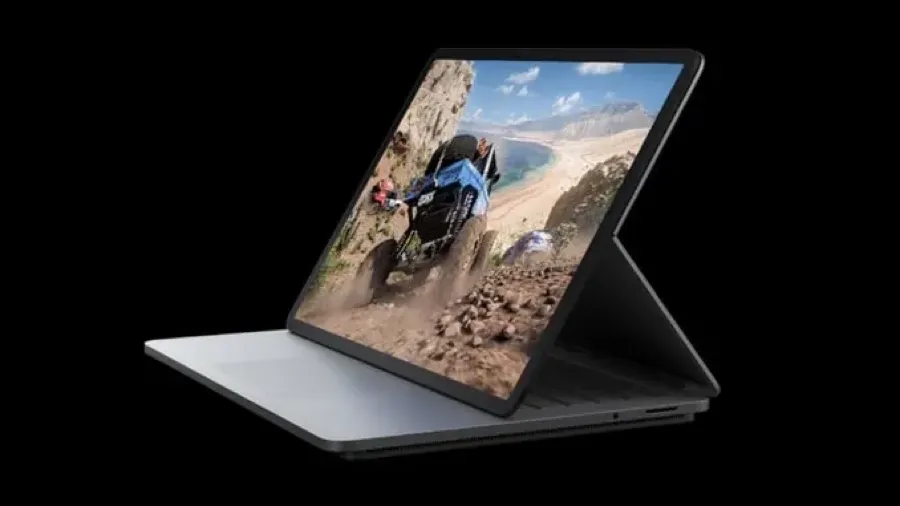
Closed, the Surface Laptop Studio resembles other Surface devices. It’s larger, but otherwise familiar.
Microsoft etched its shiny four squares logo on the brushed metallic top of the laptop. That way everyone watching knows you are using a Surface.
A hinge across the top looks similar to the kickstand you’ll find on Surface Pro tablets.
Elegant, minimal
Open the lid and the keyboard and touchpad will remind Apple users of an old school MacBook Pro. It is all about elegance and minimalism. There are no annoying, embarrassing stickers boasting about what is inside.
The LCD touch screen looks great from the moment it lights up. At 14.1 inches with a few mm of bezels, it is a generous size for working or playing on the move. A high 120Hz refresh rate adds to the classy look and feel.
It’s hard to find a bad display on any device that aspires to be more than a basic bargain basement workhorse. Yet, this is good. You may not always be conscious of the high refresh rate, but you’ll notice it immediately if you look at a similar size screen with a slower rate.
Transformer
Fiddle around with the open laptop for a moment and you will find that the screen swings away from the laptop lid along that hinge line we mentioned earlier.
This hinge may be a simple innovation, but it is what puts the Surface Laptop Studio in a class of its own. It turns the Laptop Studio into a more modern, upmarket take on the hybrid device idea.
Magnets in the lid and elsewhere on the case help you position the screen in a range of positions. That way, the laptop transforms into other Windows 11 devices.
Stage mode
There’s what Microsoft calls the stage mode. You could use this to watch videos. It works well for Zoom or Teams calls.
There’s a reverse position which has the screen pointing away from you. This may be useful for giving presentations to a small audience
You can fold the screen all the way down. This, in effect, reverses the lid position and turns the laptop into a thick and heavy large screen Windows tablet.
At 1.8 kg and 20mm deep, the Surface Laptop Studio makes a hefty, thick tablet. Your arms will tire if you hold this for a long time. Mind you, the 14 inch screen is larger than you’ll find on other tablets. This makes direct comparison with, say, a ten-inch iPad, meaningless.
Studio
There’s a variation on this known as studio mode. You might use studio mode to sketch or write on the screen with Microsoft’s optional Slim Pen 2 stylus. In effect it turns the computer into a giant drawing tablet.
Artists and designers will find this handy. Whether you find these screen positions useful is another matter.
At first it takes a conscious effort to use them, we have become conditioned to using laptops in certain ways. During the short review period it never felt natural using these modes, that might change over time.
And that’s the nub of the Surface Laptop Studio. Its signature feature is not for everyone.
Fan base
The extra thickness is, in part, down to the curious design of the base. It is smaller than the size of the rest of the case. It is where the CPU and the graphics processor live and there are fan vents at both ends.
When you push the computer hard, the fan will kick in. You can hear it working, it’s not silent, but nor is it noisy. You won’t be distracted and the sound should not interfere with video calls.
Microsoft uses an 11th generation Intel Core i7 in the review device. This is as good as it gets in the Intel world. There is a cheaper model with a Core i5 processor.
Intel’s i7 is more than powerful enough for everyday users. Even the majority of power users will be satisfied. Unless you run the most demanding applications you will not want for computer power.
Yet it is no match for the processors in Apple’s current laptops and high-end tablets.
Graphics processor
Microsoft includes the NVIDIA GoForce RTX 3050 Ti graphics processor in the review model. The cheaper version of the Laptop Studio uses Intel Iris X.
The graphics processor and CPU quickly get hot if you push the hardware. That’s not going to happen if you use the device for business applications, mail, web surfing and Zoom calls.
If you play games it is another story. It was noticeable during the device set up that Microsoft encourages users to sample its game playing services.
Maybe Microsoft does that with every device it sells, yet this would be the Surface device that delivers the best gaming experience.
Powering through tasks
In testing, the i7 version of the Surface Laptop Studio was more than the equal of any conventional business application. It handled photo editing tasks with ease.
Although Microsoft’s marketing describes the Laptop Studio as ‘workstation class’, that’s pushing it.
Running high end workstation apps is beyond the scope of this review, but looking at the specification, the device might struggle with heavy duty video work.
You’ll find workstation class laptops from rival brands that sell for a similar price to the Surface Laptop Studio, but offer more raw power.
Battery hog
It was noticeable that high-end work is greedy for battery power. Use the Surface Laptop Studio for everyday work and you might get ten hours on a single charge. There would be fuel left in the tank after a normal day’s work.
This is a long way behind the latest Apple MacBook Pro models that sip battery power and can run for 14 hours on a charge.
Things get worse fast if you perform tasks where the fan kicks in. When you can hear its gentle hum you know you’ll be lucky to get four hours before hunting for a power socket.
Speakers, keyboard, touch pad
Two other hardware features are worth mentioning. The speakers are surprisingly good considering the engineers had little room to work with. You’d need external speakers for serious audio editing work and fussy listeners might prefer to hear music delivered that way. Otherwise, your ears will be happy.
Microsoft has included a first rate keyboard. This is one area that laptop buyers can overlook. Once you’ve got past the novelty of a new computer and its power or features, you can often end up feeling frustrated by a less than perfect keyboard. This can be even more the case if you buy a tablet with a keyboard like, say, the Surface Pro.
The haptic touchpad is equally excellent. It is as good as anything you’ll see from Apple. This has not been the case with Surface devices in the past.
Microsoft missed a trick not including an SD card slot. That would be helpful for the creative market the laptop aims to serve.
Windows 11
As you’d expect, the review Laptop Studio was delivered with Windows 11.
Thankfully Microsoft avoids the bloatware that Windows rivals unhelpfully pack with their hardware. The only preloaded software is a trial version of Microsoft Office. This is hardly an imposition. Almost every Surface Laptop Studio buyer will want Office.
Microsoft’s Hello face recognition works as before. It’s a better way of logging in. While the hardware impresses, Windows 11 itself remains questionable as an upgrade for most users.
Firing up Windows 11 for the first time took the review computer into Microsoft’s tiresome, but essential software update process. It was a full 20 minutes before the computer was ready to work and that is on a gigabit internet connection. If you have a slower link, don’t expect to open the box and get started straight away.
Handwriting recognition
It took a while to realise that Windows 11 has improved handwriting recognition compared with earlier versions of Windows. This makes the various modes more useful than they might otherwise be if you buy the optional NZ$200 Surface Slim Pen.
Like the Touchpad, the Slim Pen has haptic feedback which makes writing on screen feel like a pen on paper. It’s impressive, but not essential for productivity.
Bold move
Surface Laptop Studio is another bold, you might even say brave, hardware move from Microsoft. The software and cloud company shows it remains determined to push the device design envelope.
This strategy doesn’t always work. Surface Duo was ridiculous and the early Windows RT tablets flopped.
Yet, in a sense, that’s the whole point of Surface. Microsoft got into the device business ten years ago because it wanted to push its Windows hardware partners into more innovation, more risk taking.
Sans Microsoft
In passing it is worth mentioning that Microsoft no longer brands its hardware as “Microsoft Surface”. It is letting the name stand on its own. There’s more distance than in the past. While this would make it easier to sell the division in future, it looks as if the idea is more about giving the brand more meaning.
Surface devices don’t sell in huge numbers compared with hardware from HP, Lenovo, or that elephant in the room: Apple.
In round numbers Surface accounts for about four percent of US device sales and a lower share of worldwide sales.
Where Surface fits
The range does make money for Microsoft, but is dwarfed by the company’s cloud, enterprise software and personal software business. This could change if Surface stumbles over a hit product.
Surface’s more important role is laying down important markers and staking out turf. Microsoft doesn’t say as much, but it’s clear it wants to show it can go head to head with Apple with innovation. Or at least prove it in the same league.
Surface Laptop Studio verdict
Despite the versatility, Microsoft’s Surface Laptop Studio is not hard to use or understand. Its ability to shapeshift may be essential for a niche creative audience, but it will have broader appeal, for novelty value if nothing else.
There’s no question the Laptop Studio is expensive. Prices start at NZ$2700, you can pay NZ$5350 for a fully-loaded model with 2TB of solid state storage, 32GB of Ram and the top-of-the-line CPU and graphics.
Microsoft wants a further NZ$200 for the Slim Pen. That’s outrageous. At these prices the pen should be bundled. That said, at least you don’t have to dig deeper to buy a keyboard. That’s annoying when you buy a Surface Pro.
The problem potential creative buyers face is the money you’d pay for a Surface Laptop Studio can buy a more powerful workstation class system. Go that route and you won’t get the portability or the versatility, you will power through your work faster.
This story was originally posted in September 2020.
Huawei’s MateBook line sets out to challenge premium laptops, taking aim at Apple’s MacBook Air and Microsoft’s Surface while targeting business users with a lower-cost, high-style alternative..
Richard Yu, chief executive of Huawei’s consumer division, at launch of Huawei Matebook in Barcelona.
Huawei pitched its 2020 Matebook 13 as an Apple MacBook Air alternative. That’s not my words, it is a direct quote from Huawei consumer chief executive Richard Yu, who made the comparison at the product launch at Mobile World Congress in Barcelona.
Comparisons with Apple are a big deal at Huawei. The company wants to be China’s Apple.
While there are similarities between the Matebook and the MacBook Air, it’s not a direct comparison. Few people would choose directly between the two. Apart from anything else, Huawei runs Windows 10, while the MacBook Air runs macOS.
Switching between operating systems is not something you’d want to do every upgrade.
Individuals choose to buy Apples. Huawei’s strategy is to target enterprise buyers.
A more direct comparison is between the Matebook and Microsoft’s Surface line of computers and tablets. We’ll look at that later.
First, how does Huawei’s 2020 Matebook 13 compare with the Apple MacBook Air?
Matebook 13 versus MacBook Air
Huawei’s MateBook offers the most MacBook Air-like experience in a Windows laptop.
The Matebook 13 sells for NZ$2200. It has an Intel i7 processor. There are an Nvidia MX250 graphics processor, 16GB of Ram and 512GB of storage.
The nearest equivalent MacBook Air costs NZ$2350. It has the same 512GB of storage. You get 8GB of Ram and an i5 processor.
Given the specifications, it is no surprise the Matebook handles processor intensive work better than the MacBook Air. To be fair, Apple doesn’t pitch the Air as a computer for intensive work, the company points power hungry users at the MacBook Pro models.
In testing, the Matebook beat the Apple for video editing. Otherwise there was less difference that you might expect give the different processors and amounts of Ram.
Simple or complex?
If you use a laptop for simple tasks like, writing or answering emails, then the performance gap between the two is academic. You won’t notice which is faster. That changes as you throw more work at the computers. The more powerful Matebook 13 does a better job with, say, manipulating large Excel spreadsheets or complex calculations.
The MacBook hard drive is much faster than the Matebook 13’s drive. The MacBook Air stores files in about half the time it takes on the Matebook 13.
When it comes to graphics, the MacBook Air beats the Matebook 13. The 13.3 inch screen has 2560 by 1600 pixel resolution. The Matebook screen is a fraction smaller at 13 inches and has a 2160 by 1440 resolution. If you compare the two side by side, Apple’s display is far more impressive.
Apple wins by a long margin on battery life. You can work on a MacBook Air for ten hours between charges. In testing the Matebook 13 ran out of juice a few minutes before the six hour mark.
Portability
One strange point of comparison is with weight. Huawei’s specification sheet says 1.3kg. That’s as near as it can be to the MacBook Air which Apple’s tech sheet says weights 1.29kg.
When I picked the two computers up, the Matebook 13 felt heavier than the MacBook Air despite these specifications. I weighted them on kitchen scales. The MacBook Air was 1.3kg and the Matebook 13 was 1.4kg.
That goes part way to explaining the practical difference, but not the whole way. The Matebook 13 is smaller than the MacBook Air. It measures 286 by 211 by 14.9 mm. The Air is 304 by 212 by 16 mm. Which means the Huawei computer feels heavier because it is denser.
This could be nitpicking, until you put the two computers in bags and carry them around all day. Both are light and easy to carry. Yet you’ll notice the Matebook 13 a fraction more than you’ll notice the MacBook Air.
Small and neatly formed
Both Apple and Huawei take a pride in build quality. The Matebook 13 almost hits the MacBook Air standard.
There are two places where it fails. First, the power button which doubles as a fingerprint reader.
Apple’s square Touch ID sensor sits at the top right of the keyboard. It feels like any other key. Huawei’s round button sits north of the top right of the keyboard and doesn’t have the same solidity as Apple’s key. There’s a small amount of wobble. You can live with it, but it shows Huawei doesn’t achieve Apple levels of attention to detail.
A more obvious annoyance is the Huawei Share sticker on the keyboard’s bottom right. This is next to the as disfiguring and tacky Intel advertising sticker.
It’s amazing, computer makers go to extreme lengths to design sleek, beautiful hardware and then spoil the effect with stickers. Many are needless aesthetic wreckers, the Huawei Share sticker is not. It has a function.
Integration
Huawei Share lets you connect your Matebook 13 to a Huawei phone. The idea is loosely similar to the features that let Mac owners swap files and photos with iPhones or iPads. When you’re working with a Matebook, these Apple-Huawei comparisons are never far away.
Unlike Apple’s phone-computer integration, Huawei Share mirrors your phone’s screen on the laptop screen. I can’t think of why this might be useful, but you might find a purpose for it.
It has to be a Huawei phone. That’s an oddity right there. Huawei may be New Zealand’s third favourite phone brand, but it enjoys, at best, a ten percent market share. If you draw a Venn diagram of the New Zealanders who have both a Huawei laptop and phone, it’s unlikely the overlap would be more than a couple of hundred.
A few last comparisons that don’t fit elsewhere. On paper both the Matebook 13 and the MacBook Air have the same WiFi specifications. In practice, the MacBook’s WiF works better over longer distances. I connected both to remote servers via home WiFi and saw better speeds on the MacBook Air. I can speculate on why this is, but a proper answer is beyond the scope of this story.
Like Apple, maybe because of Apple, Huawei has gone for port minimalism. There are two USB-C ports and a 3.5mm headphone jack. You can only charge the computer using the left-hand USB-C port.
Huawei Matebook 13.
Matebook 13 versus MacBook Air verdict
You get more computer for less money with the Huawei MateBook 13. You’ll be hard-pressed to tell the performance apart despite the specifications. That is unless you run demanding apps. If that’s you, then you’ll appreciate the more powerful Matebook.
Apple’s MacBook looks and feels nicer; it has a better screen and way more battery life. Which means if you don’t need more processing grunt, it could be a smarter buy.
And yet few would choose between a Matebook 13 and a MacBook Air on these criteria. If you prefer Windows 10 or have to use it for work, the Matebook 13 gives you the most MacBook Air-like Windows laptop experience.
Matebook 13 compared with the Surface Pro
Microsoft’s Surface Pro has been the best Windows computer money can buy. Now it faces direct competition from Huawei.
Like the Surface, Huawei’s MateBook is a similar thin, light hybrid with a 12-inch display. It follows the same basic format as the Surface: A tablet with a theoretically separate keyboard that everyone is going to buy anyway.
Matebook comes with a similar range of processors and memory configurations. Like the Surface Pro, there’s a stylus, although Huawei’s also includes a laser pointer.
The Matebook even resembles a Surface although there is also a nod of the head to Apple’s iPad Pro design. One nice touch is the fake leather keyboard case.
Perhaps the most important feature is that the Matebook is priced at about 75 percent of Microsoft’s prices. That’s enough to make a difference.
This isn’t a direct comparison between the two, Microsoft’s Surface Pro has a 2736 x 1824 pixel screen. The Matebook has a lower resolution at 2160 x 1440 pixels, but it also has the same fingerprint sensor technology used on Huawei’s phones. Huawei says its Core m model runs faster than Microsoft’s Core m Surface Pro.
Huawei has followed Microsoft’s practice of charging extra for a keyboard, stylus and dock. A Huawei New Zealand representative told me that when it reaches the country the Matebook will probably be sold bundled with a keyboard.
Typora is a great Markdown editor that brings distraction-free writing to Windows and Linux.
.
There’s a full smorgasbord of Markdown editors for Apple users. Windows and Linux users who want to simplify writing have fewer options. Typora changes that.
It’s possible to run Typora on a Chromebook. While there are no versions for Android or iOS, that may change.
Markdown editors are stripped-back distraction-free writing apps. If you want to focus on getting your words onto the virtual page and nothing else, they are your best option.
With Markdown editors you can enter formatting codes directly into your text. A pair of * symbols tells Markdown the next few characters are in bold type and so on.
Keep it out of sight
Other Markdown editors tend to keep these codes in sight. You type onto a blank pages and can see your markup codes. You can then switch to a second screen to see how they look after formatting.
Typora doesn’t do that. In normal use, it styles the text as you type. This takes us back to an acronym that we don’t hear much these days: wysiwyg – what you see is what you get.
There is an option to choose a view with pure Markdown codes. Yet, for the most part, Typora keeps this out of sight.
I’m not convinced this is an improvement, but you may feel otherwise.
Themes
The other departure from standard Markdown editors is that Typora offers a series of themes. Many allow you to switch from dark text on a light background to light on dark, or perhaps, format the output in different ways.
Typora takes themes further than that. There is a theme gallery, you can download more themes If you are handy with CSS, you can create your own custom themes.
While this is neat, it is a form of distraction. Instead of procrastinating over font choices and layout options when using Microsoft Word, you can now waste valuable writing time looking at these themes.
Document format
There are Markdown editors that store files in a proprietary format. Thankfully, Typora does not do this. Proprietary formats are a backward step.
The files store as .md documents that you can open with other Markdown editors and applications or services that accept Markdown input. This can be handy if, say, you have a WordPress blog.
You can save direct to Word format if you need to stay compatible with colleagues. Typora has HTML and PDF output too.
Typora verdict
If you already use a Markdown editor, Typora can make sense if being able to see formatted text as you type appeals. I find it doesn’t help, but it doesn’t do any harm.
Typora is the best Markdown editor I’ve seen for Windows and Linux systems. If you want to simplify your writing and you use one of these, it is the smartest option.
If you are a Mac user, take advantage of the free trial period to see if Typora suits better than the other Markdown options.
Typora costs a one-off US$15. There is no cheeky annual subscription to worry about. I couldn’t find it in app stores, you can buy direct from the Typora site.
Is iA Writer 5 a text editor? Or is it a minimal word processor? The software is both and neither at the same time. It’s an elegant stripped down writing tool that’s perfect for 2018.
iA Writer starts from the premise that some writers focus on their words, not how they look on a page.
There are no distractions. The software has almost no moving parts. Words on a screen, that’s it. iA Writer feels the nearest thing to using paper in a typewriter and yet it is as modern as the iPhone X.
If you like your writing software flashy and complex go elsewhere. If you need to do tricky typographic work or lay out pages, this is not for you. It is a writer’s tool, pure and simple.
MacOS and iOS
There are versions of iA Writer for iOS, MacOS and Android. It works best with Apple kit. If you don’t use Apple hardware, the software is a good reason to change. If you have an iPad Pro, this would be a good time to invest in a keyboard, although iA Writer is fine if you write on a glass keyboard.
That’s because cloud is central to the software. You can store documents locally on a Mac, iPhone or iPad, but why would you when you can save them the cloud and have them sync between devices.
This works so well that you can type away on, say, a MacBook, race out the door and pick up from where you left off on an iPhone.
The app-OS-hardware integration has only improved with Apple’s recent move to iOS 11.
iA Writer a breeze compared to Word, Pages
Of course you can do much the same with, say, Microsoft Word or Apple Pages. Up to a point.
Word is a hefty MacOS app. It rarely starts without checking to see if there is a software update — usually once a week. Often you’ll need to wait 15 minutes or so before working while Microsoft handles the latest updates to all the Office apps.
Even when there are no updates Word is not instant on. iA Writer is ready immediately. Often a Word work session starts with something other than jumping straight into writing. Maybe you need to find the right fonts or styles. There are always things to fuss over.
With iA Writer you are ready to go almost from the moment you click the app’s icon. There is nothing to fuss over. Almost no possible choices to make.
Focus
The idea behind iA Writer isn’t new. A decade ago there were minimalist word processors and writing tools for Macs and PCs. You may recall WriteRoom or Q10.
There were others. And if you didn’t want a special app, there were the basic text editors shipped with operating systems and tools derived from the Linux or Unix text editors. Even the MS-Dos versions of Word Perfect were minimal in this way. So were older programs like WordStar.
All of them attempted to keep out of your way. In place of a fancy user interface and menus full of esoteric commands, they relied on the user learning a few standard codes. These were embedded among the words to handle things like bold text, heads and so on.
There is a WordPress OSX app that aims to simplify writing blog posts on a Mac. In practice I’ve found sticking with iA writer and integrating with WordPress is much more efficient.
Markdown
iA Writer uses Markdown to do this. Markdown is simple and keeps out of the way. Type a single hash # character at the start of the line for a top level head, two hashes means second level head and so on. It takes seconds to learn, days to master.
One key difference between iA Writer and earlier simple writing tools is the beautiful integration with the hardware, software and cloud services.
It’s as if the the software developers digested the entire Apple less-is-more credo and spat it out as a perfect writing application. Perfect is not too strong a word here. Although this style of perfection may not be to your taste.
iA Writer 5 rival
Only one other application comes close to iA Writer’s elegance and simplicity. The excellent Byword has its own minimalist aesthetic. It too is lightweight, simple and stays out of the way.
Unlike iA Writer which offers next to zero choices, Byword gives you some options. You can change a few things.
This may sound like a cop-out. It isn’t. I have a medical condition which means my eyes sometimes don’t work well. When I’m having bad eyesight days, I can’t adjust the iA Writer type to a bigger size, I can’t alter the font or screen colour to make reading easier. With Byword you can make these changes.
Subtle difference
The result is the two similar minimal writing tools have distinct personalities. They work for different types of use. iA Writer is all about the writing and precious little else. You can use it for complex writing jobs, but it works best for blog posts, putting down thoughts and things like journalism.
Byword is a touch more sophisticated. You can write a book or a 3000 long-form feature in either app. If you want something more, Byword is the first stop on the road from iA Writer to more complex tools like Apple Pages or Microsoft Word.
Efficient
There’s something else important about iA Writer and Byword. The two apps have an impact on the way you write. I find I can sit at a Mac or iPad and zip through a thousand words or so in quick time. This blog post will take less than an hour to write.
Between the minimal software and the Markdown editing language there is almost no reason to move your hands from the keyboard. That’s when you have one on a Mac or say with your iOS device.
With, say, Word, the composition part of the writing process takes longer. There’s more scrolling up and down the page. More distraction. Sure, you can make the words look pretty as you go, but that’s a barrier to getting the right words written efficiently.
iA Writer 5
In November iA Writer reached version 5. It was a free upgrade to those who had earlier versions. There are changes. First the iOS version now works with the new iOS file system.
There are other changes which added functionality without adding complexity. One is that it is now easier to create tables in text.
iA Writer’s other big change is there is a new duospace font. Since the software first arrived there has been no choice other than a standard monospace, typewriter-style font. Now you can choose monospace or duospace.
This sounds like a big deal. In many ways it is. And yet, you’d hardly notice it. I knew I had set the new font in my preferences after downloading the update, but had to go back a moment ago to check I was using it. That’s how subtle it is.
Indeed, while typing away you hardly notice any of the improvements in the last seven years and five versions of iA Writer. That’s the whole point of a minimalist application.
Google’s Chromebook Pixel broke new ground when it launched in 2013. It featured a 12.85-inch, 2560×1700 touchscreen, an Intel Core i5 processor, 4 GB of RAM and a 32 GB solid-state drive. The premium build quality and high-resolution display were well ahead of most Chromebooks at the time.
Much of the Pixel’s extra cost went into that display, which rivalled the Retina screens appearing on Apple’s laptops. Yet the machine still ran Chrome OS, a browser-centric system that relied heavily on cloud applications and had limited support for offline work.
Pretty, pricey and polarising
While the Pixel was praised for its technical ambition, reviews were divided on its value. Lifehacker Australia described it as “pretty, pretty pricey, pretty pointless”, arguing that only people working for Google or reselling its products might find a real use for it.
The review noted that laptops with similar performance running the same operating system were available for less than 20 percent of the Pixel’s price. To many observers it was more adornment than a tool.
A New Zealand technology executive once described Compaq computers as “just high-tech jewellery”—expensive products that existed mainly to make their owners look good. The same description fits the Chromebook Pixel.
Despite the criticisms, the Chromebook Pixel served a purpose for Google. It demonstrated that Chromebooks could be more than bargain-basement machines and helped lift the profile of Chrome OS. In that sense it worked as a halo product, even if sales were limited.
A boundary-pushing but impractical device
The Pixel pushed the Chromebook concept into premium territory, showcasing what the hardware could do and setting a design benchmark. But for most buyers it was less a practical work machine and more a statement piece—an example of high-tech jewellery in laptop form.
Updated and edited February 2026 to put the 2013 story into historic context.
“Large multinationals arrive in the country, contribute nothing in the way of paying local taxes, and exfiltrate value and data (“the new oil” as it was unironically christened by The Economist). It is essentially digital colonialism.”
The ugly face of what Christie calls digital colonialism was on show at a recent industry event. A handful of companies had speaking slots.
Long-term focus
Local firms spoke about serving small business, building skills and capability. Their focus was longer-term.
Meanwhile two of the multinationals that got to speak made short term sales pitches. One even used the occasion to push its latest promotion.
“…there are other approaches. Ones that involve paying taxes that provide for schools and hospitals, keeping data onshore and respecting te ao Māori, acknowledging the value of New Zealanders’ privacy, and building a resilient digital sector that will provide fulfilling, high-value jobs for Kiwis for decades to come.”
Taxes
Paying local taxes for digital products is a sore point. Yet it is not unusual for countries to tax foreign resources firms like miners and oil explorers.
On that basis, it makes sense to treat the ‘new oil’ the same way.
Tax on digital profits is being addressed at the international level. The process will be slow and could be unsatisfactory. Yet a small country like New Zealand would do better to fall into line with other like-minded nations and not go it alone.
Jobs
Jobs are critical. We have low unemployment today. Indeed, a halt to immigration means we are desperately short of skilled workers.
Yet we may be a lockdown away from widespread company failure and layoffs.
While multinationals use locals, and in cases pay well, much of the work is in sales or administration. The high value-add work tends to take place close to corporate headquarters.
More high value jobs means building more capability. It would give young New Zealanders better career paths. And that would seed interest in tech related subjects in schools and tertiary institutions.
If we get this right, there will be more corporate headquarters in Auckland, Wellington and Christchurch. This would be better for the wider economy.
“…Rebuilding New Zealand’s economy in the aftermath of the Covid-19 pandemic, and under the shadow of climate change, is a challenge that we have not seen since the end of World War II. The decisions we collectively make now have the potential to impact, positively or negatively, generations of Kiwis to come.”
Priority
There are ministers and opposition politicians who get this. Building digital capability is low down the priority list at the moment. If more prominent industry personalities speak out, we can push it higher up the agenda.
“We should be planning for our own data management, cyber security and artificial intelligence applications, and how these can be implemented across all of our sectors: agriculture, education, finance and others.
“Building and delivering value for the current and future generations, now that technology is interwoven into every aspect of our communities and our economy.”
It’s hard to disagree with any of this. A good place to start would be with government. Even now, government buyers appear to have a built-in reluctance to choose local technology. Fixing that would be the best place to start.
Traditional laptops, that generally means the low cost models sold to families with school age children, look and feel dated next to modern MacBooks and Surfaces.
This observation hints at something deeper going on behind the scenes.
Premium mobile computers typically include technology that was originally designed to be used in mobile phones. The M1 processor used in today’s MacBooks derives from an ARM chip Apple developed for the iPhone.
Microsoft uses another type of phone derived ARM processor in its latest Surface Pro models.
Power-efficient ARM processors
Compared with the Intel processors used in more traditional laptops, ARM sips power. Computers made with ARM can go the best part of a day between charges. The M1 MacBook Air battery gets close to 24 hours.
Huawei’s MateBook also incorporates phone-derived tech in a sleek laptop form. It’s no accident that Huawei is a phone maker bringing its expertise to the laptop market.
There are a 2-in-1 and similar devices from HP and Lenovo. While they might not derive directly from phones and may include Intel processors, they mange to have many phone-like characteristics.
Legacy laptop design
In contrast, Dynabook and the other more traditional computer designs trace their ancestry direct from flip-lid laptops. It’s a format that has been around since the mid-1980s.
Yes, the Dynabook is slimmer than those models. It is way more powerful and its batteries last longer. It is better. But its pedigree comes from the old breed. Not from the new phone lineage.
Where phones become PCs
Phones and PCs have been converging for more than two decades—especially as PC sales waned and smartphones soared. Lockdown-driven work-from-home trends further blurred the lines.
Today, there are far more phones in use than PCs, and for many—even those who own both—the phone has become the primary computer.
Creative tasks still favour PCs
For creative work, like editing a movie or drafting a novel, computers still pull ahead. Sure, you could do it on a phone, but a big screen and keyboard make a world of difference.
Meanwhile, devices like tablets increasingly mimic phones—often with SIM slots—making them feel more like oversized smartphones.
While tablets are not designed for voice calls, that’s no longer a phone’s primary function.
Always-on, everywhere connectivity
In an era of ubiquitous 5G and abundant wireless bandwidth, it’s hard to remember life without constant internet access.
Apple blurs device boundaries by using ARM across iPhones, iPads and MacBooks—making their tech stack remarkably uniform.
Microsoft has struggled with ARM compatibility for Windows apps, since many haven’t been rewritten to suit the architecture.
Future Windows releases may improve this, but Windows 11 already supports running Android apps (i.e. phone-made apps).
Apple’s new Macs do the same, running iPhone apps natively. The convergence is well underway.
ARM chips leap ahead
Arm processors are at least a generation ahead of anything Intel has. The traditional chip maker is in a tailspin and does not have a plausible roadmap.
At the high end, MacBooks and Surface devices dominate. At the other end, Chromebooks—essentially cloud-driven laptops—offer simplicity in a modern form.
Chromebooks may be simple, but in their own way they are every bit as modern as MacBooks and Surfaces.
The internet-dependent Chromebook
There’s not much phone hardware in a Chromebook. Yet they share one important characteristic with phones. Both sets of devices need a constant internet connection to be any use. Most Chromebooks are budget devices, yet Google’s Chromebook Pixel attempted to bring premium build quality to the category.
You could work with a laptop on an internet-free desert island. A Chromebook is pointless without a connection.
Chromebooks, MacBooks, Surfaces and modern tablets embody progress in a way that legacy Windows laptops no longer can. We’ve crossed a threshold—in a few years, the shift will be clear in hindsight.
There’s a nasty example of the algorithm bias can do from the UK.
New Zealand has an algorithm charter which could protect us from similar problems. Although that’s not certain, read on.
Thanks to the Covid-19 pandemic, schools in England and Wales were closed during this year’s exam season. The British school year ends in July and the main exams are held in June.
Students couldn’t sit exams the normal way. Instead the exam authorities set up an assessment system. Like other things these days, this meant going digital and using an algorithm.
The tyranny of a normal statistical spread
The exam regulators made a point of using a system that would give a normal statistical spread of grades. That way they could avoid grade inflation.
It’s important for another reason. In the UK there is stiff competition for the best university places. They go to the students with the best exam results. The entry conditions for certain courses can be strict and tough.
T
o get exam results, the regulators used an algorithm that combined grades given by teachers with a student’s past performance and the past performance of their school as a whole.
I
n many cases, as many as 40 percent of the total, the qualifications authorities marked students down, below the grades recommended by teachers.
Take from the poor, give to the rich
There was one huge problem with the exercise. It was skewed towards giving students from the ‘better’ schools a shift up and those from the underperforming schools a penalty.
In the UK the best schools are all in the richer areas. People pay a huge premium to buy a house in a better school zone. Which means the exam results rewarded students from better off families.
The bias was huge. The Guardian newspaper described the algorithms used as “a sociological sorting process which entrenches class divides in the state system”.
’…by building in a criterion of past school performance to this year’s A-level and GCSE results, Ofqual has tied the fortunes of individual students to pre-existing inequalities of outcome.”
Algorithm bias means talent misses out
At first, many less well-off students who expected places at Oxford or Cambridge or, say, medical school missed out.
A-levels are important in the UK, to a degree they determine the next decade of a students’ life. They are more important than New Zealand’s NCEA exams in that sense.
This week the authorities backed down and went back to grading students based on teacher assessments. Which may fix matters, but after a huge amount of stress and upset plans.
New Zealand’s algorithm charter might not stop a similar abuse here but it could help. That’s because it makes algorithm decisions and the logic behind them transparent. The problem with the UK algorithm was less a lack of transparency and more a set of assumptions that are neither fair nor just.
Last night I joined old friends and colleagues in raising a glass to the late Randal Jackson. It was the an appropriate send-off, something Randal would have enjoyed himself.
Over the years Randal was a rival, a colleague and a mate. Sometimes all three at once.
In the early 1990s I was working a freelance technology journalist in Wellington. There were others in town, but Randal was the most likely to turn up at the same jobs and events as me.
Often we’d be the only two journalists in the room. Depending on the time of day, we’d would repair to a bar afterwards to talk over whatever story was on offer and others besides.
It didn’t always depend on the time of day. Randal was happy to visit the bar any time.
The Randal Jackson breakfast show
At one alleged breakfast event I sat down next to Randal at 7am in a private meeting room at what was then called the Wellington ParkRoyal.
Two earnest American IT executives were there to talk about whatever overpriced product their company was trying to foist on New Zealand at the time.
About ten minutes in to the session it was clear they weren’t planning to give us breakfast. The mean swine hadn’t even organised coffee.
Randal wasn’t happy. He told them to stop. He said that in New Zealand an invitation to breakfast usually meant some kind of food and certainly meant hot coffee.
Fair enough. Apart from anything else we could smell the food and coffee in neighbouring rooms.
He turned to me, winked, then said: “I bet you didn’t have time to eat before coming in Bill?”.
It was a question. I told him he was right and that I was hungry.
Randal then said how he was also hungry, too hungry to think about difficult topics like enterprise computing on an empty stomach.
The strait-laced Americans were mortified. They looked confused and worried. Nevertheless they decided to bat on regardless.
Randal put his pen on his pocket, picked up his notebook, winked again and said: “Come on Bill let’s go and find some breakfast”.
We got up to leave.
“Now just wait”
The senior executive said something like “now just wait” then gave instructions to his junior. The younger executive left the room.
Five minutes later waiters entered with a coffee pot, a tea pot and croissants. This was more like it. The session resumed.
After another five or ten minutes a huge trolley rumbled in piled high with fresh fruit, eggs, bacon, sausages, the works. There was easily enough food for ten people.
We tucked in and listened, questioning the execs for another ten minutes before they took off for meetings. We demolished piles of food. They ate nothing. I guess they had their power breakfast before our session.
When, not long after, they stood to leave , the senior executive said if there was anything else we wanted we could just order and he would pick up the bill.
That was a bad move.
After they had gone I turned to Randal and asked: “Champagne?”. In those day fancy breakfast functions often included sparkling wine or Buck’s Fizz.
Randal said no, and ordered cognac instead. And coffee. And more of those little Danish pastries.
We didn’t get out of the ParkRoyal until lunch time, and only then because there was a horse running that afternoon and Randal needed to find a TAB.
Last year the world created or replicated 64.2 zettabytes of data. The number comes from IDC, a market research firm (but the original document is no longer online).
The figure is remarkable considering three years earlier IDC was forecasting the 2020 number would be 44 zettabytes.
A zettabyte is a trillion gigabytes.
In part IDC puts the faster growth down to the Covid-19 pandemic: a “…dramatic increase in the number of people working, learning, and entertaining themselves from home.”
Ephemeral data
IDC says: “…less than 2 per cent of this new data was saved and retained into 2021 – the rest was either ephemeral (created or replicated primarily for the purpose of consumption) or temporarily cached and subsequently overwritten with newer data.”
Between now and 2025 the amount of data is set to grow at a compound annual rate of 23 percent.
The fastest growing source of data is the Internet of Things, not including surveillance video cameras. Social media is the second fastest growing source.
Growing faster than we can cope with
IDC says the amount of data generated is growing faster than our capacity to store data. The world had around 6.7 ZB of storage and that is growing at 19.2 per cent year on year.
Which means we save less and less of the generated data.
This is less of a problem than it might appear because a large fraction of data is useless. A decade ago experts found as much as 90 per cent of stored data was rubbish. It can include empty files, duplicates… or many multiple copies of identical files and temporary files that were never deleted.
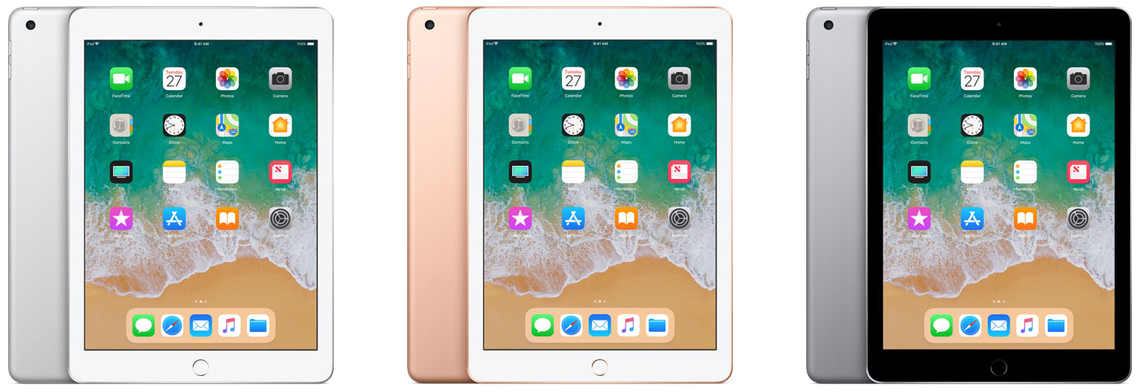
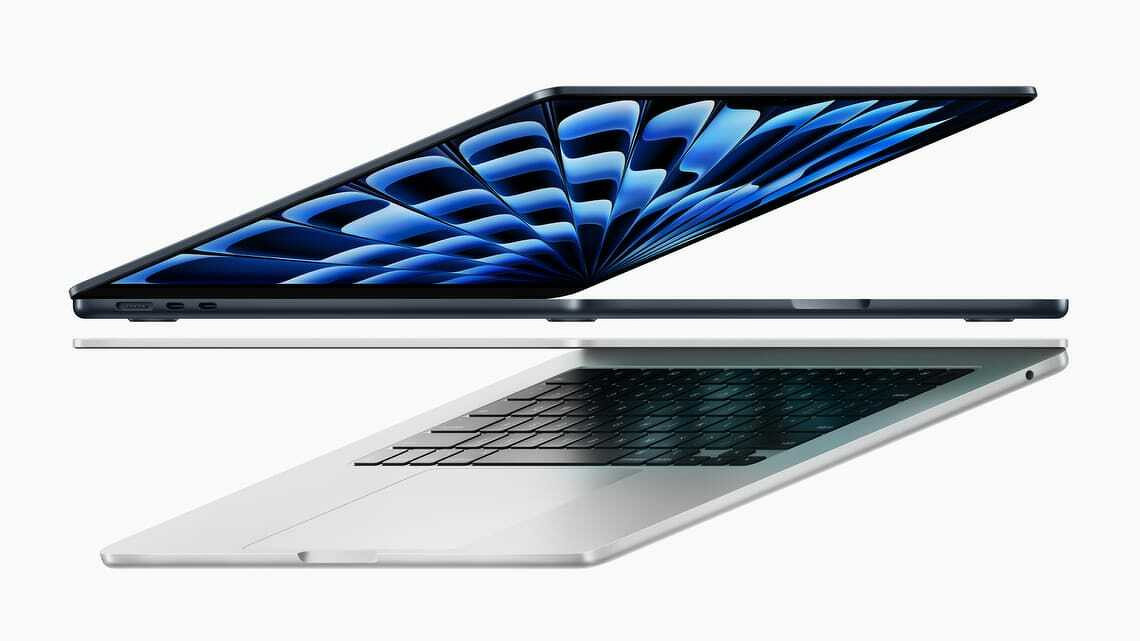
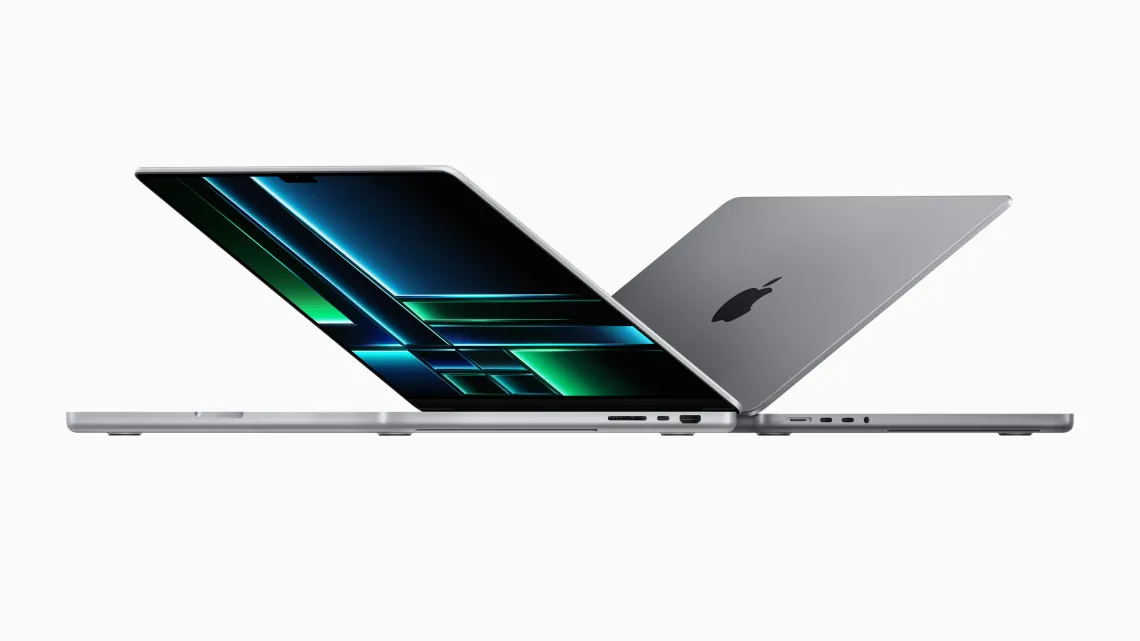
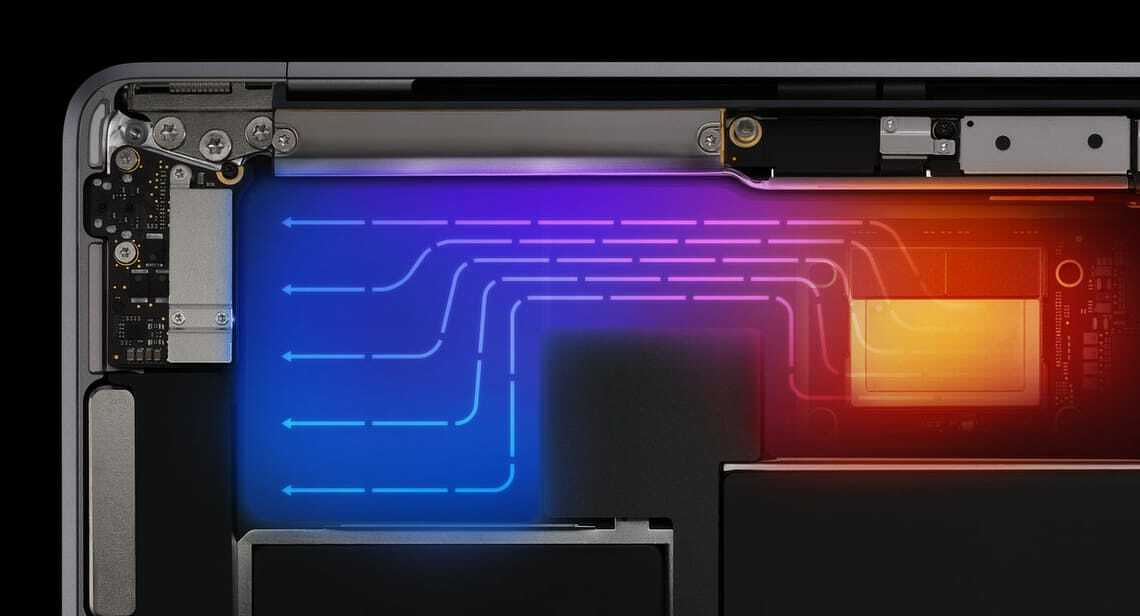
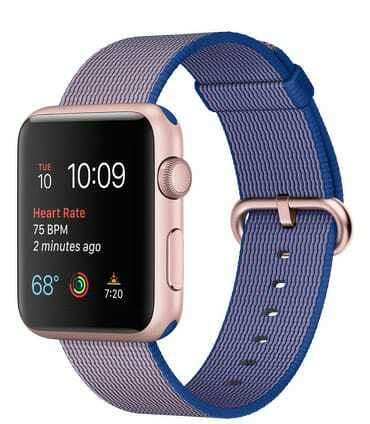
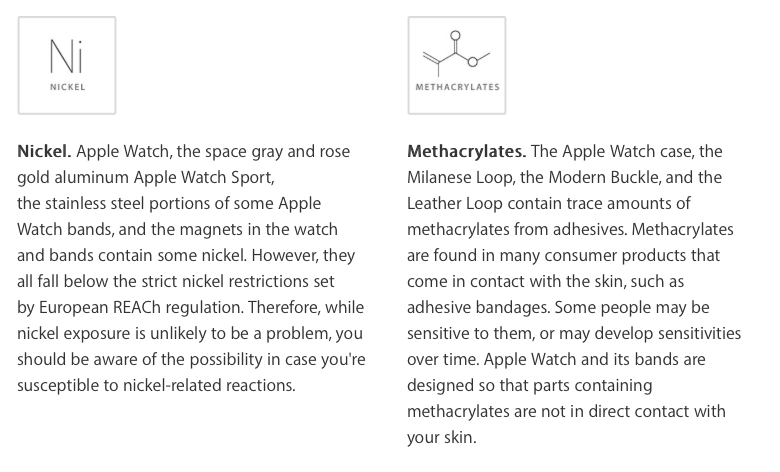
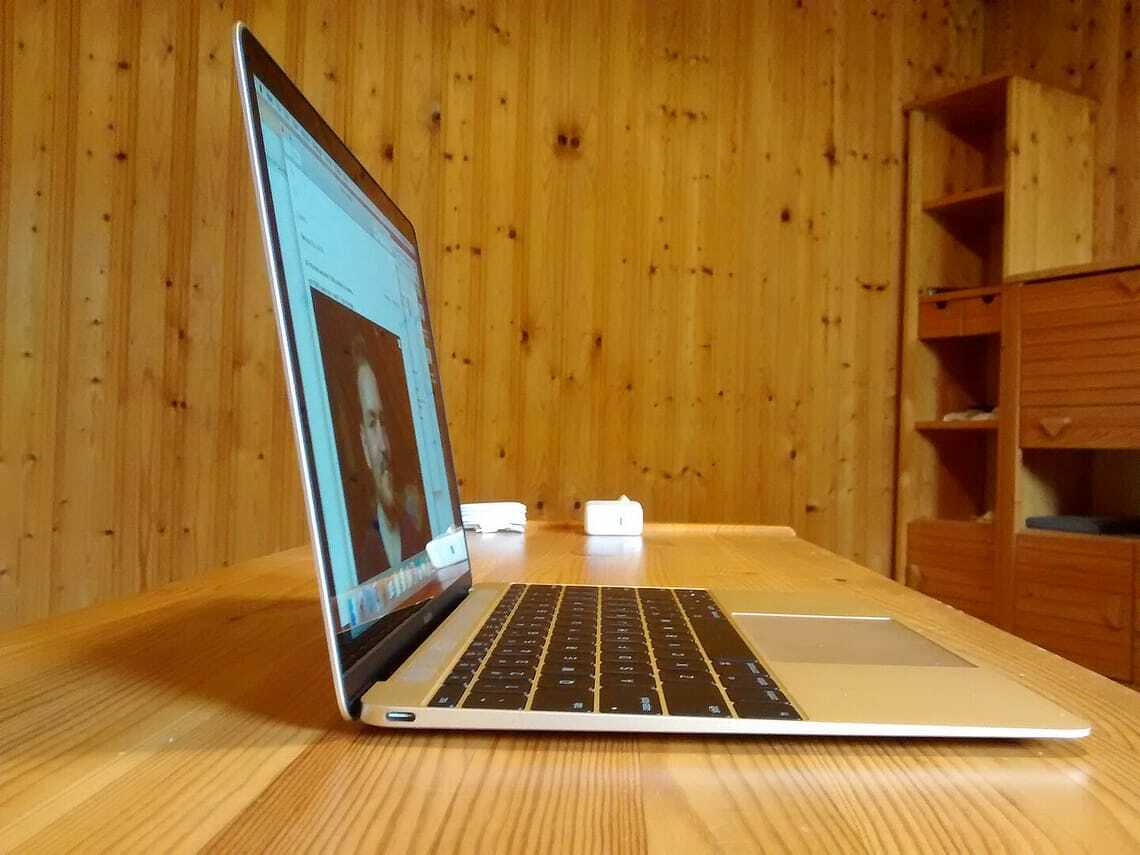
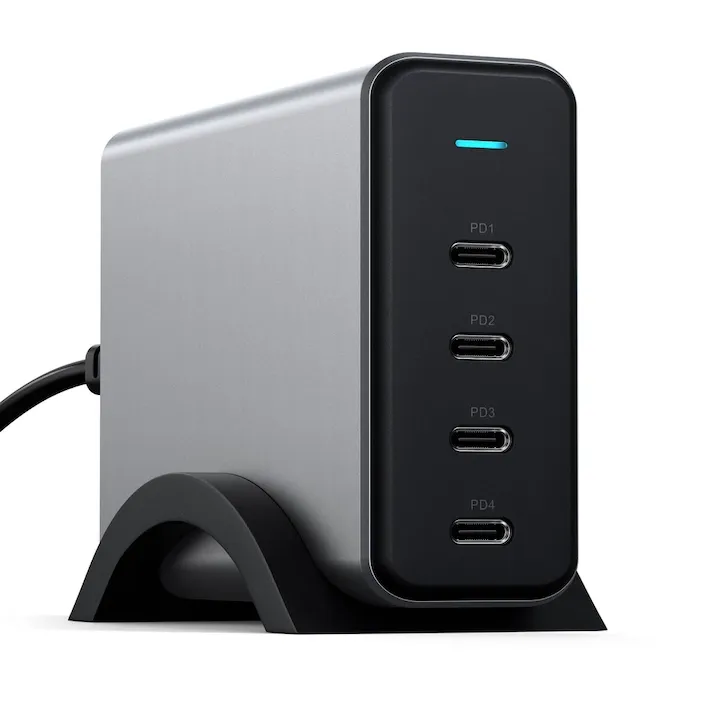
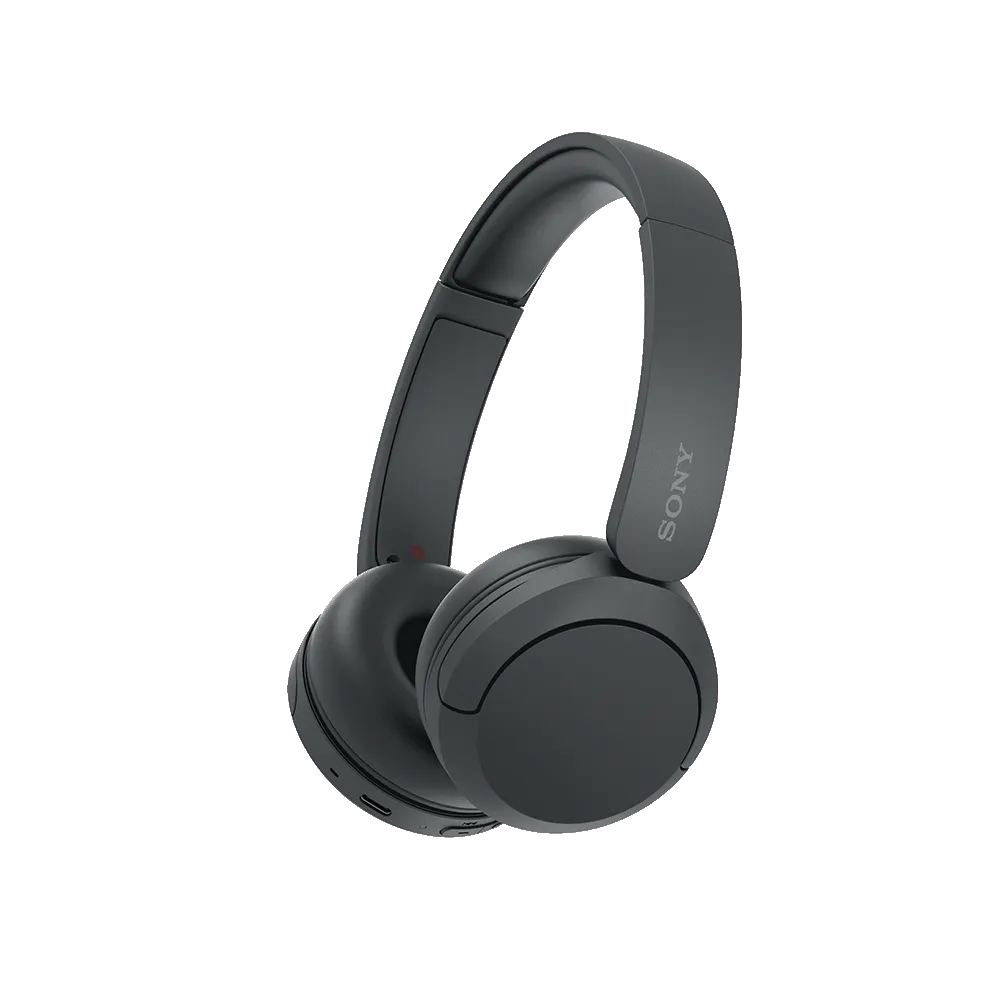
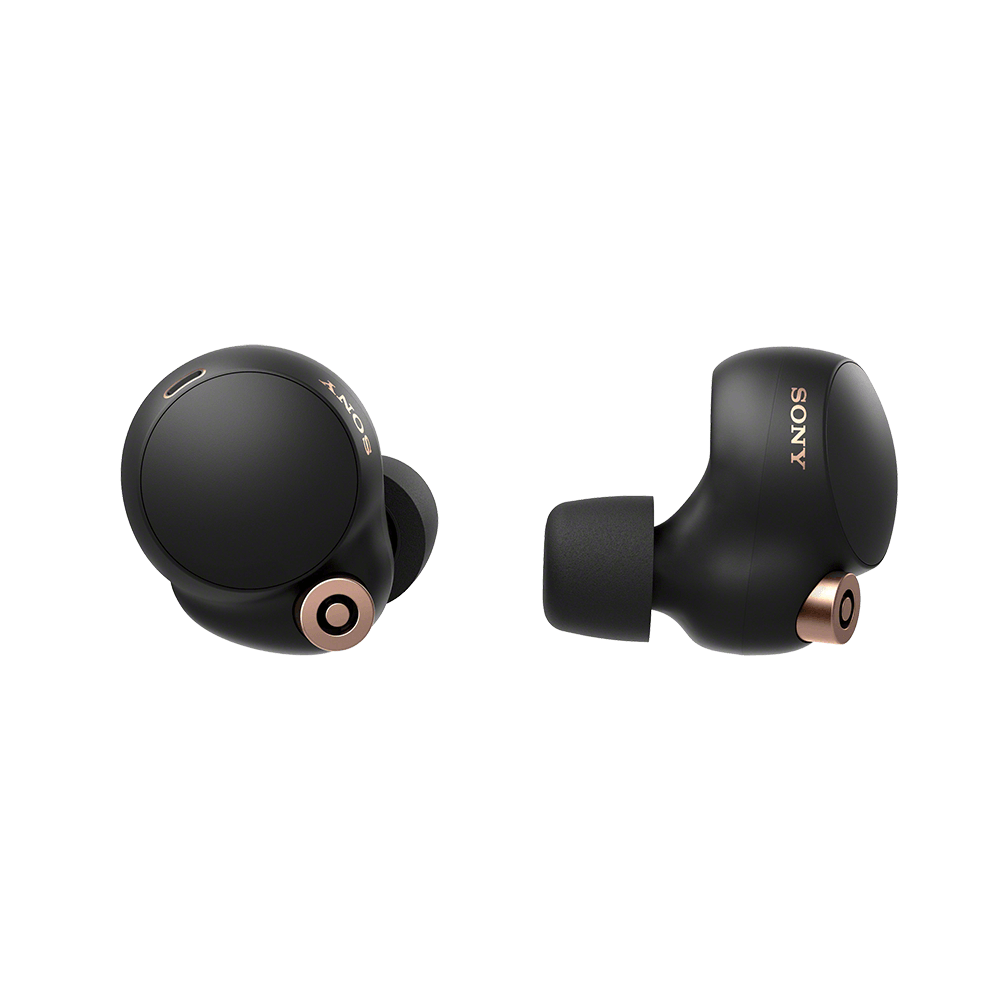
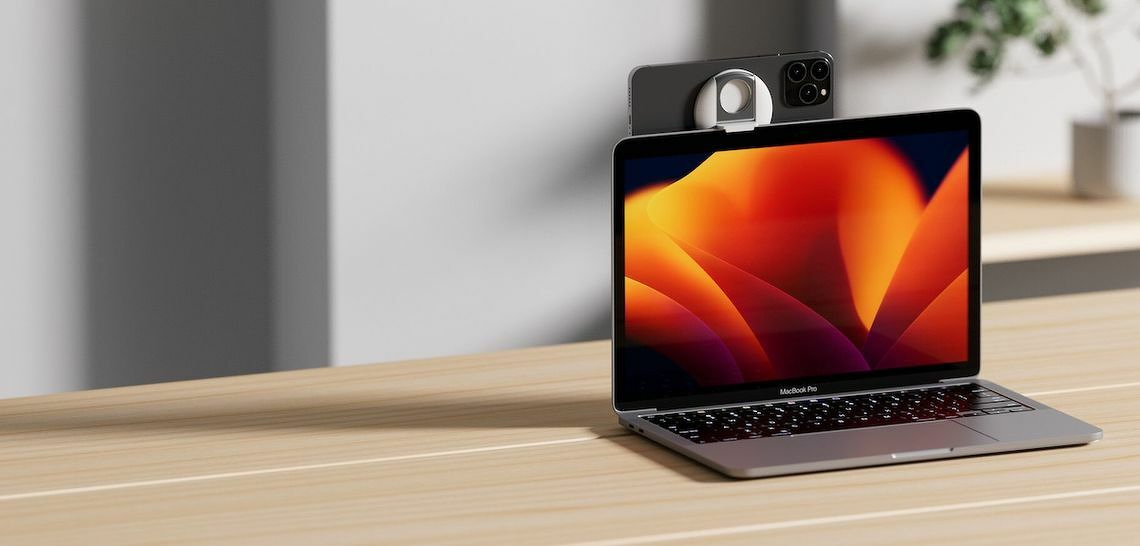
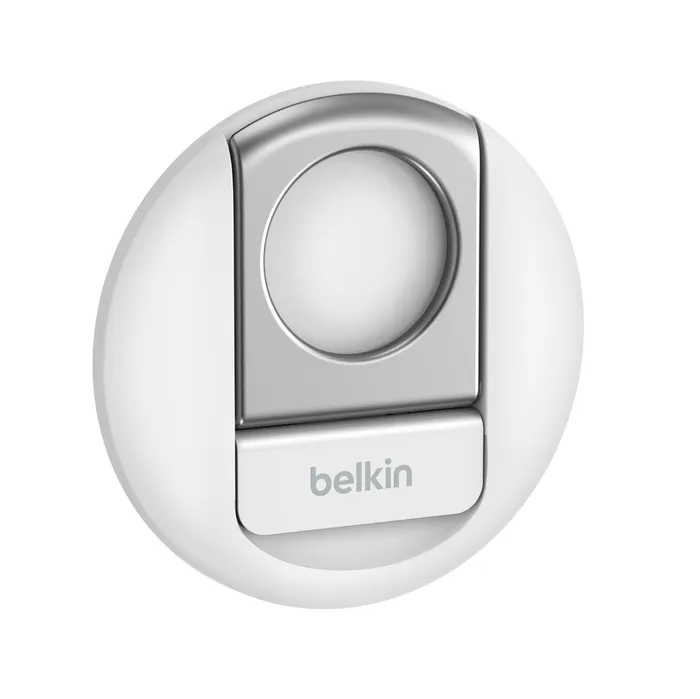
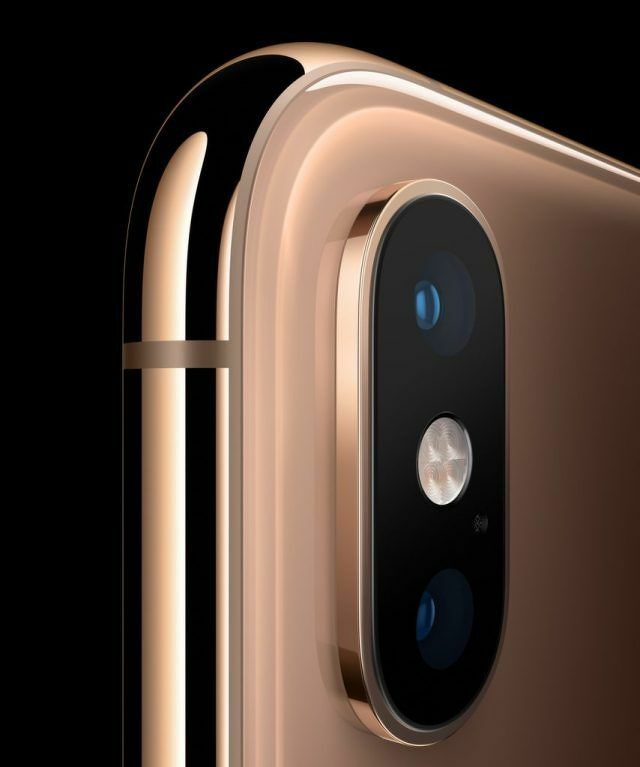 Phone camera close up.
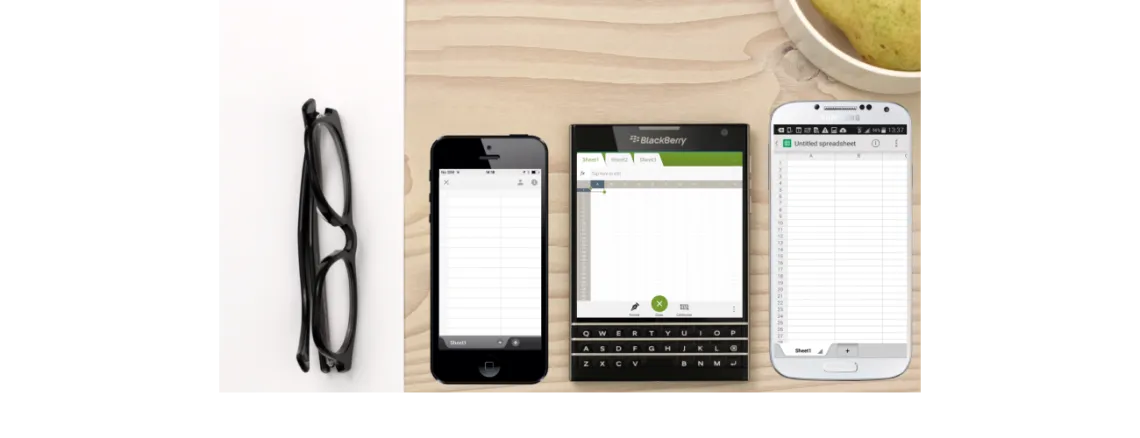
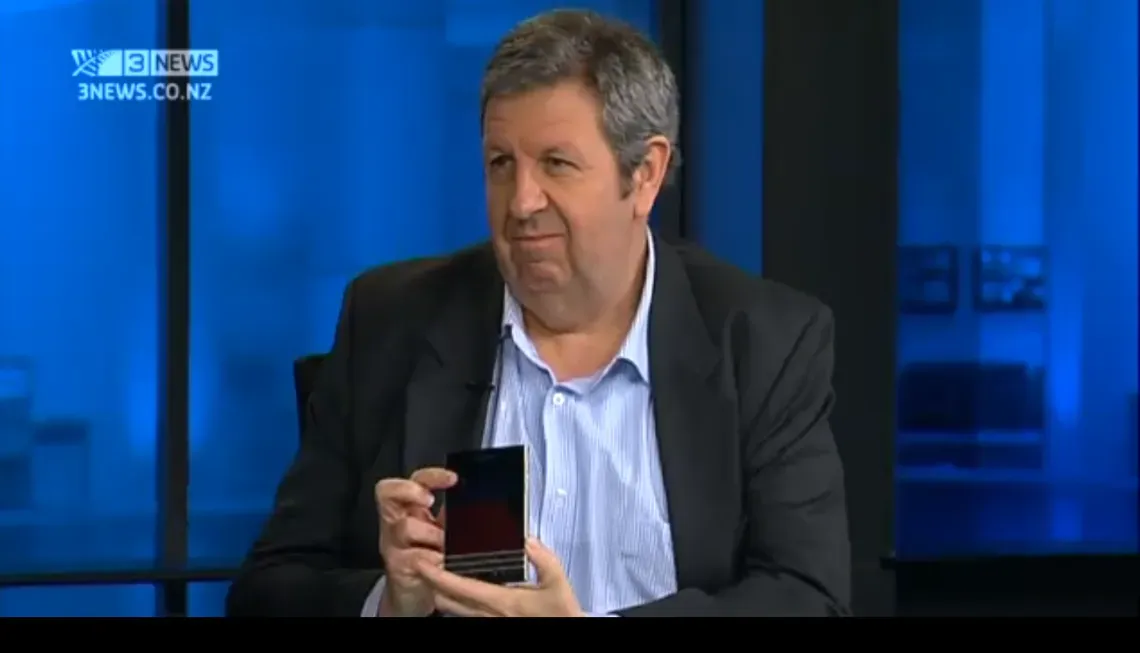 I went on TV3 Firstline to talk about the BlackBerry Passport with Sacha McNeil and Michael Wilson.