Traditional laptop for mobile professionals
We don’t often hear the term ‘power users’ any more, but this is the market HP has in its sights with the thin and light OmniBook 7 Laptop AI. It’s a beautiful, highly portable machine, but its focus on everyday office productivity means demanding creative users may be better served by alternatives.
| HP OmniBook 7 Laptop AI | |
|---|---|
| Processor | Intel Core Ultra 5 225H |
| Base Ram | 32GB on-board LPDDR5X SDRAM |
| Display | 14" 3K (2880 x 1800) UWVA OLED |
| External Monitors | Capable of two 4K monitors at 60Hz or single 8K monitor at 60Hz |
| Webcam | 5MP IR Camera |
| OS | Windows 11 |
| Storage (as tested) | 512 GB SSD |
| Dimensions | 31.37 x 21.62 x 1.49 cm |
| Weight | 1.34 kg |
Looks the part
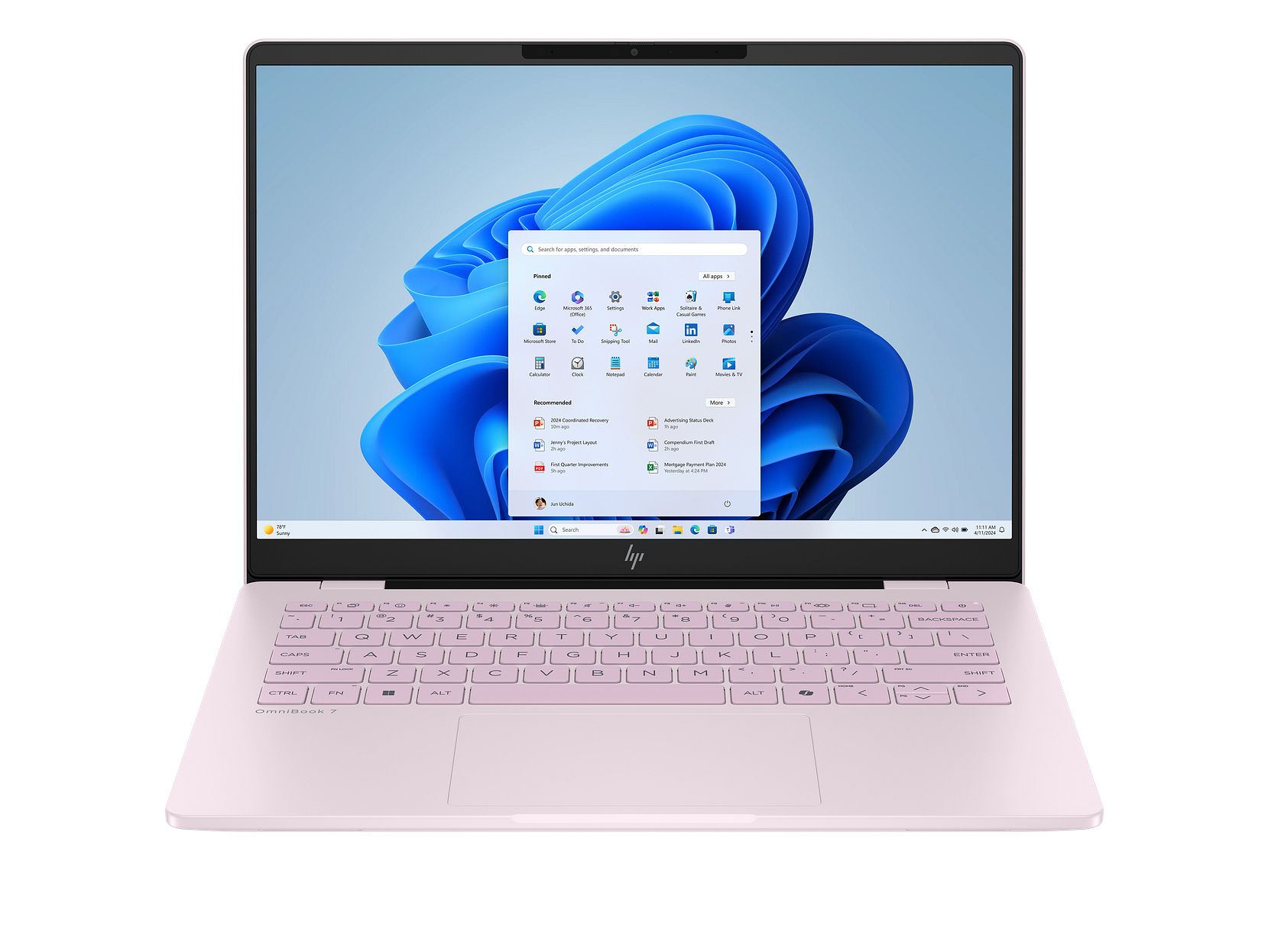
You won’t find a better-looking traditional clamshell Windows laptop than the HP OmniBook 7 Laptop AI. The aluminium case is smoothly finished and looks capable of stopping bullets. HP’s marketing says it is ‘military grade’. This gives the OmniBook 7 all the protection it needs to navigate airport terminals or the challenges of daily public transport commuting.
If the OmniBook 7 oozes style before you turn it on, then it goes one better when the gorgeous OLED touchscreen display lights up.
HP’s OLED display is the OmniBook 7’s standout feature. It is one of the best we’ve seen to date. Colours are vibrant and accurate. Blacks are solid and dark.
This makes it a great laptop for sustained reading text or writing without eye strain.
While the screen is excellent for photo-editing, the processor is not ideal for heavy-duty photoshopping.
The touchscreen and haptic touchpad are both first class. Keyboards are often a matter of taste. This one is excellent although there is less travel than you might find elsewhere. It would pay to test the keyboard before buying in case this low-profile approach is not for you. In testing, it felt ideal for fast typists and those, like me, who learned to touch-type.
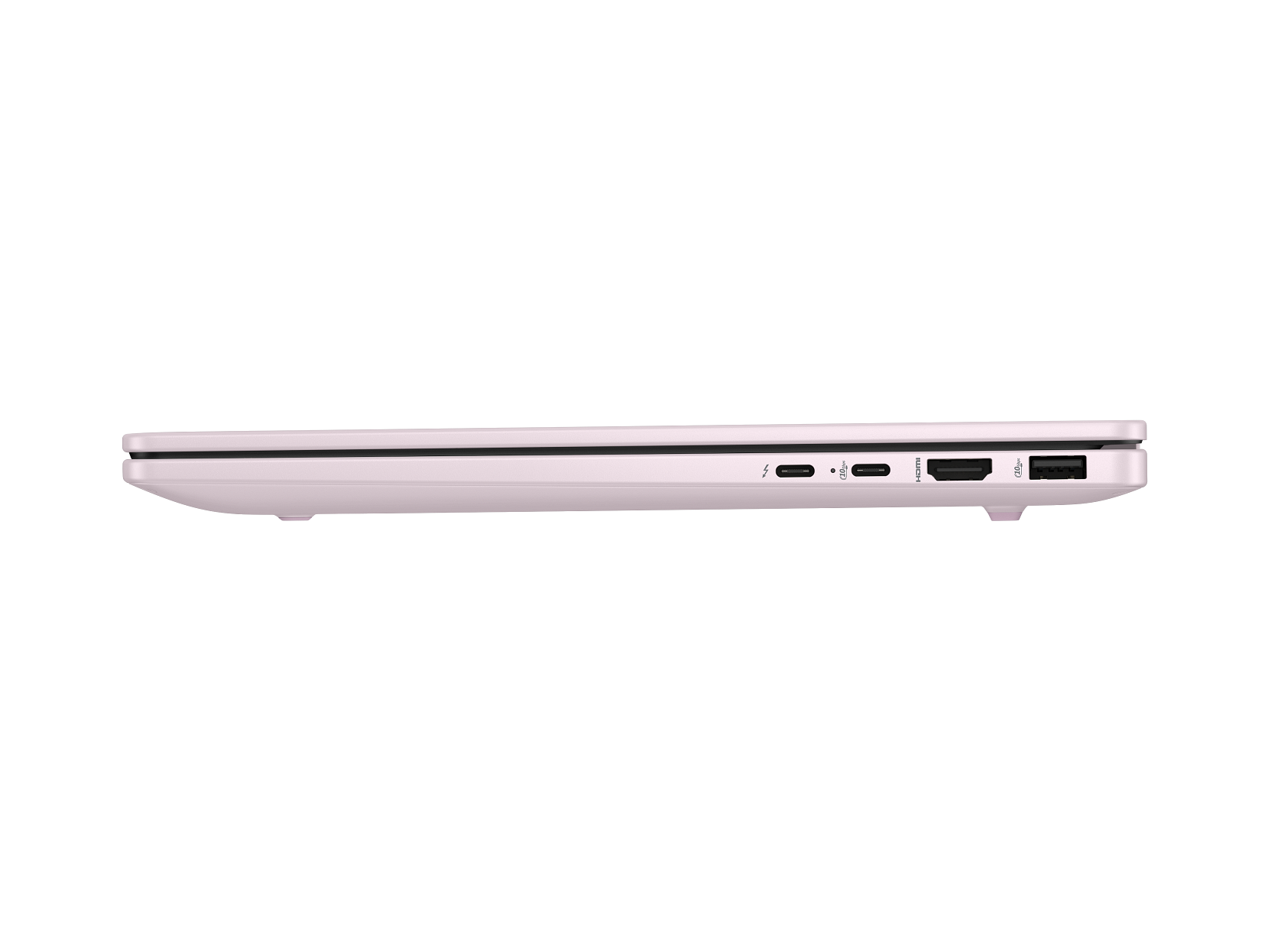
There are four ports plus power and a retro audio jack for those who don’t do Bluetooth. There are two legacy USB-A ports, two USB-C ports. You’ll use one of these for power. There is also a full-sized HDMI 2.1 port for connecting to an office display or your home TV.
Performance: A mixed bag
Everything about the HP OmniBook 7 Laptop AI says premium laptop except the performance. It’s good, but not workstation class.
The Intel Core Ultra 5 and the 32GB of Ram can power through massive spreadsheet models or tons of open browser tabs with aplomb. If you multitask productivity apps you’ll be more than satisfied.
We’ve already said the OmniBook 7 can handle some photo-editing. Its integrated Arc GPU is built for light creative tasks. You would not buy this machine to handle video rendering or 3D modelling.
Price and options
The review laptop came with an Intel Core Ultra 5 and a 512GB solid state drive. At the time of writing this version is no longer listed on HP’s New Zealand website. Prices for models with the Intel Core Ultra 7 start at $2100, which is a bargain.
Confusingly a Core Ultra 7 can be slower than the Ultra 5 in terms of raw processing. That said, it uses considerably less power giving you longer battery life.
The Core Ultra 7 model includes a more powerful Intel Arc 140V graphics processor which makes the laptop more appropriate for creative work and is around 20 percent faster when playing games. The review configuration is not great for gamers or creatives: the Ultra 7 version is much better.
The box label says “HP OmniBook 7 Laptop Al”. That’s not untrue. You can run AI jobs on the laptop and you’ll see the benefit of the Neural Processor Unit at times with Windows Studio camera effects. Yet those two letters appear to be more about marketing than delivering AI capabilities. Much the same applies to the Copilot button on the keyboard.
Battery life
Intel’s Core Ultra 5 225H does great work matching power consumption with use. You’ll easily get all-day battery life even if you work long hours. When the battery needs charging, HP’s FastCharge can get the power back to 50 percent in around half an hour.
HP is the dominant laptop brand in New Zealand. It is especially strong in the corporate world, so if your workplace buys your hardware, there is a good chance one of these will land on your desk.
If you are comfortable with Windows you won’t be unhappy with the hardware. The software is another story. HP can’t resist loading annoying bloatware on its laptops. That cheapens an otherwise impressive early experience.
The OmniBook’s likely competitors would be Lenovo’s ThinkPad X1 Carbon and Apple’s MacBook Air. The ThinkPad has a better keyboard with more travel and, if you like it, a more striking look. HP offers a far better screen than you’d find in a similarly priced Lenovo.
Comparisons with MacBooks are less head-to-head. Apple’s MacBook Air has no fan. It is completely silent and beats the OmniBook 7 on video editing. To fully match HP’s display and 32GB Ram you’d need to move up to a more expensive MacBook Pro.
Verdict
If you work for an employer who supplies laptops, there is a good chance you’ll see one of these models. HP is New Zealand’s dominant personal computer brand. In 2024, the last year figures are available for, the company accounted for around one third of the total market and half the business PC market.
The HP OmniBook 7 Laptop AI gets most of the important things right for business users.
It is slim, light and easy to carry. The OLED display is excellent. Battery life is strong enough for a full work day and the 32GB memory configuration makes multitasking painless.
Its weakness is comparative value at the premium end of the market. Buyers spending close to MacBook Air or ThinkPad X1 money may expect more outright performance. The base model with a Core Ultra 7 processor at $2100 is exceptional value.
If your priority is a highly portable Windows laptop for writing, research, presentations, web applications and day-to-day office work, the OmniBook 7 is easy to like.
HP OmniBook 7 Laptop AI at a glance
| For | Great display and touch screen, long battery life. |
| Against | Performance under par for some models at the asking price although other models are great value, bloatware. |
| Maybe | Copilot key. Take care when buying to distinguish between models, there’s a wide range of cost-performance choices to navigate. |
| Verdict | The HP OmniBook 7 Laptop AI gets most of the important things right for business users. |
