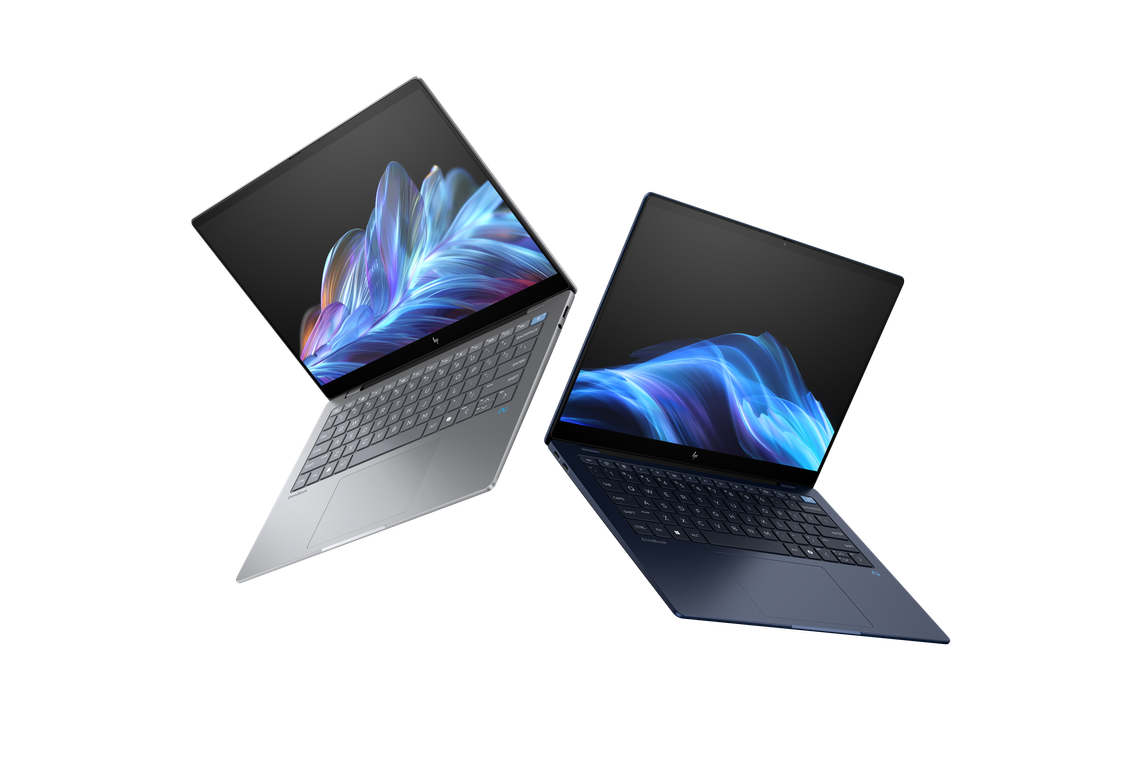
From September 2024: The first Windows laptop that can match, and in some cases better, a MacBook’s performance and battery life. That alone makes the OmniBook X worth a look.
A Windows laptop without Intel
HP’s 14-inch OmniBook X is the first Windows laptop to land on this desk in more than a decade without an Intel Inside sticker. In its place sits a Snapdragon X Elite badge, just below a screen-printed “AI” logo.
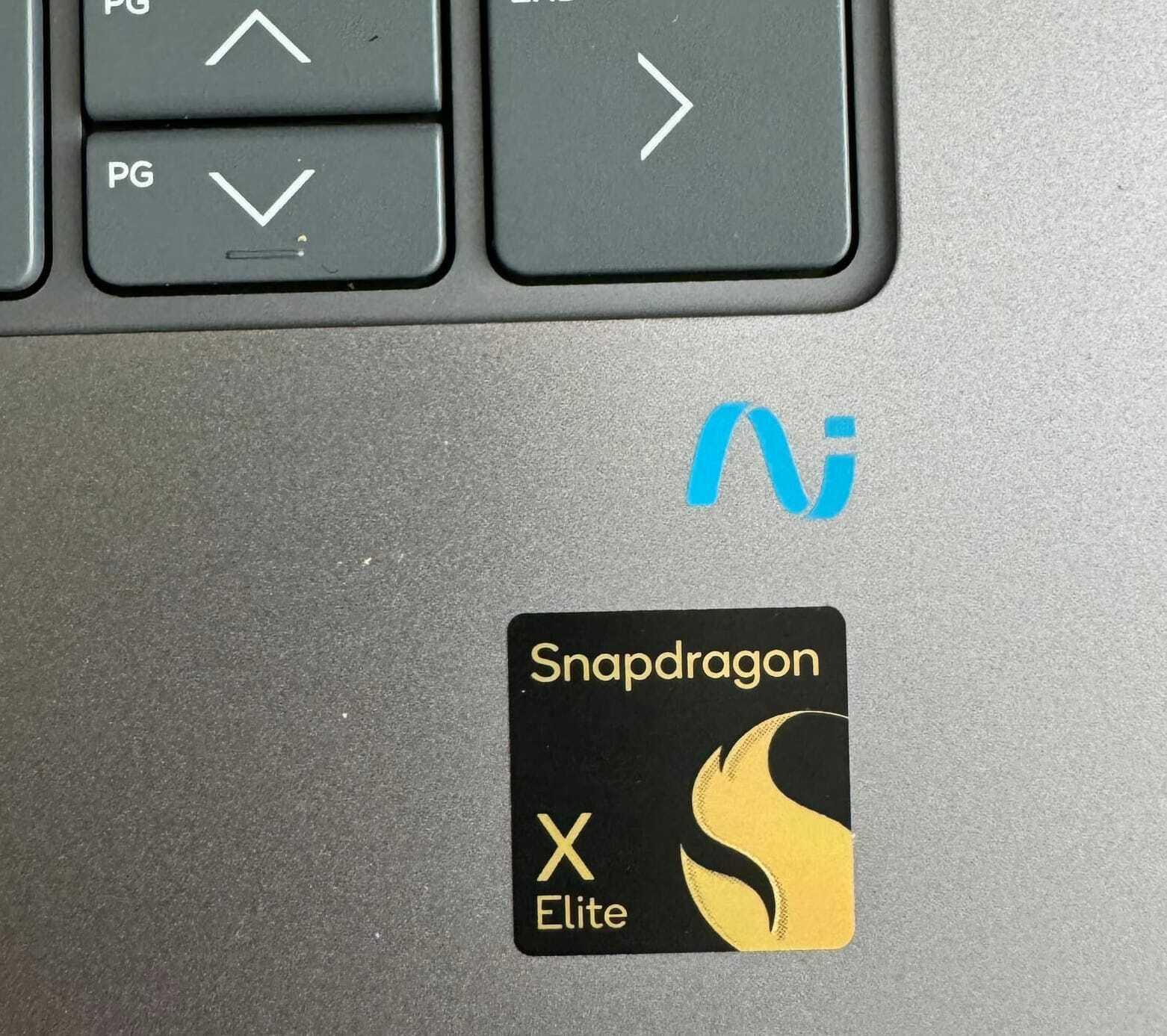
These details signal that this is not business as usual. At least on the inside. On the outside, it is another slim, aluminium ultrabook that could pass for any number of rivals. Remove the badges and there is little to distinguish it.
While HP’s marketing leans heavily on artificial intelligence, the reality is more grounded. The software remains tied to narrow, practical uses. It is a long way from the sweeping promises of general artificial intelligence often heard in technology circles.
OmniBook X versus MacBook Air
The OmniBook X is roughly the same size as a 14-inch MacBook Air. Performance in everyday tasks is comparable and pricing sits in the same bracket at a little over NZ$3000.
Most buyers will not choose between the two. Even so, the comparison is unavoidable. They target the same audience and, for the first time in years, meet on equal terms.
In design terms, the OmniBook X plays it safe. Aside from branding, it is not far removed from Apple’s laptop.
Keyboard and touchpad
At first glance, the keyboard appears to use larger keys. In practice, this is an illusion. Measurements show it is almost identical in size to the MacBook Air keyboard.
The difference is typographic. HP uses larger, bolder lettering on the keys, to the point where it borders on an accessibility feature.
The keyboard and touchpad are otherwise conventional. The touchpad lacks some of the smoothness found on Apple’s machines, although that may come down to familiarity.
One addition stands out: a dedicated Copilot key for quick access to Microsoft’s AI assistant.
An unexpected USB-A port
HP includes a legacy USB-A port, something you will not find on a modern MacBook. Fitting it into a 14mm-thick chassis is an impressive piece of engineering, complete with a small hinge mechanism.
Alongside this are two USB-C ports, one of which is used for charging. Like the MacBook Air, you will still need a dongle for HDMI or other connections. Apple’s advantage is its MagSafe port, which frees up both USB-C ports for accessories.
Screen
The 2240 by 1400 pixel touchscreen offers more resolution than many rivals in this class. On paper, it is impressive.
In use, it is less convincing. The display is noticeably dimmer than a MacBook Air and colours lack the same vibrancy. In bright rooms or direct sunlight, it can be difficult to view.
For some users, this will not matter. For others, it may be a deal breaker. The lower brightness may contribute to the laptop’s strong battery life, but it comes at a cost.
At 14 inches, the screen is fractionally larger than the MacBook Air’s 13.6-inch display. For most everyday tasks, it is more than adequate despite its shortcomings.
Performance and battery life
This is where the OmniBook X changes the conversation.
Since the arrival of Apple Silicon, Windows laptops have lagged behind in both performance and battery life. Qualcomm’s Snapdragon X Elite aims to close that gap.
Benchmark results elsewhere suggest the OmniBook X has an edge in multicore tasks, while trailing slightly in single-core performance. In day-to-day use, the difference is hard to detect. Both this machine and a MacBook Air handle common workloads with ease.
More importantly, there is no longer a clear advantage for Apple. Windows laptops are no longer a generation behind.
Battery life tells the same story. The OmniBook X runs for around 15 hours on a charge, matching the MacBook Air. Not long ago, a comparable Windows laptop would struggle to last a working day.
AI: promise versus reality
HP makes bold claims about the OmniBook X’s AI capabilities. Demonstrations at launch events are impressive, showing real-time video and image manipulation.
In practice, the included tools feel more like a preview than a finished vision.
There are useful touches. A Paint app can tidy rough sketches. Language translation has potential, although it is not instantaneous. Microsoft’s Copilot helps navigate settings and find information more quickly.
None of this is essential. The bundled software does not justify paying a premium for an “AI PC”. To unlock the hardware’s full potential, you will likely need additional software, such as an Adobe subscription.
If that is your plan, the OmniBook X begins to look more compelling.
Compatibility
Moving away from Intel brings trade-offs. Some Windows applications, particularly games and specialist software, do not yet run on ARM-based systems.
This is not a new issue, but it remains relevant. While there were no problems during testing, it is worth checking compatibility before committing to a purchase.
Verdict
The HP OmniBook X marks a turning point. It is the first Windows laptop in years that can genuinely match a MacBook for performance and battery life.
There are weaknesses. The display is underwhelming, the AI story is oversold and software compatibility is not perfect.
Even so, this is a capable, efficient machine that handles everyday work with ease. For business users and students, it represents solid value and a sign that competition in the laptop market is returning.
