This story was originally posted June 2009. It remains relevant today.
People spend less time reading online news than reading printed newspapers because reading a screen is more mentally and physically taxing. For a closely related take on this see E-books harder to read, hard to comprehend.
This has consequences.
In Newspapers online – the real dilemma, Australian online media expert Ben Shepherd examined why online newspapers earn proportionately less money than print newspapers. He says it comes down to engagement. A typical online consumer of Rupert Murdoch’s products spends just 12.6 minutes a month reading News Corporation web sites. In comparison the average newspaper reader spends 2.8 hours a week with their printed copy.
Print still better in some ways
There are other factors. But I’d argue, the technology behind online reading is part of the problem:
Newspapers and magazines are typically printed at 600 dots per inch or higher resolution.
Computer screens typically display text and pictures at 72 pixels per inch. Some display at 96 dots per inch. This was the case in 2009 when the story was orignally written today’s phones typically have 300 to 500 dots per inch. Tablets are around the 200 to 300 DPI range. Laptops are 150 to 250 DPI. Desktop displays vary from 90 to 160 DPI.
Contrast is usually far better on paper than on screen.
Screens often include distracting elements. This can be particularly bad where online news sites have video or audio advertising on the same page as news stories.
Lower resolution means it takes more effort for a human brain to convert text into meaningful information. Screens are fine for relatively small amounts of text, but over the long haul your eyes and your brain will get tired faster even when there are no distractions. You’ll find it harder to concentrate and your comprehension will suffer.
Kill your notifications. Yes, really. Turn them all off. (You can leave on phone calls and text messages, if you must, but nothing else.) You’ll discover that you don’t miss the stream of cards filling your lockscreen, because they never existed for your benefit. They’re for brands and developers, methods by which thirsty growth hackers can grab your attention anytime they want.
Allowing an app to send you push notifications is like allowing a store clerk to grab you by the ear and drag you into their store. You’re letting someone insert a commercial into your life anytime they want. Time to turn it off.
This has bothered me for some time. Not least because the mental space needed to write anything more than a paragraph means turning off all notifications. I used to take this even further.
Push notifications sin-binned
It’s impossible to focus when there’s a constant barrage of calls on your attention. I go further than Pierce. For much of the time I have my phone set on silent, all computer notifications are permanently off. Everything, except system warnings to warn of a flat battery or similar.
Touch Voicemail catches messages from callers should they bother to leave one.
There are two exceptions to the clampdown. I allow text messages and voice calls from immediate family members and my clients or the people who work for them. The other exception is I allow calendar notifications to remind me if, say, I know I have to leave later for a meeting.
The downside of this is that some things get missed. It’s rare, but I have missed out on stories by putting myself in electronic purdah.
Yet on the whole, it works well. There’s always the list of missed calls, messages and so on. I can go to the notification centre scan the long, long list of missed items and realised that nothing important slipped through to the keeper.
The problem of messaging overload has only become worse since 2014, with WhatsApp, Signal, Telegram, Discord, Slack and Teams all fragmenting our communications.
Originally published July 2017. Bitcoin did crash in 2018, recovered, crashed again in 2022. Since then it reached new highs and crashed again. The bubble dynamics described here remain relevant even if the timing was off.
Finance writer and ex-banker Frances Coppola writes about financial bubbles. She says the cryptocurrency market shares characteristics with earlier bubbles like Dutch tulips and dotcom stocks.
She writes:
There are three key stages in the lifecycle of a financial bubble:
The “Free Lunch” period. A long, slow buildup of price distortion, during which investors convince themselves that rising prices are entirely justified by fundamentals, even though it is apparent to (rational) observers that they are buying castles built on sand.
The “This is nuts, when’s the crash?” period. Everyone knows prices are far out of line with fundamentals, but they carry on buying in the irrational belief they can get out before the crash they all know is coming. Speculators pile in, hoping to make a quick profit. Prices spike.
The “Every man for himself” period (sorry, FT, I couldn’t find a reference for this one). Prices crash as everyone runs for the exit. This can happen a number of times, separated by brief periods of stability when everyone congratulates themselves on a lucky escape. But they are wrong. The ship is sinking.
Which means a crash is underway. This does not only apply to Bitcoin, but to all of the cryptocurrencies.
The remarkable aspect of this is that everyone couldn’t see it coming. As Coppola points out some investors still don’t accept the likelihood of a crash.
It will be interesting to see what remains of crypto currencies after things settle down. The idea of a blockchain isn’t going away, despite it being far less useful than the hype surrounding it suggests. It could be that the, at times irrational, enthusiasm for cryptocurrency is coming to an end or it may simply be drawing breath for another bubble to form.
RSS is no longer a key content distribution channel.
Martin Belam.
He’s right in that RSS never became a mainstream means of consumption (indeed, I’d argue that it never really was a key content distribution channel), but wrong in that, for those of us who live or die by the information we find, consume and process in various ways, it’s still a vital tool.
Adam Tinworth.
RSS is not dead, it may be niche
When Google closed Google Reader there was discussion that said RSS was dead and no longer needed now that people get their feeds from social media. As Tinworth points out, there are still 15 million die-hard feed-reading users out there.
I’m one.
RSS cuts through the noise. More importantly, it helps you find information.
Social media has its uses, but with services like Twitter or Facebook, new stories go whooshing by in among all those cat pictures
and other distractions. Not only that, but a third party gets to decide what you see. In the case of most social media, that means algorithms designed to maximise the revenue earned from your attention.
A single place for finding news
If you want to check this morning’s technology news from New Zealand publishers, RSS is the only easy way to capture everything in one single spot. The alternative is to spend hours ploughing through multiple sites.
One of the disturbing aspects of Google’s decision is that it means some publishers may, stupidly, decide maintaining an RSS feed is no longer worth the both. That’s ridiculous, it is a set and forget technology. There are some publishers, or there were some in the past, who don’t appear to value the technology.
Long may the practice of creating feeds live. It’s essential for anyone who needs a comprehensive list of relevant information.
And, while I have your attention, this site has an RSS feed. You are welcome to use it.
Scientific reviews involve research, prising the back from things, taking them apart and dropping them on hard surfaces. Listening to noises. Measuring everything. Running battery life tests.
You come away from these tests with numbers. Often many numbers. Maybe you’ve heard of data journalism. This is similar, you need maths and statistics to make sense of the numbers.
Scientific reviews take time. And money. You need deep pockets to test things to breaking point.
Benchmarks
Benchmarks are one reason scientific reviews take so much time. You do them again and again to make sure. You draw up meaningful, measured comparisons with rival products. Then put everything into context.
We used the scientific approach when I ran the Australian and New Zealand editions of PC Magazine.
This was in the 1990s. ACP, the publishing company I worked for, invested in a testing laboratory.
We had expensive test equipment and a range of benchmarking software and tools. Specialist technicians managed the laboratory. They researched new ways to make in-depth comparisons, like the rest of us working there, they were experienced technology journalists.
The scientific approach to product reviews
My PC Magazine colleague Darren Yates was a master at the scientific approach. He tackled the job as if it were an engineering problem. He was methodical and diligent.
You can’t do that in a hurry.
There were times when the rest of my editorial team pulled their hair out waiting for the last tests to complete on a print deadline. We may have cursed but the effort was worth it.
Our test results were comprehensive. We knew to the microsecond, cent, bit, byte or milliamp what PCs and other tech products delivered.
There are still publications working along similar lines. Although taking as much time as we did then is rare today.
Publishing industry pressure
It’s not only the cost of operating a laboratory. Today’s publishers expect journalists to churn out many more words for each paid hour than in the past. That leaves less time for in-depth analysis. Less time to weigh up the evidence, to go back over numbers and check them once again.
At the other end of the scale to scientific reviews are once-over-lightly descriptions of products. These are little more than lists of product highlights with a few gushing words tacked on. The most extreme examples are where reviewers write without turning the device on — or loading the software.
Some reviews are little more than rehashed public relations or marketing material.
The dreaded reviewers’ guide
Some tech companies send reviewers’ guides. Think of them as a preferred template for write ups. I’ve seen published product reviews regurgitate this information, adding little original or critical.
T
hat’s cheating readers.
Somewhere between the extremes are exhaustive, in-depth descriptions. These can run to many thousands of words and include dozens of photographs. They are ridiculously nit-picking at times. A certain type of reader loves this approach.
Much of what you read today is closer to the once-over-lightly end of the spectrum than the scientific or exhaustive approach.
Need to know
One area that is often not well addressed is focusing on what readers need to know.
The problem is need-to-know differs from one audience to another. Many Geekzone readers want in-depth technical details. If I write about a device they want to know the processor, clock speed, Ram and so on.
When writing for NZ Business I often ignore or downplay technical specifications.
Readers there are more interested to know what something does and if it delivers on promises. Does it work? Does it make life easier? Is it worth the asking price?
Most of the time when I write here, my focus is on how things work in practice and how they compare with similar products. I care about whether they aid productivity more than how they get there. I like the ‘one week with this tablet ‘approach.
Beyond benchmarks
Benchmarks were important when applications always ran on PCs, not in the cloud. How software, processor, graphics and storage interact is an important part of the user experience.
While speeds and processor throughput numbers matter for specialists, most of the time they are irrelevant.
How could you, say, make a meaningful benchmark of a device accessing Xero accounts?
Ten times the processor speed doesn’t make much difference to Xero, or to a writer typing test into Microsoft Word. It is important if you plough through huge volumes of local data.
I still mention device speed if it is noticeable. For most audiences benchmarks are not useful. But this does depend on context.
Context is an important word when it comes to technology product reviews.
Fast enough
Today’s devices are usually fast enough for most apps.
Much heavy-lifting now takes place in the cloud, so line speed is often as big an issue as processor performance. That will differ from user to user and even from time to time. If, say, you run Xero, your experience depends more on the connection speed than on your computer.
Gamers and design professionals may worry about performance, but beyond their needs, there is little value in measuring raw speed these days.
Instead, I prefer exploring if devices are fit for the task. Then I write about how they fit with my work. I call this the anecdotal approach to reviewing. There has been the occasional mistake, my Computers Lynx review from 40 years ago was a learning experience.
Taking a personal approach this way is a good starting point for others to relate to their own needs.
My experience and use patterns almost certainly won’t match yours, but you can often project my experience onto your needs. I’m happy to take questions in comments if people need more information.
Review product ratings
I’ve toyed with giving products ratings in my reviews. It was standard practice to do this in print magazines. We were careful about this at PC Magazine.
A lot of ratings elsewhere were meaningless. There was a heavy skew to the top of the scale.
Depending on the scale used, more products got the top or second top ranking than any other. Few rated lower than two-thirds of the way up the scale.
So much for the Bell Curve.
If a magazine review scale ran from, say, one to five stars, you’d rarely see any product score less than three. And even a score of three would be rare. I’ve known companies to launch legal action against publications awarding three or four stars. Better than average is hardly grounds for offence, let alone litigation.
As for all those five-star reviews. Were reviewers saying a large proportion of products were perfect or near perfect? That’s unlikely. For any rating system to be meaningful you’d expect to see a lot of one or two-star ratings.
That doesn’t happen.
Loss aversion
Once I heard an advertising sales exec (not working on my publication) tell a magazine advertiser: “we only review the good stuff”.
That’s awful.
Readers need to know what to avoid as much as what to buy. Indeed, basic human nature says losses are twice as painful as gains.
Where possible, I like to warn against poor products. Companies that make poor products usually know better than to send them out for review, so you’ll see less of them, but it can happen.
My approach to reviewing products isn’t perfect. I’d like to do more scientific testing, but don’t have the time or resources. Often The review loan is only for a few days, so extensive testing isn’t possible. Reviews here are unpaid. This means reviewing has to take second place behind paying jobs.
More on media process:
SEO vs. quality – Why authority matters more than algorithms in the AI age.
This story was first posted in 2011 and needs a refresh, but the key points remain as relevant as ever.
Text editors are a lowest common denominator for dealing with documents. That is their appeal.
Plain text always travels smoothly between applications, operating systems and devices. The same can’t be said for Word documents or anything else that uses a proprietary format.
Text is compact and efficient. It is quicker to search and easier to manage than word processor documents.
Geeks already spend large parts of their working life dealing with plain text. Text is widely used for settings and configuration files. Geeks write small programs to merge, sort and otherwise process text files.
Plain text simpler than word processors
Text editors are simpler than word processors. Many have been around for more than 40 years and have roots in pre-graphical-user-interface computing.
They use keyboard commands — writing memos and other notes this way may look scary to non-technical types, but it isn’t much of a stretch if you’ve used the same tools to handle your everyday technical tasks for a decade or more.
There’s an added bonus to text editing; the applications can bypass the computer mouse. Given mouse movements are one of the most troublesome sources of strain injury, switching to keyboard-oriented writing tools makes sense for technical types who spend hours hunched over their machines.
Ergonomics
Similar ergonomic concerns explain why some professional writers turn their backs on conventional word processors. This group has another problem: modern word processors are busy-looking. It is hard to concentrate on writing when there are so many distractions.
It is tricky, but the old Dos favourite WordPerfect 5.1 could be shoehorned into working with Windows XP. Making it work with Windows Vista is more of a challenge. A small but vibrant user community at WP Universe provides tips and even drivers to make the software work with modern operating systems and hardware.
You’d need to buy WordPerfect. Two recently developed applications channel its spirit for free. Darkroom and Q10 are both stripped down text editors designed to offer distraction-free writing.
Darkroom fussily requires Microsoft .Net 2.0, a deal breaker for some, while Q10 mainly gets on with the job, but there is some beta-software strangeness with both programs. Perhaps for now, these text-editors-Word-replacements are a trend to watch and not follow.
In the meantime, find a basic, old-fashioned text editor. If you can adapt, it could be your biggest productivity boost of the year.
Geoffrey Moore wrote Crossing the Chasm in 1991. The book is still an important sales reference for technology companies.
Moore says you can rank customers on a technology adoption scale. These customers can be companies, organisations or individuals.
There are five ranks. Moore divides the five into two clear groups and the gap between these groups is large. Or in his words, a chasm.
##Early Adopters
Moore’s first group are early adopters. They feel they must have the latest technology. This can be about prestige or perceived competitive advantage. They are willing to pay a high price to get hold of technology early.
This high price is important. Technology companies get a big margin which funds further development or marketing. The companies love early adopters.
Chasm between visionary and mainstream
The next group are visionary customers. They need a product to gain competitive advantage or control costs. They accept immature support and absorb any technology risk.
They’ll pay a premium, often less than the early adopter premium. This allows companies to develop marketing channels and support infrastructures. These are important in the next phase.
Moore’s third phase is the bulk of the market. Moore calls them early majority or pragmatic customers. They look for clear pay-offs from a technology investment. They deliver the profits and locks a technology into the mainstream.
The fourth group are reluctant adopters. They buy mature, proven technologies if there is a sensible business case. They look for commodity products.
The last group are those who may never adopt a technology. There are companies that still don’t use email, mobile phones or computerised book-keeping.
Crossing the chasm
Moore says for any technology to succeed it must cross the chasm from the first two phases and enter the third. It’s an Evil Knievel leap, many technologies can’t make it.
The bridge across the chasm might be technical. It can be about channel organisation or support infrastructure. There are political matters such as establishing a standard or it might come down to old-fashioned marketing.
To pick winners, focus on the product or technology’s ability to cross the chasm between visionary and pragmatic customers.
Besides Moore’s chasm, there are common sense ideas of price and utility.
A product which meets certain key standards can sell. The number sold depends on price and function. A lower price or more functionality means higher sales.
If the first two phases allow a maker to build in enough functionality or reduce price through economies of scale then it’s easier to cross the chasm.
Standards are successful
Standards are a further good indicator of likely success. Yet you need to read the signs.
Many so-called standards are anything but open. Accepted standards aren’t always the ones which prevail. Think of market dominating companies like Intel or Microsoft.
The standards used in a particular product or technology are not always fixed. For example, developers can change a non-standard communications protocol with a software upgrade.
Work, rest and play
Moore started out looking at business technology. The principles also apply to consumer products such as smartphones. The rules don’t change much between the suits and the open-neck shirts but their interpretation does.
Building up a head of steam to cross the chasm is harder for makers of consumer hardware. Consumers rarely look for a return on their investment in the business sense. They are less willing to pay top dollar for new products.
Complicating matters further is the way many products now straddle both markets. In some areas the consumer market influences business purchasing strategies. For example, the first customers to adopt the iPhone were consumers.
There’s a clear connection between Moore’s chasm and Gartner’s Hype Cycle. While the two look at adoption from different points of view, both recognise there is a hump to get over before a product or technology can succeed.
This post was written in 2011 when Microsoft killed its Reader software: 15 years later, the warning about proprietary formats remains more relevant than ever—and Microsoft Reader is still dead.
Microsoft’s decision to kill its Reader eBook software is no surprise.
When it launched in 2000, Microsoft Reader wasn’t bad. Reader used Microsoft’s ClearType font technology to make text more readable on the relatively low-resolution screens common at the time.
Over the years Reader has been neglected. Other eBook formats – often built around hardware – zoomed past Microsoft in terms of technology and popularity.
What happened to my eBook library
I own a small library of eBooks in Microsoft’s .lit format. Or at least I did. Only a handful of titles and only one that I paid money for.
The books in question are stored somewhere in a back-up on one of the half-dozen or so drives sitting in my home office. I haven’t looked at them in years and I haven’t even bothered to install the Microsoft Reader software on my latest Windows 7 desktop and laptop – that decision alone speaks volumes.
I probably won’t need to read those eBooks again. If I wanted to, it would be a struggle.
2026 update: It is now impossible to read those old books using standard personal computer hardware and software.
The problem with proprietary eBook technology
And that’s the hidden flaw behind all proprietary eBook technologies. They are not timeless.
The problem isn’t just data formats. I’ve documents stored on floppy disks I’ll never access again. A few years ago I threw out 3-inch floppies (a proprietary format from the early 1980s) and the older 5.25 inch discs. At one point I had 8-inch floppies. If those discs contained documents, they are lost forever.
Print books go on effectively for ever. There are many books in my physical library that are older than me. I once read a 400 year old book. Hell, scholars can read Ancient Greek documents and even older works.
Soon, it’ll be a huge mission to read something published for Microsoft Reader.
Enduring formats
While today’s popular eBook formats may last longer than Microsoft Reader, only a fool would assume they will be around for ever.
In the meantime I plan to find a way of converting .lit files to another format for when I need those books again.
Google has dropped the idea that the end goal of Google Docs is to print words on a sheet of paper.
It’s been a long time coming.
When personal computers were new, word processors were all about print.
But it is now years since everyone used computers to produce printed documents. We may not have the promised paperless offices, but there is a lot less paper in the modern workplace.
These days documents usually spend all their time in a pure digital format.
Yet, until now, editing tools remain geared to print.
Word processors
Take Microsoft Word. You can’t use it for long before seeing a page break. Yes, you can use the web layout view which doesn’t have breaks. But that’s ugly to read as you put down words. And the outline view is for specialist uses.
Likewise Apple’s Pages or the Writer section of LibreOffice. They all assume you want to print documents on paper.
Dive in deeper and you’ll find word processor settings for page headers and footers. Again, these features are print-oriented.
Text editors have a digital-first perspective. But they still nod to printed pages at times.
Google Docs has offered an option not to show pages for years. Word processor software still geared to print was posted in 2014.
Google Docs part of Workspace refresh
This week Google announced sweeping changes to Workspace, a set of tools that includes Google Docs.
The big idea behind these changes is that you are no longer working to put words on paper. It’s a symbolic move. It’s a philosophical move and it’s also a practical move.
Instead, Google Docs becomes part of a bigger picture: dynamic, interactive documents that integrate with other tools. This includes embedding video, even links to video conference meetings.
The challenge for Google is that many customers liked Google Docs the way it was. They may not print much these days, but the concepts and workflows are familiar. There’s no discontinuity adapting to a fresh approach.
There’s more coming from Google. More to write about here. Yet for now, Google has untethered its popular word processor from print.
_While this was originally written in 2008 and the specific problems mentioned here are history, the main point remains as relevant as ever. _
Converting documents from one format to another can be hard.
Sometimes the problem is incompatibilities between different generations of the same application. Microsoft Word 2007’s docx file format isn’t automatically readable in older version of Word.
The same is true for files generated by Excel 2007 and PowerPoint 2007.
When you know in advance a colleague uses an earlier application version, you can choose to do the polite thing and save your document in the older format. This backward compatibility is built-in to Word 2007. Most applications offer similar backward compatibility.
Backward compatibility – up to a point
This is fine in theory, but you’ll either have to remember which format each colleague can use or you’ll just have to send everything in the older format. The problem with this approach is important things in the newer document format may go missing during translation to the older format.
If someone sends you a unopenable docx file – and you’re running an older, yet still reasonably up-to-date version of Word, you’ll only be able to work with the file if you’ve downloaded the Microsoft Office Compatibility Pack. This will also work with your Excel and PowerPoint files.
Things can be harder when converting files between applications from rival software companies or between applications running on different operating systems.
Not all software companies go out of their way to may conversion simple. Dealing with ancient documents from long-deceased operating systems is almost impossible. I’ve got MS-Dos Wordperfect and Planperfect files that I can no longer read.
Text, the lowest common denominator
Some geeks by-pass conversion problems by sticking with lowest-common-denominator file formats. Just about every application on any kind of operating system or hardware device that deals with text, from supercomputers to mobile phones and mp3 players can cope with data stored as plain text (.txt) files.
Text makes sense if you don’t need to keep style formatting information such as fonts, character sizes and bold or italic characters in your documents. An alternative low-end file format allowing some basic style formatting is .rtf, the rich text format. This was originally developed by Microsoft some 20 years ago to allow documents to move between different operating systems and it is still present as an option in just about every application that uses text today.
While I can no longer read my ancient Wordperfect files, I have recently found prehistoric documents from the early 1980s when I ran the CP/M operating system and a program called WordStar. Because they were stored as text files, they are still readable.
Years of writing about technology has taught me to be more, not less, cautious about new gadgets or software.
I’m not an early adopter.
Early adopters are people who feel they must own the latest devices. They think they run ahead of the pack. They upgrade devices and software before everyone else.
Early adopters use the latest phones. They buy cars with weird features.
In the past they would queue in the wee small hours for iPhones, iPads or games consoles. There was a time when they’d go to midnight store openings to get the newest version of Microsoft Windows a few hours earlier.
You have to ask yourself why anyone would do that.
The pre-order brigade
Nowadays they are the people who order devices before they are officially available.
In practice their computers often don’t work because they are awash in beta and alpha versions of software screwing things up.
And some of their kit is, well, unfinished.
Computer makers depend on early adopters. They use them as guinea pigs.
Early adopter first to benefit, first to pay
Marketing types will tell you early adopters will buy a product first to steal a march over the rest of humanity. They claim they will be the first to reap the benefits of the new product. It will make them more productive or live more enjoyable lives.
This can be true. Yet early adopters often face the trauma of getting unfinished, unpolished products to work. Often before manufacturer support teams have learnt the wrinkles of their new products.
Some early adopters race to buy a device that turns out to be a dud and is quickly abandoned by the market and soon after by its maker.
For example, in 2015, my other web site looked at how early adopters of Microsoft’s abandoned Windows Phone were left stranded.
Paying a higher price
There’s another reason computer makers love early adopters — they pay more for technology.
New products usually hit the market with a premium price. Once a product matures, the bugs eliminated and competition appears, profit margins are slimmer.
Companies use high-paying early adopters to fund their product development.
Being an early adopter is fine if you enjoy playing with digital toys. If productivity isn’t as important to you as being cool with a certain crowd. It’s OK if you have the time and money to waste making them work. If you can afford to take a risk on a dud product.
I don’t. I prefer to let others try things first. Let computer makers and software developers iron out the wrinkles while the product proves its worth. Then I’ll turn up with my money.
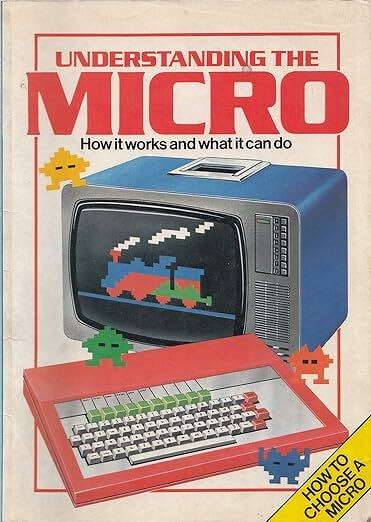
The Usborne guide was my first book and, in sales terms the most successful although not the most lucrative. I can’t find any evidence but remember it featured on some best-seller lists and total sales ran to hundreds of thousands. If you know, please get in touch.
Usborne translated the book into a number of other languages including German. The cover of that version is below and, sigh, doesn’t feature my name. I remember there were other language versions including one in Arabic, I once spotted one in a shop somewhere in Spain. There were at least three reprints of the English edition.
Oddly the picture shown at Google Books isn’t the cover but the title page from inside the book.
My other books haven’t fared so well. I wrote one about programming the Commodore Plus/4 in 1984 under the pseudonym Gordon Davis after I saw a player with the same name score a goal for Chelsea one weekend. At the time my contract didn’t allow me to write for any other titles even though the book had been written before the job started. For some reason Google added the word ‘Bitter’ in the name. I’m not sure what that’s about.
This story was originally posted in September 2017.
At Reseller News, Rob O’Neill writes:
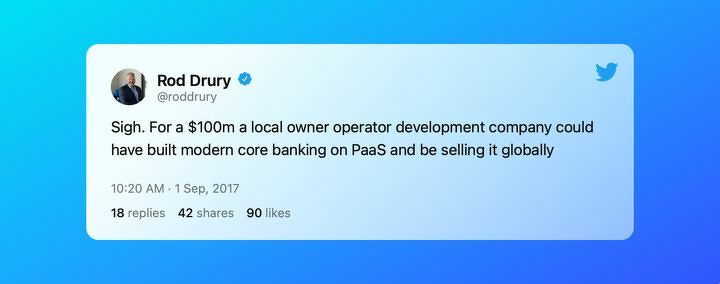
Kiwibank has booked a $90 million impairment in its software assets and flagged a major change in its SAP core banking rollout.
“Although the strategic review has not yet concluded, a potential change to how we build the core ‘back end’ IT system (CoreMod) to match the demands of the ‘future front end’ has prompted a re-assessment of the value of the work in progress since successfully migrating our batch payments to SAP,” the bank said today.
Source: Kiwibank books a $90 million impairment on software – Reseller News
You have to wonder why boards tolerate large-scale SAP projects when the failure rate is so high.
I’ve been told, off-the-record, by a number of high-ranking technology executives that dumb decisions are imposed from the top down with CIOs left to carry the can and pick up the pieces.
One recurring theme is that most of the cost and time overruns are due to extensive integration and customisation.
Make that unnecessary integration and customisation.
It is as if every bank or large business has unique, arcane and esoteric processes that can only be covered by expensive and risky software rewrites.
We know that simply isn’t true.
To think there is something magic tied up in those processes is madness. And expensive.
A smarter strategy for a bank, or any large-scale enterprise, would be to purchase off-the-shelf technology and redesign internal business processes to fit the software. Packaged software usually comes with flexible enough options and settings to cope with essential exceptions.
That’s how it works for small businesses buying accounting software from firms like Xero. Speaking of Xero:
New Zealand interactive game developers earned $203.4 million dollars during the 2019 financial year – double the $99.9m earned only two years earlier in 2017. The success comes from targeting audiences around the world and 96% of the industry’s earnings came from exports.
Technology lets us export photons in place of atoms. The idea was a common theme in my writing 25 years ago when the internet took off. It took time for the reality of this to creep up on us. Now it is happening in a big way thanks to New Zealand’s game developers.
One hundred years ago farmers would load sheep carcasses onto the, then, latest technology; refrigerator ships. These would belch smoke as they steamed to the other side of the world. It meant exporters earned foreign currency. This kick-started New Zealand on the path to, fifty years later, being one of the world’s richest countries.
Sheep carcasses, milk powder, crayfish, apples and all those other exports were made of atoms. They weighed kilograms and they needed to be physically shifted. The products would often take weeks to reach their destination by ship. There were physical risks.
Game developers sell light particles
Today, when, say, Grinding Gear Games, makes a game sale on the other side of the world, photons, tiny particles of light, race to their new home in a fraction of a second.
There’s nothing wrong with physical exports, that’s been what we’ve done for as long as anyone can remember. Yet tomorrow’s rivers of gold are going to come from exporting photons. We need to start thinking of games exports in the same way we once thought of meat or dairy exports.
The games industry’s export success reflects a broader pattern: NZ tech companies must think globally from the start, turning our small market size from a limitation into a strategic advantage."
If the game industry grows at the same pace for the next five years it could be worth a billion dollars a year by 2025. That’s still less than, say, wine or kiwifruit, but with much better margins.
The games industry exemplifies the high-value export economy Sir Paul Callaghan envisioned. Rowan Simpson’s analysis of the Callaghan legacy showed New Zealand largely failed the challenge to build innovation-driven prosperity. Yet games developers—earning 96% of revenue from exports with minimal physical infrastructure—demonstrate exactly the “exporting photons not atoms” model Callaghan championed.
Building this billion-dollar future requires a steady pipeline of skilled developers. Computer games technology degrees have long been recognized as serious career moves, offering pathways into one of New Zealand’s fastest-growing export sectors.
New Zealand’s games industry creates the exports and well-paid jobs that make government eyes light up.
To date the sector has outperformed almost everyone else. Sales double roughly every two years.
Selling photons around the world earns $20 overseas for every dollar made at home.
This export-first approach reflects how NZ startups are born global - forced by our small market to target international audiences from the outset.
Last year the industry earned $323.9 million.
Now all that is at risk.
Rowan Simpson’s recent analysis of Sir Paul Callaghan’s legacy showed New Zealand struggling to build the high-value, innovation-driven economy Callaghan envisioned. The games industry is one of the few sectors that succeeded—exporting digital products, creating well-paid jobs, doubling revenue every two years. Losing this to Australia would be another missed opportunity in a long series.
Australian land grab
Australia plans to hand video games companies a 30 to 40 per cent tax incentive.
That, says the local industry, will trigger a brain drain across the Tasman. Investment will follow in its wake.
You could view it as a land grab.
Chelsea Rapp, who chairs the New Zealand Game Developers Association says: “Any chance we had of attracting overseas studios to set up shop in New Zealand ends in 2022, and some New Zealand studios are already looking at expanding into Australia instead of expanding locally.”
The Australian government scheme gives game developers a 30 per cent refundable tax offset for production from 2022. On top of the federal money, several Australian states have their own offers which could add a further 10 per cent to the lure.
There’s a suitable vehicle
It’s common when stories like this emerge that the local industry body calls on our government to match the Australian incentives.
Yet, there is a New Zealand scheme in place that is similar to the new Australian one.
The New Zealand Screen Production Grant hands out similar sums of money to film and TV companies planning to shoot here. Most of this goes to overseas companies who move here for a while, then pack up and leave at the end.
Games companies are not able to get this grant.
Here for the longer term
The NZGDA points out that games companies are not likely to pull out immediately after completing a new production. Instead they hang around and start again, either on a sequel or a new project.
In other words, pouring money into the games sector keeps jobs and investment ticking over.
There are arguments that governments should not subsidise industries. And there is always a risk of a race to the bottom with Australia.
Almost everyone in business can make an argument why their needs deserve support.
Yet in this case the subsidies and race to a bottom risk are already in place. At least for the film sector. It doesn’t make sense to exclude the games market.
What’s more, the games industry often interacts with and swaps skills and personnel other high tech sectors. Keeping it here in New Zealand will benefit the entire home grown technology scene.
The industry’s need for skilled developers isn’t new—games technology education has long been recognized as a pathway to well-paid careers, but Australia’s tax incentives threaten to drain that talent pool.
The Lynx was interesting. It had a solid case with a keyboard — a design like the Commodore 64 and Vic-20. In those days most British microcomputers had advanced technology inside, they were rubbish on the outside. This was different.
The Lynx had a better specification than its rivals. Camputers offered a higher resolution than competitors and packed the latest ideas in the box. As my review points out, it was well-suited for machine-code programming. Computer buyers thought this was important in the early 1980s.
Camputers Lynx was late to the microcomputer party
As the Register says, the Lynx wasn’t a success. It arrived too late appearing at the end of the British microcomputer boom. And it was expensive compared with popular models. Camputers failed to attract interest from games developers. That proved fatal.
Camputers included a printer port on the back of the Lynx. I mentioned this in another story I wrote about the machine but failed to mention the printer port didn’t work.
Much to my embarrassment my boss at the time, Jack Schofield, pointed this out to me. My excuse — not a good one — is that Camputers had earlier showed me a demonstration where the machine printed text.
The demo Camputers Lynx unit must have been a non-production computer. I learnt an important lesson: don’t trust product demonstrations, trust only what you test yourself.
Anyone can download this kind of software without paying a fee. It doesn’t break any laws. You have the original developer’s permission to use it.
You can run the software, copy it and pass it on to friends and colleagues.
Free software is only part of the story. It isn’t the most important thing about open source. Yet free software is liberating.
Open source lets you look at code
What matters more is that you can look at the code used to write the software. This means you can see how the developers made the program.
If you have coding skills you can figure out what the developers did. You may be able to understand the assumptions and decisions they made when they wrote the code.
You can tinker with the code and release your own customised version.
Or perhaps you might spot a flaw or an area where the original developers could have done something better. When that happens you can send what you found to the developers and have them fix it, or you can fix it yourself and send them the improved version.
Improving software
This is how software evolves and improves over time. The same process can work with software that isn’t open, but letting everyone interested take a look speeds things up and often means better results.
When you tinker with, improve or fix open source software, you are expected to make your new version as freely available as the
original. That way others can follow your work, improve or fix it.
This is a virtuous circle.
Any piece of code can be open source. There are libraries of code snippets you can use to perform simple tasks or include in your own projects.
There are applications and even operating systems. Some of the best known software is based on open source.
Beyond free
While ‘free’ is an important part of the philosophy, there can be open source paid-for software. That is you can look at the code, but you have to pay to use it. The money is often used to pay for further development.
This approach has many of the same benefits. It means that people and companies can earn a living at the same time.
There are also many commercial and semi-commercial products and services that are build on open source foundations.
The opposite to open source software is often known as proprietary software. You can think of this as closed source. It is where someone, usually a company, owns the intellectual property. In some cases this can include patents.
As a rule you don’t get to see proprietary code and you pay to use the software. Until about 30 years ago all software was proprietary. A lot of enterprise and software used by government still is.
Open source now dominates the software world. Most of the world’s systems run on it. The web is open. Most phones run Android, which is a form of open source.
Windows 11 didn’t get a mention in last week’s look at the HP OmniBook X. That was deliberate. If HP’s, otherwise enticing, laptop has a weak spot, it is Microsoft’s operating system.
This was the first time I attempted to work using Windows 11. My previous encounters with the operating system were fleeting and shallow. I was skeptical of Windows 11 at launch, and this hands-on experience confirmed my concerns.
My next Windows 11 experience was on the Surface Laptop Studio, and once again, even excellent hardware can’t compensate for the OS’s frustrations.
When Windows switched from 7 to 8, my productivity dropped. Then I took the plunge with a MacBook. It wasn’t my first time with Apple, but that’s another story.
To say my productivity soared is putting it mildly, moving from Windows to Mac was like gaining an extra working day each week. That’s important when work pays by the word or by the hour.
Windows does some things better than MacOS. Upgrades are easier, working with third party hardware is easier. It also has a wider range of games and applications, not that any of that matters to me.
But, hear me out, it feels like Windows 11 treats users with contempt.
Notification hell
After a decade with MacOS I was shocked to see an important-looking notification appear in the bottom left hand corner of the Windows 11 display that turned out to be an advertisement. Microsoft literally interrupted my flow to direct me to where I could buy a third-party application.
This is not OK. Not in any conceivable world.
Another notification, sorry “new alert” flashed up. This might be acceptable if, say, World War III had started and I needed to head to a bunker. The ‘news’ story concerned a ‘celebrity’ I have never heard of doing something I don’t even remotely care about.
At some point, I was busy, so I didn’t take notes, a promotion for a game appeared.
This is not the future we signed up for
How can this even happen with a device that is meant to be a productivity tool?
Sure, all this can be turned off.
Actually I don’t know if it can be turned off. I’m presuming it can, but I couldn’t find where to mute these things without Googling… Except it wasn’t Google. It was Bing and Bing wasn’t forthcoming with the information.
Muting is not the point. These alerts are switched on by default. This is the Windows 11 experience Microsoft wants you to have.
Rightly or wrongly it feels as if Microsoft views Windows 11 users as a market to be milked for extra revenue at every possible opportunity.
Culture shock
This is not an Apple is better than Microsoft partisan rant. Well, not entirely. Apple pushes customers towards iCloud, Music and Apple TV among other services, but it doesn’t stop you from working in order to do this.
The point here is that after a decade away from Windows, revisiting the operating system is a culture shock. It wasn’t this way in 2012.
Before I sent the OmniBook X back to HP, I checked to see if it could run Linux as an alternative, non annoying, operating system. The official answer appears to be “not yet”. The correct answer is “Not soon enough”.
This post was written in March 2013 when Google killed Reader. It is a warning about relying on free services from big tech companies has been validated repeatedly since then. Google has killed over 200 products including Google+, Inbox, Hangouts, Stadia, Podcasts and many more. The lesson remains: sometimes free is too high a price. Updated 2025.
The company doesn’t make any money from its free web-based RSS reader, so its death doesn’t come as a surprise. After all,
Google is a business, not a charity.
Google Reader has been the best tool for that job for a long time. It has been so good that it has killed off most of its competition.
Nothing else compares
Twitter, Facebook and other social media tools simply don’t compare for this kind of work. RSS feeds provide comprehensive lists, social media tends to give a fleeting snapshot.
There are other RSS tools, none of them work as well as Google Reader. It has the best interface for quickly scanning large numbers of posts, it has decent search tools built-in.
If Google started charging for Google Reader, I’d happily pay. It would be worth the fee.
There’s a disturbing side to Google’s decision to shut Google Reader. Before Reader there was a healthy set of competing RSS readers. One by one these fell by the wayside because they were unable to compete with the search giant’s free service.
Google entered the space, wiped out the competition and now it is leaving the space.
Jamie Tanna’s post lists many good reasons to have a website. Tanna writes from a software engineer’s point of view. Many of the reasons he offers translate directly to other trades and professions.
Your own place online
A powerful reason is to own your own little patch of the online world, what people used to call cyberspace. As Tanna says your patch can be many things, a hub where people contact you, an outlet for your writing and other creative work, or a sophisticated curriculum vitae.
Now you may be thinking you can do all these things on Facebook, Twitter, Medium or Linkedin. That’s true up to a point.
Yet you don’t own those spaces. You are part of someone else’s business model. You don’t have control over how they look, you can’t even be sure they will be there in the long term.
After all, there were people who thought the same about Geocities, Google+ or MySpace in the past.
Do it yourself
Creating your own site takes time, effort and maybe a little money. It doesn’t have to take a lot of any of these things.
You’ll need to pay for a domain name… that’s roughly $20 a year. If you are hard-pressed financially there are free options with companies like WordPress. You can get a basic WordPress site up in an hour or so.
You don’t need to be a writer to own your own website. If you post things to Facebook or Twitter, use your site instead (or as well as). It could be a place for photography.
One thing you will find is that a website gives you more of a voice than you’ll get on other people’s sites.
“Some storytellers and influencers are also migrating from personal sites toward individual channels on Medium, Blogger, Twitter, Instagram, and Youtube. But there’s a risk here — those creating and sharing unique content on these channels can lose ownership of that content. And in a world where content is king, brands need to protect their identity.”
As you might expect, Morrison is keen on changing the downward trajectory for domain name registration, but he has a valid point – why would you put the fate of your business in the hands of a platform owned by someone else? Sure, use Facebook etc to engage with your customers, but why not maintain control over your own brand? It baffles me, especially as creating a website is so much easier than it used to be.
At ITP Techblog Sarah Putt sees the issue of using Facebook or another social media site as a matter of branding.
She is right. Branding is important.
Yet the issue doesn’t stop there.
A site of your own
Not owning your own domain name, your own website, means you are not master or mistress of your online destiny. It’s that simple.
If you place your trust in the big tech companies, they can pull the rug at any moment.
This isn’t scaremongering. It has happened time and again. In many cases companies have been left high and dry. Some have gone under as a result.
The big tech companies care no more about the small businesses who piggyback off their services than you care about the individual microscopic bugs living in your gut.
Media companies learned this lesson the hard way. A decade or so ago Facebook and Google have made huge efforts to woo media companies. They promised all kinds of deals.
Many of those companies that went in boots and all are now out of business. Gone. Kaput.
Pulling the plug
Google pulled the plug on services like Wave and Google+ almost overnight after persuading media companies to sign up.
Big tech companies change their rules on a whim. Some of those whims meant cutting off the ways media companies could earn revenue.
Few media companies ever made any much money from the online giants. Those who managed to survive in a fierce and hostile landscape had nowhere to go when the services eventually closed. Many sank without a trace.
Sure, you may have heard stories about people who have made money from having an online business presence on one of the tech giants’ sites. You may also have heard stories about people winning big lottery prizes. The odds are about the same.
Yes, it can be cheap, even free in some cases, to hang out your shingle on Facebook or Google. But it is never really your shingle. It’s theirs.
The case for your own domain name
On the flip side, starting your own web site is not expensive. You can buy a domain name and have a simple presence for the price of a good lunch.
It doesn’t have to be hard work. You don’t need something fancy. And let’s face it, most Facebook companies pages are nothing to write home about either.
Use WordPress. It is not expensive. There’s plenty of help around to get you started. Depending on your needs you can choose between WordPress.com or WordPress.org.
The important thing is the site is entirely your property.
I often hear one argument in favour of working with Facebook. It goes somewhere along the lines of ‘fishing where the fish swim’. It’s true, your customers probably are on Facebook. There’s nothing to stop you from going there to engage with with them… just make sure you direct them to your independent web site.
For several years now, the trend among geeks has been to abandon the RSS format. RSS, or Really Simple Syndication, is a way to queue up and serve content from the internet.
Geeks might not like RSS, but it’s an essential tool if you monitor news or need to stay up to date with developments in a subject area.
An RSS feed is a way of listing online material. There’s a feed for this site if you’re interested. It sends out a short headline and an extract for each new post. That way you can stay up to date with everything published here without needing to constantly revisit the site to check for updates.
Separate feeds
Some big sites break up their news rivers into separate feeds. At the New York Times or The Guardian you can choose to read the technology news feed. At ZDNet you can pick subject feeds or selected a feed for an individual journalist.
Sometimes you can also roll your own niche feeds from big sites by using a search term to get a list of all stories including a certain key word.
The beauty of RSS is that it is comprehensive. It misses nothing. If you go offline for a week you can pick up where you left off and catch up immediately.
RSS is comprehensive
The alternatives are social media sites like Twitter or Facebook. They are nothing like as comprehensive or as easy to manage.
Tweets go flying past in a blur on Twitter.
All the main social media sites manage your feed. They decide what you see. This means you can miss important posts as they get pushed out of sight. That doesn’t happen with RSS.
In his story David Sparks says you need to be on Twitter all the time to catch news. Make that: you need to be on Twitter all the time AND staying more alert than most people can manage.
Universal feed
The other great thing about RSS is the format is so universal. It can be as simple as raw text. You can read it on your phone, tablet, computer or anywhere at any time. You can suck it out and place it on your own web site, for instance.
There are RSS readers built into browsers, mail clients like Outlook and other standard software. Or at least there were. I haven’t checked again lately. Feedly is one of the most popular readers. This is both a website and a series of free apps. You can pay a little extra to extra features such as an ability to search feeds, tools for integrating feeds into your workflows and so on.
Not long after becoming a technology journalist I met Adam Osborne.
Osborne invented the portable computer. Let’s be honest, his computer was luggable.
We borrowed one for review.
It was obvious a portable computer would change everything. It set us on the path to the iPhone and the Samsung Galaxy phones.
Osborne was a visionary, even if he wasn’t a good businessman — the company went bust after two years.
One thing Osborne said struck a chord at the time: “Adequate is good enough”.
No fannying about
He meant engineers should get a product to the point where it was adequate then send it out the door, no fannying about making it perfect.
It’s a philosophy software companies like Google and Microsoft built fortunes on. Apple, on the other hand, fannies about making everything perfect.
Android works on the adequate is good enough premise. Netbooks were adequate for most users. So was Windows. The fuss over Windows 8 comes down to the simple idea that for many users it isn’t adequate and therefore not good enough.
Good enough
If you’re not a power user, a gamer or an Apple addict you can pick up an adequate and, therefore, good enough, laptop for well under $1000. It’ll do everything you throw at it and then some.
There should be enough change from $1000 for an adequate but good enough phone. It may not have the latest features, but it’ll meet the needs of all but the most demanding users.
None of this is an argument against buying great kit. It’s your money: spend it how you like. But remember most of the time, you don’t have to break the bank to buy tech gear.
The switch in question controls Philips Hue lights, nothing else. It won’t control your standard light bulbs. It’s expensive. To use it you need to dig around in your house wiring. Strictly speaking that’s a job you should leave to a qualified tradesperson. Which isn’t cheap.
If you buy it you can play with your home’s lighting. Each bulb can be any one of millions of colours.
Yes, infinitely controllable lighting could be nice.
In theory it could be useful and fun. No doubt there will be people reading this who are true believers.
There may even be people who need to control home lights to this degree for some reason. But for most people it is an indulgence. You do it, not because you have to, but because you can.
Smart homes are complicated homes
Smart home technology is still at the stage where it is often time consuming to install and complicated to use. Few people who opt for smart homes do more than scratch the surface.
Early attempts at connected appliances often promised more than they delivered. A 2009 look at the much-hyped internet fridge is a reminder of how far ahead of the market some ideas were.
It reminds me of the early 1980s when I had to buy a soldering iron to make my own home computer. In my case I did this because it was my job. Most people who went down this route saw it as a hobby.
After hours spent soldering components you get an early 1980s home computer that couldn’t do much. But hey! It’s a home computer. Never mind there were few practical applications and each model of home computer was incompatible with every other model.
You could say the same things, about smart homes.
Eventually the technology will come good. Someone will develop the Ms-Dos and IBM PC of the smart home era. The applications will follow.
But for now, it is an expensive toy for people who have time on their hands and lives that clearly are not already complicated enough. There will be people who enjoy the challenge; people who enjoy tinkering.
In general, listening capacity increases with age, but listening habits deteriorate with age.
Focusing on the structure of the message, rather than factual details is fundamental to listening success.
Listening is a key discipline for journalists. When I used to train young reporters, I’d tell them to pay attention to what an interviewee was saying and to hear the music as well as the words.
By that, I meant they should think about what isn’t said, about the tone, even the facial expressions. That way you can get a much better understanding.
The challenge of giving full attention
In my experience, it is important to always give people your full attention when listening, although this is hard in today’s world where there are so many interruptions.
Short conversations aside, I think the people I’ve worked with always knew when I wanted to hear what they have to say I’d take them away from the work place – either to a quiet room, or better still a café.
That said, journalist interviews are often conducted on the hoof. Away from politics the doorstep or standup is a rarity, but they still happen. You might meet someone at an event or even in the street. You may only have a couple of minutes to get some colour or nuance to flesh out a story, that means giving the speaker your entire attention.
Encouraging people to open up
The other important listening strategy that translates from journalism into the wider world is to put people at ease, then get them to talk about them. Their lives, their feelings and their ideas. You can often kick-start this by talking about yourself, but take care not to overdo it, it’s all about them, not you.