Originally published September 2020. Updated January 2026 as subscription fatigue has reached crisis levels and spending continues to climb.
Six years later: Subscription overload is real
The 2020 warning about subscription spending spiralling out of control proved prophetic. By 2026, the average household’s digital subscription spending has ballooned even further:
More services: In 2020, Disney+ was new. By 2026, add Paramount+, multiple sports streaming services, Substack newsletters, podcast subscriptions and countless niche platforms. The streaming wars fragmented content across more services than ever.
Higher prices: Individual subscription prices crept up well in advance of inflation. Netflix, Disney+ and others have raised prices multiple times. What seemed like “$10 per month” bargains in 2020 are now $15-20+ per service.
News subscriptions multiplied:Publishers embraced paywalls aggressively. Reading multiple news sources now requires juggling multiple subscriptions, creating a second digital divide between information haves and have-nots.
The fundamental problem from 2020—people can’t track what they’re spending—has only worsened as services multiply and compete for limited consumer budgets.
Where does the money go?
We spend a lot on digital subscriptions. Far more than people think.
You can buy streamed television entertainment, sports coverage and music. When these options bore you, there are services that deliver computer games over the net.
Newspapers and magazine publishers now sell digital subscriptions. Many learned that framing matters—language makes a difference to conversion rates.
Then there are online storage services. These includes those that specialise in looking after your photographs.
You can pay monthly for small business accounting, for security or productivity applications. Xero, Microsoft Office or Adobe Photoshop are popular examples.
Little and often
Subscriptions tend to be monthly or annual. Although there are those who charge for three or six months at a time.
Each monthly payment might be small in itself. But they soon add up to a hefty recurring commitment.
Estimates of how much people spend depend on what you include. Should you, say, include your mobile phone and broadband bills when you tot up your total spend?
Few people can tell you how much they spend on subscriptions. A US consulting firm asked Americans to guess their monthly spend: They underestimated by a huge margin. The average spend was three times people’s first guess.
It would not be that different if you asked New Zealanders.
When ignorance is not bliss
Not knowing your spend should be a wake up call. It would make a budgeting expert flinch. When you’ve no idea how much money is dribbling away, it’s hard to make rational spending decisions.
The amount people spend on subscriptions climbs each year. In part that’s because there’s more to buy. A year ago Netflix, Neon, Lightbox and Amazon Prime were the main New Zealand streaming video options. This year Disney joined the party. And there is a revamped Apple TV along with a fleet of niche alternatives.
Another reason spending climbs is we connect more and more devices to the Internet. One way or another these devices need feeding.
Weird subscription economics
There’s a lot of weird economics in digital services. On one level it all makes sense. On another it might not.
The price of individual digital services is usually low. When software companies switched to selling online subscriptions, it looked like a bargain.
Lower headline prices seduced customers. Take Microsoft Office. The annual NZ$120 subscription looks a bargain compared with five times as much for a packaged version. Knowing that you’d always be up-to-date and compatible with others helps ease fears about long-term costs.
Software purchased the traditional way can go on working for years. There are people with ten-year-old versions of Word. If you keep software that long, subscriptions are expensive compared with buying outright.
Software updates
After all, it’s not as if, say, Microsoft Word has changed much in ten years. This goes for a lot of subscription software.
Xero is newer than Word. There is no pre-subscription era to look back at.
In the early years, Xero developed fast. It grew up with its customers.
As far as what ordinary customers see, the product is now stable. There may be updates, but its core functionality for small business owners has not budged in a while.
Sometimes the upgrades to subscription software are the digital equivalent of a lick of paint and a rub down. Things look new and fresh, but nothing important has changed.
Renting music
Music subscriptions obey a different set of economic rules. Many fans have hundreds, even thousands of dollars invested in vinyl, CDs and digital downloads.
My non-streaming digital music collection has more than 40 days of listening material. That’s 40 times 24 hours. I can go the best part of a year without hearing the same track twice.
Paying NZ$20 a month on top of this, when a lot of what is served up is sitting on my computer, doesn’t make sense. In effect, people in this position are paying an algorithm to find new songs. Which is great if you thirst for new songs. Otherwise, it’s an indulgence.
News subscriptions: A special case
Journalism subscriptions present unique challenges. Unlike entertainment, where you might subscribe to watch specific shows, news is continuous and urgent. Missing a key story because it’s behind a paywall you don’t subscribe to creates real information gaps.
Publishers learned that calling them “subscriptions” rather than “paywalls” helps, but it doesn’t solve the core problem: comprehensive news coverage requires multiple subscriptions. Local news, national news, international coverage, specialist business reporting—each potentially sits behind a different paywall.
This puts news in competition with entertainment. When budgets are limited, Netflix often wins over newspaper subscriptions. Publishers hoped quality journalism would be valued enough to compete. For some audiences it is; for many it isn’t.
The result? Fewer people paying for news even as journalism costs haven’t fallen. The subscription model works for elite publications serving affluent audiences. Everyone else struggles.
Tracking your subscription spend
As we’ve seen, one worrying aspect of digital subscriptions is that it is hard to keep track of them all.
It is even harder to know if you get value from each of the services in your portfolio.
Take, my Amazon Prime subscription. It is ‘free’ (that’s free as in marketing language, not free as a in free beer) as part of my broadband plan. In the last year we may have watched five or six hours of Prime material. If we paid for the subscription, the cost per show would be prohibitive.
It’s clear this would not be a good service to purchase when the broadband ‘free’ offer expires.
Not knowing is part of the business model
The point earlier about people not knowing how much they spend on subscriptions is more than an anecdote.
Allowing people to forget about subscriptions but carry on paying the small monthly fee is part of the business model. It’s like gyms. They collect a sizeable slice of their revenue from people who rarely show up to use the equipment. Publishers adopted similar models, hoping readers would forget to cancel after reading specific stories.
One reason people sign up for a streaming service is to watch an original series or two. Think of those who joined to watch Game of Thrones.
The service providers know that once customers have sucked dry the handful of programmes they signed for, their subscription can tick over for months before they realise they are no longer getting value.
Audit your subscription spending
It’s a good idea to audit your spending on digital services. There’s a chance there will be at least one active subscription that you don’t get value from. There will be annual and monthly payments, perhaps others.
One nasty trap many fall into is the free trial period. Often you are asked for credit card details when you sign on. It may take a few cycles before you realise what happened. This is extra hard when the trial is for an additional service from a provider you already buy something else from as the charge can be buried with something else in your bank statements.
Work through your card or bank statements. You’ll need to look at the last 12 months to capture all annual subscriptions. If you can, pull the data into a spreadsheet and count up the subscription total. Look for double-ups and services that seemed like a good idea at the time, but are no longer used. Cancel the repayments now. You’ll forget later.
Watch for extras. These can be hidden. Streaming services may charge more for 4K content or for not including advertising. You may pay for more cloud storage than you need or for options that don’t get used.
If this all sounds confusing, and it is, remind yourself this is not an accident. Keeping you confused about subscriptions is worth billions to service providers.
Vast sums are at stake when millions of customers forget to cancel at the end of popular series. This business model fundamentally shapes how digital media operates—subscriptions replaced advertising, but brought their own problems.
More on journalism and media:
_This post is part of ongoing coverage about journalism business models, subscription economics and sustainable publishing:
_
Originally published November 2014. Updated January 2026 with a decade of further decline, consolidation and the rise of independent journalism sites.
A decade on there are even fewer voices
When this was first written in 2014, New Zealand technology journalism was in its “twilight years.” By 2026, it would be generous to call it even that. The situation has deteriorated further:
IDG’s titles: Computerworld NZ and **Reseller News **are now run from Australia. There is local input, Reseller News has a New Zealand editor, but both titles include much Australian content. TechDay continues but with reduced scope and it is still primarily a marketing operation, not journalism in the sense we grew up with.
Many of the journalists named in 2014 have moved on to other roles or overseas publications. The mainstream newspapers have cut back even further.
What technology coverage exists is often outsourced, aggregated or, in the worst cases, AI-generated filler.
There is bright spot with independent journalists using platforms like Substack, Ghost and personal websites to partially fill the void. But these voices serve niche audiences rather than providing the broad industry coverage New Zealand once had. And none of them other than this site are technology focused.
You can count the number of full-time technology journalists writing for New Zealand audiences on your fingers. Experienced local journalists are as likely to turn up on overseas publications as on local titles.
Readers are more familiar with international technology media; even if it doesn’t always serve our needs.
It means we no longer tell the best stories about local technology companies. We don’t report the ways New Zealanders deal with technology. A lot gets missed.
We’ve stopped telling our stories because no-one wants to pay for that kind of writing.
Specialist tech publishers
Three specialist publishers dominate:
Techday publishes two monthly print magazines: IT Brief and The Channel. It operates as an umbrella website featuring eight virtual publication brands covering subject niches.
Techday lists three staff journalists are listed on its website. The last time I asked none of them worked full-time. This may have changed. Update: Techday Publisher Sean Mitchell tells me his journalists are all employed full-time.
IDG is US-owned and Australian managed. It publishes a print edition of CIO magazine three times a year. If you want a subscription you have to apply to Australia. That speaks volumes. IDG also operates Computerworld, NZ Reseller News and PC World as online-only publications.
IDG employs two full-time journalists. James Henderson is the editor of Computerworld NZ while Divina Paredes is CIO editor. Randal Jackson writes stories as the group’s Wellington-based freelance. Reseller News and PC World don’t have local editorial staff. Update: James Henderson is the editor of both Computerworld NZ and Reseller News.
**iStart **publishes a print and electronic magazine three times a year. The business is Auckland based with New Zealand and Australian print editions and websites. Auckland-based Clare Coulson is the editor.
Part-time technology journalism
Between them the three specialist publishers employ three full-time and four part-time journalists. Update: six full-time and one part-time. That’s still fewer than one journalist per masthead. They rarely break hard news stories. News pages are mostly filled with rewritten press releases and PR-fed material.
That sounds like criticism. On one level it is, but it also reflects commercial reality. There’s little advertising revenue, and ad-blocking has made the situation worse. What advertisers the publishers can scrape up are looking for a shortcut to sales leads, not hard-hitting exposés.
You will find longer features in most titles. Sometimes there’s even analysis although there’s little of the deeper material that characterised the technology press in the past.
Again that’s commercial reality: journalists are under pressure to pump out a lot of content fast. There’s not much time for reflection.
This also explains why the IDG sites are full of overseas filler material. It keeps the pipeline full at no extra cost to the publisher. The stories seem to be picked at random. No thought is given to whether a story serves readers.
This can get extreme. Last week Ian Apperley noted there wasn’t a single local story among the 100 most recent news items on the Computerworld NZ feed.
Technology journalism in mainstream media
The same pressure to pump out volume applies to tech journalists working in New Zealand’s mainstream media. Both Stuff and the NZ Herald fill their online pipelines with low-cost, low-value overseas filler material.
In the past the newspapers did great work keeping industry insiders, users and the public informed about events and trends. Now they publish shorter, less analytical news although there are some notable exceptions, particularly when covering telecommunications.
One reason you don’t see as much local technology news is there are no longer any full-time technology journalists working on mainstream newspapers and magazines.
Chris Keall who at one time edited NZ PC World is the most notable specialist journalist in terms of output. He is NBR technology editor. Keall is also the paper’s head of digital, so he spends less time at the tech coal face. Keall manages to write roughly a story a day and at times gets behind more complex issues.
At the Dominion Post Tom Pullar-Strecker was a technology specialist but now has a general business journalism role. Being based in Wellington he sometimes gets insight into issues such as telecommunications policy. These days he writes roughly one tech story a week.
NZ Herald
The NZ Herald gives technology assignments to a number of journalists. The best know is Chris Barton, who writes features and commentary covering technology and telecommunications topics. Barton goes deep, but his work only appears occasionally.
The Herald also runs a weekly blog by tech veteran Juha Saarinen. Saarinen is one of the locally based technology journalists who appears to earn most of his income from working for overseas publishers. Unlike most of us, he has a firmer technology background. He mainly writes for IT News, an Australian online publication.
Rob O’Neill is another virtual ex-pat New Zealand journalist. He writes for ZDNet and is listed as part of the ZDNet Australia team. O’Neill writes local and international stories, maybe two local items a week.
Wellington-based Owen Williams has only recently moved to working full-time as a journalist. He is now on the team for US-based The Next Web.
On a personal note
This round-up wouldn’t be complete without mentioning my work.
I’m a freelance journalist. I write a regular technology column for NZ Business magazine — it mainly appears in print. In the last year have also written features for iStart, NBR and for Management magazine, which is now part of NZ Business. I also turn up on TV3 Firstline and the NZ Tech Podcast talking about technology.
My highest profile freelance work would be on the business feature pull-outs that appear in the NZ Herald about ten times a year. Although I get to write about tech from a business point of view, the stories range across most business areas.
There are also overseas jobs. In the last year I have written for ZDNet’s PC Magazine and for Computer Weekly out of the UK. Both publishers commissioned stories that are specifically about New Zealand themes.
Local technology journalism is undergunned
Most experienced New Zealand technology writers, myself included, are not writing full-time for New Zealand audiences about local themes. Some are writing for overseas publishers, others split writing duties with other editorial responsibilities.
Those who are writing full-time spend their lives in a haze churning out short items dictated largely by the flow of press releases and PR-initiated pitches.
Too often an exclusive is nothing more than first dibs on a press release. You’re not doing your job when you post 20 smartphone shots of someone’s new data centre or are the first New Zealand site to publish alleged leaked photos of a yet to be launched product.
Getting eyeballs is everything. Local publishers fight with Google over the slim pickings available from online advertisements. They also compete internationally. New Zealanders probably read more overseas written tech news than locally written stories.
I’m not judgemental about the problems they face or the way local publishers tackle the problems, I’m on the receiving end of the same economic forces.
I’m not judgemental about the problems they face or the way local publishers tackle the problems, I’m on the receiving end of the same economic forces. The subscription economy hasn’t solved the problem and paywalls remain controversial.
Who pays the piper?
The market doesn’t serve the readers. It doesn’t serve the local tech industry. Leaders of New Zealand tech companies need to be aware of what is going on in their industry, not what someone’s promotional output says. They need intelligence, not propaganda.
The current approach doesn’t serve the public good.
There’s also a problem when a big news story breaks that has technology woven into its fabric. Remember the fuss in the run-up to the 2014 election over stolen emails? Perhaps the planned $1.5 billion reboot of the IRD computer system. How about the business of the Edward Snowden leaks?
In some cases journalists who don’t have tech expertise or the contacts needed to make sense of what is happening are sent to deal with these stories.
That’s a pity. There’s a bigger pity. Hundreds of real, hard news stories, things that the public needs to know about go unreported because they are not part of a public relations campaign. Or worse, public relations managers block the news from getting out.
And much of what passes as news is actually PR campaigns dressed up as research.
Oxygen
Let’s put aside the worthy goal of keeping the public informed and get to a different commercial reality. New Zealand’s homegrown technology sector doesn’t get the media oxygen it needs to breathe. Individual journalists have learned they must build their own platforms and audiences, but this creates a fragmented landscape rather than comprehensive industry coverage.
Because overseas news feeds dominate the agenda in New Zealand, people buying here are more likely to hear about an overseas supplier than a local one. Investors will put their money overseas, skilled workers will look for jobs overseas. This is already causing problems.
The lack of balanced, impartial and thoughtful New Zealand technology journalism creates the impression there’s not much going on here.
Blogs take up some of the slack. So does Mauricio Freitas’ Geekzone website and projects like the New Zealand Tech Podcast.
Technology needs a local voice. It has to be an honest voice. That means turning over rocks some people would prefer stayed untouched.
What comes next?
Technology journalism won’t disappear entirely, but it has fundamentally changed. The model of specialised technology publications employing teams of journalists to cover a local market comprehensively is dead—at least in a market the size of New Zealand.
What survives are:
**Independent voices: **Journalists like myself who maintain their own platforms and patch together income from multiple sources.
Niche coverage: Specialist reporters focusing on telecommunications, cybersecurity or other specific sectors.
Occasional depth: Mainstream journalists who dive into technology topics when major stories break
Community efforts: Podcasts, newsletters and news services like Geekzone that are built by enthusiasts.
The question isn’t whether this is better or worse than 2014—it’s simply what exists. The business model challenges that drove the decline haven’t been solved; they’ve forced adaptation.
For New Zealand’s technology sector, this means companies must work harder to tell their stories. For readers, it means seeking out multiple sources rather than relying on a single comprehensive publication. For journalists, it means building direct relationships with audiences rather than depending on institutional employers.
**More on journalism and media:
**
_This post is part of ongoing coverage about journalism business models, digital adaptation and the state of technology journalism: _
Originally published March 2013, when “paywall” was the standard industry term. Updated January 2026 after publishers learned this lesson the hard way.
Thirteen years later: Language won
The 2013 story proved correct. Publishers largely abandoned “paywall” language in their marketing and reader communications. By 2026, successful publishers talk about “subscriptions,” “memberships” or “reader support.”
**What changed: **The New York Times, Washington Post and other successful subscription operations carefully avoid “paywall” in their messaging. They offer “digital access,” “unlimited articles” or “membership benefits”—positive language emphasising what you get, not what gets in your way.
Why it mattered: Language directly impacts conversion rates. A/B testing confirmed what seemed obvious in 2013: “Subscribe for unlimited access” converts better than “Get past our paywall.” The difference can be 20-30% in signup rates.
The economics: This wasn’t just marketing spin. Subscription economics are fundamentally different from paywall economics. Subscriptions imply ongoing value and relationship; paywalls suggest barriers to overcome. Publishers learned that framing matters as much as pricing.
The holdouts who still talk about “our paywall” tend to be struggling publications. Language reveals mindset.
Don’t call it a paywall
Karen Fratti thinks publishers need to stop using the word ‘paywall’ to describe ways online sites charge readers. She prefers we talk about subscriptions.
Fratti writes:
…let’s stop talking about putting up walls to keep people out. The paywall has only led to griping from consumers who’ve reached their monthly article limit, and unique ways to get around them. We’re wordsmiths, we know words matter, and ‘paywall’ is another relic of the old media-new media debate. Knock it off.
Fratti also talks about paywalls being “a quick fix to make balance sheets look better.” This casual approach to reader relationships partly explains why so many publishers failed in the digital transition.
“Paywall” has dark imagery
I agree with Fratti on this, rightly or wrongly paywall makes me think of the watch towers and armed guard that patrolled central Berlin during the Cold War.
The paywall is the new media’s equivalent of Cold War thinking. And it is about exclusion at a time publishers need to think about inclusion.
This proved prophetic—publishers who embraced inclusive language like “supporting quality journalism” or “join our community” built more sustainable subscriber bases than those focused on barriers. By 2026, we see the full spectrum: from The Guardian’s voluntary contribution model (no “wall” at all but still annoying pop-ups) to hard paywalls with confrontational language. Guess which approach built more loyal readers?
According to Wiktionary (don’t judge me on my research, you should try googling “etymology behind the paywall”), the origin is composed of “pay + wall, by analogy with firewall”. A logical enough conclusion, especially back when paywalls were a simple “pay or leave” concept, but it’s unacceptable now that such a term still evokes the emotion of being a fourteen-year-old with a fake ID in front of a smug, grinning bouncer.
The blog concludes:
Do us a favour: next time you’re reading news online, when you hit the article limit, don’t think about whether you would pay to get past the “paywall”. Instead ask whether the articles are good enough for it to be worth your time to subscribe.
Publishers spent a lot of time and energy attempting to finesse the digital transition, including, at one point, hoping the iPad would be their savior, though that optimism proved misplaced.
How language shaped subscription success
The shift from “paywall” to “subscription” reflected deeper strategic thinking:
Successful approaches: - The Guardian at its best: “Support journalism” (voluntary contributions) - New York Times: “All access subscription” (unlimited value) - Local papers: “Community membership” (belonging + support)
Failing approaches: - “You’ve hit your article limit” (confrontational) - you’ll see this kind of message at The Guardian despite the news being theoretically free. “Subscribe to read” (transactional) - “Unlock premium content” (still barrier-focused)
The digital subscription economy became fiercely competitive. Publishers competing with Netflix, Spotify and dozens of other monthly charges couldn’t afford negative framing. Every word matters when you’re asking for recurring payments. [New Zealand publishers](billbennett.micro.blog/2026/02/2… who learned this lesson early—like the NBR—built sustainable models. Those who didn’t struggled as subscription fatigue set in.
More on journalism and media:
_This post is part of ongoing coverage about journalism business models, subscription economics and sustainable publishing: _
Originally published January 2012, when newspaper paywalls were still experimental. Updated January 2026 after fourteen years of subscription model evolution.
Fourteen years later: What we learned
The arguments made in 2012, see later down this post, proved largely correct. Newspaper paywalls did become widespread, but publishers learned painful lessons about pricing, flexibility and reader expectations. By 2026, subscription models have matured but challenges remain:
What succeeded: Major international publications like The New York Times and The Washington Post built substantial digital subscriber bases through bundled offerings, flexible pricing and quality journalism. The Times passed 10 million digital subscribers—proving the model can work at scale.
In New Zealand the NZ Herald’s paywall is regarded as a major success and the NBR continues to serve its small, yet lucrative niche, exclusively from behind a paywall.
The Herald succeeded by maintaining market dominance and offering essential local news readers couldn’t get elsewhere, while the NBR’s focused business audience mirrors the specialist financial publishers that made paywalls work from the beginning.
Meanwhile, Stuff abandoned its earlier paywall experiment before rebooting with The Post. Newer outlets like Newsroom and The Spinoff have explored voluntary contribution models—proving there’s no single formula for New Zealand’s small, fragmented market.
What failed: Regional newspapers that simply slapped paywalls on existing content without improving quality or user experience. Many discovered that readers resist poor value propositions, regardless of price.
What changed: Publishers learned that language matters—“subscriptions” sell better than “paywalls." They also discovered the importance of flexible options: day passes, article bundles and tiered subscriptions address the commitment barrier identified in 2012.
The core insight remains true: online and print are fundamentally different products requiring different pricing models.
We knew early on that paywalls work well for specialist financial publishers. In 2012 it was not clear if they could work for more general news publications. We now know that they can, but it is not straightforward. More publishers have failed to successfully impose formal paywalls or subscriptions than those that have succeeded.
Readers happily paid for their print newspapers. Some still do. New Zealand’s still existing printed daily newspapers cost around NZ$2.
So you might think NZ$2 a day for the online paper is reasonable.
Here are reasons why it isn’t:
Print newspapers are made and distributed. The cost of running a print plant and running trucks is higher than the cost of moving pixels around. Newspaper sellers take a cut of the cover price. Any on-line sales would be direct. The potential cost savings are huge. Readers expect publishers to pass on some of the cost savings.
Readers who buy print newspapers generally read a number of stories. They could conceivably read the paper cover to cover then do the crosswords and Sudoku puzzles. Nobody reads like this online. As a rule online readers skip from publication to publication grazing on material. This behavior makes justifying subscription costs difficult, as readers may only want occasional access.
Print newspapers don’t have realistic free competitors. Broadcast radio and TV news is free, but it doesn’t directly compete with printed papers in the way, say, Radio New Zealand’s web site is just a click away from Stuff.co.nz. This competition makes it challenging to earn subscription revenue from journalism.
For all these reasons, newspaper publishers are asking considerably less from on-line readers than print readers pay.
And rightly so. Instead they sell subscriptions. The Australian charges A$3 a week for an online subscription. You can’t buy one day’s on-line paper, nor can readers make a small payment to reach a single paywalled story. In fact, while the price is advertised as dollars per week, customers have to buy a whole month’s access at a time.
For all these reasons, newspaper publishers charge inline readers considerably less than the print cover price suggests.
Modern publishers offer various approaches:
The New York Times charges around US$5 per week for basic digital access, with options for day passes and bundled print+digital
The Guardian uses a voluntary contribution model, requesting support without hard paywalls. The continual needy pop-ups are profoundly annoying to casual readers.
Substack newsletters let individual journalists charge $5-15 per month directly to readers
Yet the 2012 problem persists: most models still require monthly commitments. Publishers have experimented with micropayments and day passes, but implementation remains inconsistent. The subscription economy challenge means every news subscription competes with Netflix, Spotify, You Tube and dozens of other services.
Asking readers to pay in advance for a whole month at a time still seems wrong. Sure, many readers already subscribe to a daily newspaper delivery, but many others don’t. They buy a print paper as and when they feel a need. There needs to be an on-line equivalent requiring less commitment.
Subscription overload
The challenge has intensified since 2012. Subscription fatigue is real—readers juggle multiple subscriptions across entertainment, software and news.
The “just $3 a week” pitch that seemed reasonable in 2012 now competes with 20 other similar requests. This creates a second digital divide—between those who can afford multiple news subscriptions and those who can’t.
Public-interest journalism becomes gated behind paywalls, raising questions about informed citizenship and democracy. Some publishers have recognized this. Major investigations are often made free. Breaking news typically sits outside paywalls. But the tension between business sustainability and public service remains unresolved.
Publishers need to think carefully about their terminology. As argued elsewhere on this site, the language of ‘subscriptions, not paywalls’ matters when framing the value proposition.”
**More on journalism and media: **
_This post is part of ongoing coverage about journalism business models, digital adaptation and subscription economics:
_
This was written in 2010 when paywalls were new, today they are everywhere, yet these principles still hold true in 2025.
It is still early days for newspaper paywalls. They don’t always work, yet the experience so far says successful paywalls have four things in common.
Paywalls work for business newspapers like New Zealand’s The National Business Review (NBR), The Australian Financial Review, The Economist and The Financial Times.
Commentators often say paywalls and subscriptions work for niche titles providing specialist coverage and editorial quality.
This is true. For example, I work for CommsDay, which is a successful specialist niche title covering the telecommunications market. CommsDay doesn’t use a paywall – it is a daily PDF newsletter.
However there is more to getting readers to pay for editorial than occupying a specialist niche.
The must haves for successful paywalls
I’ve identified three other must haves:
Editorial quality. The above titles are editorially excellent and professional. They are recognised as being the best in their field.
A well-heeled audience. People who buy online subscriptions are richer than average readers. Less well off readers do not tend to pay for online publications. Business people often have personal or company-wide budgets for buying media. Your chances of getting someone to pay for editorial is boosted if the purchase can go on the firm’s credit card. Double that if the subscription fee can be a tax deduction.
Quick. Paywalls work best when readers need information fast. They have to find it more convenient to whip out the credit card and pay for a subscription than walk to the local shop and buy a print copy of the same publication, spend 30 minutes Googling for information or faff about trying to circumvent the paywall. Urgency is your friend.
Rupert Murdoch once called the iPad a saviour of newspapers. The reality was smaller savings, fewer readers and little relief for publishers.
This post was originally published in April 2010, days after the first iPad launched. Updated January 2026 with fifteen years of hindsight on how the tablet revolution reshaped—but didn’t save—news media.
Rupert Murdoch described Apple’s iPad as a “potential saviour of newspapers” not long after the tablet computer first appeared. At the time, his optimism was misplaced. Both the numbers and the economics showed otherwise.
Small savings, big costs remain
Moving to the iPad saves publishers money on paper, printing, wrapping and distribution. Yet Apple’s 30 percent cut of subscription revenue is roughly the same as the margin taken by newsagents and other retailers. Editorial costs don’t go away, so the overall savings are relatively small.
More importantly, fewer readers are willing to pay for digital subscriptions than for printed copies. Evidence in 2010 suggested only five percent of readers would pay. Even if that number had climbed to 25 percent, copy sales revenue would still fall.
Fewer readers means less advertising
Print newspapers also enjoy a secondary audience. A copy bought in a shop is often passed from reader to reader. Digital editions make sharing harder because of copy protection. That reduces the number of readers per subscription and in turn makes advertising less valuable.
True, digital readers are more identifiable, which improves targeting. But advertisers ultimately want reach: fewer readers meant less ad revenue overall.
Analysts warn of limits
Ovum, a technology analyst firm, reached the same conclusion. In a May 2010 report, principal analyst Adrian Drury wrote: “Apple’s much-hyped tablet device alone will fail to secure the future of news and magazine publishing.”
He argued that while the iPad offered publishers new distribution channels, it was still just one device. Sales volumes would take time to build, while the challenge of finding a sustainable business model for publishing was immediate. Ovum also predicted the iPad media market would quickly become congested.
A turning point, not a saviour
Apple forecast it would sell 13.2 million iPads by the end of 2011. That compares with 25 million iPhones shipped in 2009 alone. While the iPad and later tablets reshaped media, they were never the cure for declining newspaper fortunes Murdoch and others hoped for.
Fifteen years later: What actually happened
The prediction proved accurate. The iPad didn’t save newspapers, though tablets have reshaped how people consume news.
By 2026, newspaper print circulation has collapsed to a fraction of 2010 levels. The iPad’s failure wasn’t about the device—it was about the business model. Publishers eventually learned that how they frame digital subscriptions matters more than the delivery mechanism.
What actually saved some news organisations wasn’t a technology but direct reader relationships. Email newsletters, podcasts and reader-supported journalism have all succeeded where app-based distribution failed. Journalists who learned to use their core skills in new ways thrived, even as their erstwhile employers struggled.
The iPad became ubiquitous—Apple sold over 500 million iPads in the fifteen years since Murdoch’s prediction. But news apps didn’t become the dominant way people consume journalism. Instead, social media, web browsers and direct subscriptions won out.
Meanwhile, the cost-cutting that seemed attractive about digital distribution—no printing, paper or physical distribution costs—accelerated newsroom layoffs. The savings went to shareholders, not journalism. As predicted, newspapers missed crucial opportunities to adapt their business models when they had the chance.
**More on journalism and media: **
This post is part of ongoing coverage about journalism business models, digital adaptation and modern reporting:
This is a story I wrote in March 2010 about search engines replacing real people. Updated January 2026, with AI promising to replace even more human expertise. The question matters more than ever: what do we lose when algorithms replace institutional knowledge?
From librarians to Google to AI: What we keep losing
When this was written in 2010, search engines had just replaced newspaper libraries. By 2026, AI promises to replace search engines. But each replacement loses something valuable.
2010: Librarians knew context, could suggest angles, remembered the unofficial story behind the official one. Google found keywords but missed nuance.
2026: AI chatbots generate answers but can’t tell you “actually, you should talk to the person who was there” or “the official version isn’t the whole story.” They hallucinate facts, confidently wrong.
What newspapers lost wasn’t just a filing system—it was institutional memory embodied in people. This loss contributed to journalism’s decline in ways publishers didn’t anticipate.
Newspapers 50 years ago
When I started as a journalist in the late 1970s, newspapers and magazines were still put together using hot metal type. In theory union demarcation meant journalists never got close to the compositor machines in the bowels of the newspaper building, but there were a few times when I did.
At times I catch a faint metallic smell that reminds me of those days.
I also remember the clack of typewriters, telephones with bells, the noisy newsroom clash of egos, the mumbling from the subs desk and the late night questions from the proof-readers. I’ve never been a smoker, but years spent working in newsrooms probably did as much damage to my lungs. Almost every desk had an sh-tray.
And all the pub lunches I ate while waiting for contacts to spill the beans and deliver an exclusive punished my liver.
Those were the days
Of course I miss the shabby, rumpled glamour of the old days. Journalism was fun then. It can still be fun. Although it’s now a different kind of fun. The craft fundamentals remain, but the institutional support structure disappeared.
Working as an independent journalist in 2026 means you’re not just a reporter—you’re also your own librarian, fact-checker, editor, publisher and subscription manager. The tools changed, but without the institutional knowledge those librarians provided, something irreplaceable was lost.
Print could be glorious
Seeing your story on the home page of a newspaper web site is nothing compared to walking through town where all the newsstands show your latest story. There is thrill when you pass people in cafes or on the bus reading the news you wrote the day before.
Another romance I feel newspapers lost when moving to modern digital systems were their extensive clipping and photo libraries. They employed knowledgable librarians and the other custodians of arcane information who just knew how to find relevant material fast.
The story behind the story
Often, while you were in the newspaper library checking up on old stories, the librarian was often able to chime in with a valuable snippet of extra background information. You might have the clippings, but they’d have the memory of what happened at the time—the story behind the story.
Google did for them.
Sometimes Google can do a fine job of finding old information, but even at its best, it is not as comprehensive. Most of all, I miss chatting with an intelligent human being then seeing a Manilla folder of clips and photos arrive on my desk an hour or so later along with a memo reminding me to go and chat with someone involved with the original story.
Computers will never replace that.
What publishers lost by cutting librarians
Newspaper libraries and their keepers were among the first casualties of cost-cutting. Publishers saw them as expensive overhead—paying salaries for people to manage old clippings when “everything’s online now.”
This proved shortsighted in multiple ways:
Lost institutional memory: New reporters couldn’t learn from experienced librarians who remembered decades of local stories, relationships and context.
Lost verification: A good librarian would say “that doesn’t sound right” when you got facts wrong. Google just returns what you search for.
Lost discovery: Librarians suggested connections you hadn’t thought of. “While you’re looking at that 1995 story, you should also see what happened in 1987.” Algorithms optimize for what you already know you want.
Lost local knowledge: As local journalism collapsed, there was no one left who remembered 30 years of civic history—who ran for mayor before, which projects failed, why certain streets were named what they were.
This wasn’t just nostalgia. It was investigative capacity. Modern journalists spend hours googling what a librarian could have told them in five minutes—if librarians still existed.
AI doesn’t solve what Google couldn’t
In 2026, AI tools promise to replace both Google and human expertise. ChatGPT, Claude and others can summarise old news, suggest story angles, even draft articles.
But they can’t tell you:
“The official record says X, but everyone in town knows Y”
“You should talk to the former mayor—she’s still around and has files”
“That company’s press release contradicts what they said five years ago”
“Be careful—that source has an agenda you should know about”
AI has no smell for when something doesn’t add up. No memory of watching this play out before. No sense of “this reminds me of 1993 when…”
The skills good librarians possessed—informed pattern recognition across decades, institutional knowledge, human judgment—can’t be replicated by algorithms trained on text.
Publishers thought they were cutting costs by eliminating librarians. They were actually eliminating competitive advantage.
**More on journalism and media:
**
This post is part of ongoing coverage about journalism craft, institutional knowledge and the newsroom changes that shaped modern media:
On the fifth anniversary of Windows 10, we look back at what it was supposed to be and what it ultimately became. Almost nothing turned out as planned, and that’s OK.
I celebrated the occasion by upgrading a small data centre’s worth of Windows 10 devices to the new build and monitoring for glitches. This year, the process was refreshingly uneventful and almost shockingly fast. On newer PCs, almost everything happened in the background, and the wait after the final reboot was typically five minutes or less.
Five minutes seems incredible. There were early iterations of Windows 10 where you might need to set aside the best part of the day for an upgrade.
That was for the essential pre-upgrade back-up along with an hour or so for the upgrade itself. On top of that was time needed to familiarise yourself with the new reality.
Often things would go missing. In some cases key features would be dropped or change beyond recognition.
One lesson at that time was to never automate or customise Windows 10 because you’d never know if an update would break everything.
There were also times when an automatic upgrade might happen without warning and you’d wake up in unfamiliar territory.
It’s not clear to me how long it took Microsoft to get Windows 10 to the point where upgrading stopped being a risky venture.
Microsoft’s cunning plan
Ed Bott:
Back in 2015, Microsoft’s vision for Windows 10 was expansive. It would run on a dizzying assortment of devices: smartphones running Windows Mobile, small tablets like the 8-inch Dell Venue 8 Pro 5000 series, PCs in traditional and shape-shifting configurations, Xbox consoles, the gargantuan conference-room-sized Surface Hub, and the HoloLens virtual reality headset.
In 2020, that vision has been scaled back. Windows 10 Mobile is officially defunct, and small Windows 10 tablets have completely disappeared from the market. Of all those chips scattered across the craps table, only the 2-in-1 Windows device category appears to have paid off.
There was a time when Windows Mobile, or Windows Phone as it was called, beat the pants off Android and gave iOS a run for its money. Windows Phone 7 was great. It integrated neatly with everything else Windows and Office. For a while the Windows desktop and mobile combination was the most productive option.
Microsoft, being Microsoft, couldn’t resist tinkering with great, making life more complicated. Let’s face it, too complicated.
Windows Phone 8 may have had better features, but it was already on the path to clumsy and cluttered. From that point things kept getting worse.
Of course the real killer was that mighty Microsoft, once the world’s largest company and still among the biggest, couldn’t assemble a credible suite of phone apps.
Microsoft would have done better spending more of its capital seeding phone app developers than on other failed investments. Or maybe it was always a lost cause. It doesn’t matter because a reinvented Microsoft went on to greater things with Azure and enterprise products and services.
There are times when 2-in-1 Windows devices sparkle and shine, but for the most part non-Surface Windows PC hardware feels almost held back by Microsoft.
HP, Dell and others give every appearance of being capable of making great hardware. Yet they never quite reach the lofty heights. Ever so often something special appears, but you have to move fast and buy it at the time because the good stuff never gains traction.
Likewise Microsoft’s own-brand Surface products don’t always hit the target. There have been missed. Yet on the whole the Surface experience is fine even if product reliability isn’t up to scratch. And if you want to spend that much money, Apple can look relatively inexpensive by comparison.
On conspiracy theories
More Bott:
And then there were the dark scenarios that Microsoft skeptics spun out around the time of Windows 10’s debut.
The free upgrade offer was a trap, they insisted. After Microsoft had lured in a few hundred million suckers with that offer, they were going to start charging for subscriptions. Five years later, that still hasn’t happened. If Microsoft is running some sort of hustle here, it’s a very long con.
There’s more conspiracy coverage in the original story. As Bott says, it is all nonsense. The conspiracy theories looked daft at the time. They showed a lack of understanding about Microsoft’s direction and where Windows 10 fits in the big picture.
Windows 10 did the job it needed to do
As Bott puts it:
Despite the occasional twists and turns that Windows 10 has taken in the past five years, it has accomplished its two overarching goals.
First, it erased the memory of Windows 8 and its confusing interface. For the overwhelming majority of Microsoft’s customers who decided to skip Windows 8 and stick with Windows 7, the transition was reasonably smooth. Even the naming decision, to skip Windows 9 and go straight to 10 was, in hindsight, pretty smart.
Second, it offered an upgrade path to customers who were still deploying Windows 7 in businesses. That alternative became extremely important when we zoomed past the official end-of-support date for Windows 7 in January 2020.
It’s taken Microsoft eight years to recover from Windows 8. In some ways it still hasn’t fully recovered. It may never recover. Windows 8 was the point where Microsoft no longer dominated.
Yes, things happened elsewhere. There was a switch from PCs to phones. But the key point is that when Microsoft faced the first serious competition to its dominance, it released a terrible operating system. Or at least the wrong operating system to meet the challenge.
Windows 10 didn’t halt Microsoft’s OS decline
If anything Windows 8 accelerated Microsoft’s OS decline.
Stockholm syndrome means that many Windows fans couldn’t see how awful Windows 8 was. Switching from 7 to 8 was a horrible experience. People who could put off those upgrades and stayed with 7. Today about 20 percent of all OS users still have Windows 7, an operating system that is well past its sell by date. Microsoft no longer supports 7.
Other users switched to Apple, Linux or even ChromeOS. And there was a huge switch away from computers to phones.
Before Windows 8 Microsoft’s OS market share was around 90 percent. Today it is about 35 percent and comes in behind Android. Apple is about 8.5 percent.
Windows 10 offers a credible path for Windows 7 users. The fact that so many users, especially enterprise users, have stuck with 7 tells you how bad things were for Microsoft.
To a degree Microsoft has lost interest in Windows. It no longer makes rivers of gold from the operating system. At least not directly. It remains important as a gateway for business users to move to the company’s Azure cloud services. But the days when Windows called the shots are over.
To a degree none of this would have been much of an issue before half the world started working from home on their laptops. For most people video conferencing was something of a nice-to-have after thought until now.
Suddenly we all notice the poor picture quality. What makes this worse is we now have much more bandwidth, so the internet connection is no longer the limiting factor. We also tend to have much higher resolution screens, so camera flaws are more noticeable.
Opportunity for better webcams
There is a huge opportunity for the first laptop maker to get this right. Apple is the most likely candidate here. It’s noticeable how much better the front facing camera is on a iPad Pro when compared with, say, the MacBook Air.
The 2020 12.9-inch iPad Pro has a seven megapixel front facing camera with all the trimmings. It handles 1080p video at up to 60 frames per second. In contrast, the 2020 MacBook Air camera is only 720p.
No doubt there is room for improvement now the laptop camera specification matters in ways it didn’t.
The most curious thing about Stern’s video story is that Apple put a better camera on MacBooks ten years ago. Of course they weren’t as thin then.
Of course there is a trade off between thin and camera performance. Laptop lids are thinner than phones or iPads. Apple’s obsession with thin meant laptop keyboard problems until recently. Now it has to rethink where cameras fit in this.
During the lockdown sales of devices like large screens and printers took off, but there was little interest in standalone webcams. People assume the laptop ones are going to do the job.
This post from 2020 looks at criticism of the iPad. It took another four years for the noise to subside and it still hasn’t entirely gone away.
Last week was the iPad’s tenth birthday. An elite group of Apple fans celebrated the date with a barrage of criticisms centred on the iPadOS operating system.
For many people and some tasks Apple’s tablet is the best computer ever made. It is more mobile than any laptop and, despite the high-powered whinging, for the most part is easy to use.
Yet a surprising number of high-profile Apple fans took to their blogs and news outlets to criticise the iPad.
In The iPad Awkwardly Turns 10 at Daring Fireball, John Gruber writes of his disappointment:
“…Ten years later, though, I don’t think the iPad has come close to living up to its potential.”
Gruber has a lot to say on the subject. His blog post runs to 1100 words.
He isn’t the only high profile Apple commentator to criticise the iPad. His piece is here because it was the trigger for others to join the pile-on. If anything Ben Thompson’s Stratechery post is more critical.
Apple geeks dislike iPadOS
The nub of Gruber’s point is the iPad’s operating system. He explains here:
“Software is where the iPad has gotten lost. iPadOS’s multitasking model is far more capable than the iPhone’s, yes, but somehow Apple has painted it into a corner in which it is far less consistent and coherent than the Mac’s, while also being far less capable. iPad multitasking: more complex, less powerful. That’s quite a combination.”
The words, especially the last two sentences, are damning. Gruber may have focused on multitasking because his blog’s audience tends towards geeks and computing professional. For them multitasking is a big deal.
Of course iPads are not computers for the geek elite.
Until the last couple of years they were simple, lightweight, handy devices best suited to media consumption and basic tasks like dealing with email or writing.
That’s changed with the iPad Pro, they are now far better tools for media creation. In many cases they are now the best tool for media creation.
Multitasking
Multitasking is a nice thing to have on an iPad. It is not essential. It’s unlikely even half the people who own iPads ever use multitasking.
Moreover, iPads enjoyed their best sales in their early days long before anyone gave much thought to multitasking. It is something Apple has bolted on in recent times.
And that brings us to an oddity. It was the geeky, elite iPad users who constantly complained the iPad couldn’t do multitasking. When Apple delivered, they decided this was not the multitasking they had been calling for.
Few everyday users would choose or not choose an iPad because of multitasking. For that matter, few everyday users go for full multitasking on their laptops and desktops. It’ i a subject that matters most to a small segment of users who might be better off with other devices anyway.
Doing more than one thing at a time
That said, iPad multitasking is handy.
iPad multitasking is still relatively new. Apple added a basic form of multitasking in 2017. Then last year multitasking was bumped up to become more powerful and usable. This 2019 multitasking is what upset Gruber and the other Apple commentators.
That was in September. We’ve barely had time to come to terms with the new features.
If, like many iPad users, you often switch between a more conventional computer and Apple’s tablet, four months is not a lot of time to learn all the nuances of a major operating system update. It’s only a couple of days since I found a hitherto undiscovered multitasking feature. That is already paying off in terms of increased productivity.
There are some complexities to the multitasking user interface in some circumstances. But there are simpler ways to work with the functionality.
Where iPadOS scores
Some computing tasks still work better on a laptop or desktop computer. Few of them affect me in my daily work as a journalist. Many, many other iPad users have similar usage patterns. In my experience, I get through most of my work faster and with fewer roadblocks on an iPad compared to any laptop or desktop computer.
There is a clear productivity advantage.
The list of tasks iPad does not do well has now dwindled to the point where I could keep my MacBook in the cupboard and do most of my writing, website managing and other tasks with my iPad Pro.
For my needs, the iPad Pro is the productive choice.
Shortfalls
Where there are shortfalls, it is often because of poorly designed apps that have yet to adapt to the hardware. This is also true for touch-screen Microsoft Windows. There are iPadOS apps that are not as complete as their desktop equivalents, but a lot of desktop applications are bloated, over-featured and unnecessarily complex.
Gruber’s criticism is damning, but it’s not all negative. He finishes writing:
“> I like my iPad very much, and use it almost every day. But if I could go back to the pre-split-screen, pre-drag-and-drop interface I would. Which is to say, now that iPadOS has its own name, I wish I could install the iPhone’s one-app-on-screen-at-a-time, no-drag-and-drop iOS on my iPad Pro. I’d do it in a heartbeat and be much happier for it.
“The iPad at 10 is, to me, a grave disappointment. Not because it’s “bad”, because it’s not bad — it’s great even — but because great though it is in so many ways, overall it has fallen so far short of the grand potential it showed on day one.
“> To reach that potential, Apple needs to recognise they have made profound conceptual mistakes in the iPad user interface, mistakes that need to be scrapped and replaced, not polished and refined. I worry that iPadOS 13 suggests the opposite — that Apple is steering the iPad full speed ahead down a blind alley.”
In simple terms Gruber’s criticism boils down to the iPad not being a Mac. He takes us back to the computers versus tablet debate that went underground for a few years before coming back. In the Windows world this is answered by laptops that are also tablets.
Apple’s iPad is great. It is not perfect. There are questions to ask. After an initial burst of enthusiasm, sales have dropped away. Something needs fixing for sales to recover. It is unlikely that something is the “profound conceptual mistakes in the iPad user interface”. After all, that update only happened four months ago, long after the sales decline started.
You don’t have to look hard to find similar stories elsewhere. A number appeared after Apple launched the MacBook Pro in late October.
Other Apple users used social media to wonder out loud about jumping to Windows or to announce an actual move.
And Windows users are thinking of moving to Mac.
On one level moving is easy
This level of fluidity is unprecedented. In many respects it has never been easier to move from Mac to Windows or Windows to Mac.
Y
et switching from one to the other or for that matter to Linux or a Chromebook can be trouble. It can be so much trouble that you need powerful reasons to move.
A missing HDMI port is not enough reason.2 At least not on its own.
If you’re a disgruntled MacBook Pro user you’d have to be crazy to spend up to NZ$6000 on a Surface Book because of a missing port. In comparison dongle costs are nothing.
Wrenching…
Wrench number one is that most long-term computer users have invested in one or more expensive apps that don’t necessarily make a good journey to the alternative operating system.
This is less of a problem now that many apps are cloud-based or purchased as a subscription. It’s not going to worry anyone who uses, say, Xero.
If, say, you move from a Mac to a Windows machine, and use Microsoft Office then you can kill the MacOS account and download the applications to your new Windows computer in a matter of minutes.
Cloud
You can keep your iCloud account active long after moving to Windows. Likewise, Microsoft OneDrive works well on Macs.
More specialist applications and games can be more troublesome.
There aren’t many third-party hardware devices still limited to only Apple or Windows. Printers, back-up drives, routers and so on can make the switch in minutes.
If you like a big screen or typing on a mechanical keyboard your old devices will all work with your new computer. Although you may need to buy a dongle to connect them to the ports on the new machine.
Phones
You may run into unforeseen compatibility problems between devices like phones or tablets.
iPhones and iPads play nice with Windows PCs and Macs, but the experience is much better when you are all Apple.
Likewise, the flow between your Android phone and your Windows laptop will be different if you switch to a Mac. Maybe not worse; different.
There will be minor niggles.
Standardisation and convergence mean from a hardware and software point of view moving from
Windows to Mac or Mac to Windows isn’t a big deal.
Brain
However, moving your brain from one way of thinking to another is harder.
This isn’t so much of a problem for casual users who don’t dive too deep into their operating system. There will be frustrating mysteries in their new system, but there already are in the old one.
More sophisticated users can struggle. All of us who work many hours each day with computers develop habits, learn shortcuts and productivity hacks to get more done in less time. These rarely translate from one operating system to another.
You’d be surprised how many you have accumulated over the years.
Peak productivity
It can take hours to get used to the basics of a new operating system, it can take months to get to peak productivity.
This is why moving can be trouble.
Within hours of firing up a new computer with a different OS you’ll take delight in features that were missing from your old one.
Not long after you’ll start to wonder why simple things that were so easy with your old computer are suddenly hard — or even seem impossible.
You have to build this learning curve into your planning before moving.
If you are unhappy with what you have, if your frustrations have reached boiling point or if you like the look of that fancy new computer then by all means move to another operating system.
While changing may be rewarding in the long-term, in the short-term it could be harder than you expect.
Apple introduced its butterfly laptop keyboard design for the 2015 12-inch MacBook. It is shallower than previous keyboards. The 2016 Apple MacBook Pro keyboard uses the same design.
The key action is less positive than on older Apple laptops like the MacBook Air or earlier MacBook Pros.
Put aside for one moment the Touch Bar that appears on most 2016 MacBook Pro models. What remains of the keyboard looks like those on Apple’s recent MacBooks.
The Force Touch trackpad on the 15-inch MacBook Pro is huge. Because of its size, the MacBook Pro keyboard sits further up the body, closer to the screen. This doesn’t make any difference to typing in practice.
Flush versus recessed keys
Although it has the same underlying design, it is not identical. On the 12-inch MacBook the keys are flush with the body. The new MacBook Pros have keys recessed a millimetre or so below the body.
Apple has improved the butterfly key action. There is more click and greater travel when you hit a key. You hit them harder.
The keys sound louder when you type. This audio feedback helps but I can’t articulate or measure how that works. In practice I found it all adds up to make typing and touch typing easier than on the 12-inch MacBooks.
MacBook Pro keyboard for touch typists
When I first used the 12-inch MacBook keyboard it took a while to adjust my touch typing technique. That’s not unusual, this happens every time I use a different machine or keyboard.
After a few hours I was typing with ease. I made a few more errors than before, but there was no performance hit. At that stage I decided the butterfly keyboard was an acceptable change.
Then I returned to the old MacBook Air keyboard. It was like swapping smart new shoes for comfortable slippers.
Although I didn’t get through my work faster, it felt right. There’s a more pleasing bounce to the keys that feels right or maybe it’s a matter of familiarity.
Comfy
There is less of a comfy slippers effect moving back and forth between the 2016 MacBook Pro and the Air. It could be down to what some describe as muscle memory.
My error rate is still higher on the new keyboard, but not as high as it was on the 12-inch MacBooks. Unlike then, this time I’m certain that it will soon be back to normal.
The new keyboard is not without flaws. The up and down arrow keys are too small and close-packed. They are hard to use. There’s a good chance you’ll hit the wrong one by accident. Yet with the trackpad, there is less need for arrow keys.
Flat, less travel keyboards seem to be a feature of 2016 premium laptops.
Surface Book comparison
Microsoft echoes some aspects of the butterfly keyboard in its Surface Book. The MacBook Pro and Surface Book have a different fundamental design. They come from different philosophies of what modern laptops should be. Yet in many ways they are head to head rivals.
Both are flat, both keyboards have a hard feel. If anything the Surface Book keyboard has a better layout and spacing. In practice the typing experience is similar.
Some other reviewers are unhappy about the missing esc key. It always turns up on the Touch Bar when you need it, but having a conventional esc key would be better.
You might argue that a MacBook Pro is not the device for someone who spends a lot of time typing so all this is academic. That view is nonsense. A keyboard is why you buy a computer instead of a tablet. It is not an essential component it is the essential component.
There is always a payoff between portability and function with laptop keyboards. Apple has balanced the two well here. You may find better keyboard experiences elsewhere. Yet the MacBook Pro keyboard goes well beyond being an acceptable compromise given the size and weight. It’s a worthy keyboard for a Pro laptop.
The MacBook Pro and Surface Book have a different fundamental design. They come from different philosophies of what modern laptops should be. Yet in many ways they are head to head rivals. I’ll explore this idea in more depth elsewhere.
Stick the words computer-, net-, web-, online- or digital- directly in front of other words when describing something and you won’t scare the population half to death:
Computer-gaming
Net-gaming
Web-gaming
Online-gaming
Digital-gaming.
None of these are remotely frightening. They barely raise an eyebrow.
This is just as true when whatever being discussed has negative, or less than positive implications. You know these things aren’t necessarily good. They can be scary, but they’re not going to terrify anyone:
Computer-surveillance
Net-neutrality
Web-porn
Online-privacy
Digital-disruption
But when cyber is used as a prefix it is almost always viewed as something bad:
Cyber-bullying`
Cyber-crime
Cyber-sex
Cyber-war
Cyber-terrorism
Although it was big in the 1990s, the term cyberpunk is out of fashion. There may be pockets of geekdom where it is still celebrated, but as far as everyone else is concerned, it is faintly threatening.
Take me to cyber space
Even the innocent and increasingly anachronistic, cyberspace now sometimes carries faintly negative connotations. At least in some circles.
This is because we’ve become used to newspapers and TV reports using cyber as their favoured technology-bogeyman word.
That’s not always a bad thing. It’s a form of shorthand that flags what’s coming next.
Getting the attention of the great unwashed then warning them to take appropriate care with passwords, privacy and security can often be difficult.
Danger Will Robinson
So telling them in advance the story is scary at least gets a warning message across.
Likewise, those dreary, cliched clip art images of burglars in striped shirts and balaclavas sitting at computer terminals is another useful form of shorthand.
Sure it is crass and unimaginative. Yet people get the message that something’s afoot even if they switch off to the main story being told. And who can blame them for switching off? Often the stories are dull or incomprehensible to everyday folk.
“It started with the iPad Air. On that machine I got quite good at thumb typing in portrait mode. It’s nothing like touch typing but still pretty great to sit on an airplane and thumb my way through an outline or a pile of email.”
Like Sparks, I started with light thumb-typing on my iPad 2. Nothing more than tweets and simple return email one-liners. When the lighter, slightly smaller iPad Air arrived I graduated to thumb-typing for longer stretches.
Using a real keyboard with an iPad
For anything more than a paragraph, I needed a physical keyboard. At least I thought so. Either I’d attach one of the many sample keyboards people had sent me to the iPad Air or I’d use the MacBook keyboard.
Sparks goes on:
“Speaking of airplanes, I recently took a flight where I was seated right between the window and a big guy that made pulling down the tray and using my iPad Pro’s Smart Keyboard cover impossible.
“I had four hours on that plane and was determined not to thrown in the towel. So I placed the iPad on my lap and started typing. I then went into one of those hypnotic work-states that I often feel on airplanes and before I knew it the pilot announced we were about to land.”
This echoes my first serious glass typing session. I was on a plane. While crammed in economy I tapped out an entire feature on the iPad Air screen keyboard. Like Sparks I hit the writing zone and tapped into a familiar well of productivity but in an unfamiliar setting.
Phoning it in
Something similar happened with an iPhone 6 Plus. Although it worked at a pinch, the iPad is a far better writing device, even in a cramped space.
Unlike Sparks who found himself writing on screen with the larger iPad Pro, my typing-on-glass-while-flying epiphany was thumb-typing on an iPad Air held in the portrait position.
I’ve used the 12.9-inch iPad Pro in the way Sparks describes. It works for me. At a pinch I can also do the same on the 9.7-inch iPad if I lay it flat in the landscape orientation and use the larger size keyboard.
Trains and boats and planes
Yet, I’ve become so adept at portrait orientation thumb-typing, it’s now my preferred way of working on an iPad. I find it is perfect for planes. I’ve done the same on railway journeys, the Birkenhead-to-Auckland ferry and, less successful, while riding in an airport bus.
It works for me in airport lounges, cafes and even when I’m sitting in an office reception before a meeting or in a quiet room at a conference. Sometimes I’ll write this way sitting at home on the sofa.
When I was recently in bed with ’flu, I managed to type a long-form newspaper feature this way.
I wouldn’t say it trumps writing on the MacBook Air using a full typewriter keyboard, but it isn’t far behind. By the way, I’m writing this blog post using the thumb and portrait mode technique on my 9.7-inch iPad Pro. The iPad keyboards are gathering dust.
Natural born killer technique
Writing this way on the iPad or iPad Pro now feels natural. At first thumb-typing was slow. Now I’m almost as fast as on a real keyboard. I’m a long-time touch typist, so my speeds there are good.
Achieving something close on a glass keyboard surprised me.
Typing on the iPad screen is more, not less, accurate. The iPad’s built-in spell checker almost never comes into play. I’ve no idea why I mistype less characters on the glass screen, but it’s real.
Another observation. As a touch typist, I don’t look at the typewriter keys when writing. My focus is on the screen. When thumb typing on glass, I do look at the keyboard. The distance from the on-screen keyboard to the text is only a few millimetres, so I can check my output as I go.
Application independent
iPad thumb-typing works well with all writing apps. I wrote this blog post using Byword, currently my favourite writing tool. I could equally have chosen Microsoft Word. Pages or iA Writer. They all work just fine.
In his post, Sparks says he still has pain points:
“Text selection is still far easier for me using a keyboard. Also, typing on glass at least once a day my finger accidentally hits the keyboard switch button which brings my work to a screeching halt. On that note if I were in charge, I’d make the keyboard selection button something where you had to press and hold to switch between keyboards.”
From manual typewriter to glass keyboard
I don’t have either of Sparks’ problems. I almost never use text selection during writing. I learnt to type on manual, paper-based typewriters. That means I’m disciplined about not constantly moving blocks of text.
My technique is to write, almost as a stream of consciousness. Years of experience mean I can structure a story in my head before starting. I write, then walk away for a breather before returning to edit the words. This, by the way, is a good technique. Unless you are pressed for time, do something else before self-editing.
I’ve not had Sparks’ problems hitting the wrong keys on the iPad screen keyboard. This surprises me, the individual keys on a 9.7-inch iPad screen in portrait mode are tiny, just a few millimeters square. And yet I rarely mistype.
There are no pain points for me. I’m more than ready to give up attaching a keyboard to the smaller iPad Pro. It’s reached the point where I can now attend a press conference or interview armed with nothing but an iPad and come away with clean copy.
For me, the iPad screen keyboard is a productivity boost. The story you’re reading now is around a thousand words long. I wrote the first draft on my iPad in relative comfort in about 45 minutes. I doubt I could do better on the MacBook with a full keyboard.
People selling technology love using words like platform, ecosystem or environment.
Almost everything in the tech world is one of the three.
Some are all three. Hence: the Windows platform; Windows ecosystem and Windows environment. Are they the same thing are are they each different?
Likewise Apple, Android, AWS and so on.
The words are a problem for trained journalists because they are non-specific, even ambiguous. They rarely help good communication. We prefer to nail things down with greater precision where possible.
Often you can replace one of these words with thing and the meaning doesn’t change.
Platform: redundant, used badly
Or you can remove the word altogether. Usually Windows, Apple and Android are good enough descriptions in their own right for most conversations.
The other problem is that the words are used interchangeably. People often talk about the Windows platform when they mean the ecosystem.
There are times when you can’t avoid using platform or ecosystem. That’s not true with environment, the word is always vague or unnecessary.
Ben Thompson offers great definitions of platform and ecosystem in The Funnel Framework:
A platform is something that can be built upon.
In the case of Windows, the operating system had (has) an API that allowed 3rd-party programs to run on it. The primary benefit that this provided to Microsoft was a powerful two-sided network: developers built on Windows, which attracted users (primarily businesses) to the platform, which in turn drew still more developers.
Over time this network effect resulted in a powerful lock-in: both developers and users were invested in the various programs that ran their businesses, which meant Microsoft could effectively charge rent on every computer sold in the world.
Ecosystem:
An ecosystem is a web of mutually beneficial relationships that improves the value of all of the participants.
This is a more under-appreciated aspect of Microsoft’s dominance: there were massive sectors of the industry built up specifically to support Windows, including value-added resellers, large consultancies and internal IT departments.
In fact, IDC has previously claimed that for every $1 Microsoft made in sales, partner companies made $8.70. Indeed, ecosystem lock-in is arguably even more powerful than platform lock-in: not only is there a sunk-cost aspect, but also a whole lot more money and people pushing to keep things exactly the way they are.
Thompson then goes on to discuss why platforms and ecosystems are no longer as important as they were in the Windows era. His point is that in the past owning the platform and ecosystem was the key to sales success, today being the best product or service for a consumer’s needs is more important.
Originally published in May 2023, this looks back at the immediate six-month aftermath of Twitter’s ownership change. Back then it was still living under its old name and facing a wave of user departures. This post surveys the emerging alternatives and what a fractured social landscape might mean. One of the alternatives, T2, didn’t make it.
When the company changed hands there were high profile predictions that it was days away from operational meltdown. Those predictions kept coming as the company laid off key workers and shut cloud services.
Twitter continues to function. There have been hiccups and outages. It may not be the smooth experience it once was. Service quality has degraded. But no sign of a meltdown.
It is not pretty. Twitter isn’t as much fun as it was. Many follow-worthy accounts have left. There is a noticeable increase in far right extremism, hate speech and unpleasant behaviour. Outright nastiness is commonplace. There’s less Twitter journalism.
Poor signal to noise ratio
In engineering terms, Twitter’s signal to noise ratio was always bad. Now it is noticeably worse.
There’s evidence Twitter’s advertising revenue has fallen off a cliff. The social media site wants to fix this by converting free users into paying customers. This does not appear to be working.
The blue tick which tells other users you are a paying customer has become a badge of shame. High profile users who got a free blue tick under the new regime complain they look bad to their followers.
Yet Twitter stumbles on.
Likewise, the early predictions of mass flight and rapidly falling numbers were overstated. There has been flight, but not on a huge scale. Estimates range from one or two per cent up to five or six per cent. It’s tangible, but not significant. At least not yet.
Mastodon
To date, Mastodon has been the most popular alternative for disgruntled Twitter users.
In the run-up to Twitter’s sale, Mastodon had around 300k active users. Soon after the sale it hit a million active users. By the end of 2022 it was north of 2.5 million active users.
At the time of writing, May 1 2023, it is back down at about half that level: around 1.2 million active users.
Mastodon monthly active users since Twitter was sold.
Incidentally, these Mastodon user number stats come from this source. They are based on data collected by the Mastodon API.
Another estimate says there are 1.4 million active users, the source for this number is @mastodonusers@mastodon.social, an automated counter.
Stats from Mastodon servers.
Rise and fall
The sharp rise and fall of Mastodon active user numbers is no surprise. Twitter users spot a degradation or witness an outrage, decide to bail, try something else, some decide that alternative doesn’t meet their expectations.
What’s important here for Mastodon is that today’s user numbers are about four times what they were six months ago. That’s impressive growth by any standard.
Impressive in Mastodon terms, but looking at Twitter numbers provides a useful reality check.
Mastodon in perspective
Mastodon’s user numbers would be a rounding error in Twitter’s user numbers.
At the time of the takeover Twitter had around 450 million active users. That means, if we are generous, that Mastodon is about half a per cent of Twitter.
You can’t make a coherent argument that Mastodon is a threat to Twitter on that basis.
Even if you look at the 11.5 million or so people who have signed up for Mastodon, it is around 2.5 per cent the size of Twitter.
Potential
Mastodon has its merits and it has potential. The idea of a Fediverse is interesting. We’ll look at that in another post. It is thriving and lively, in that sense it is, for now, the nearest thing to a viable Twitter replacement for many users.
It can work in a browser and there are plenty of apps for Mastodon users.
There are compatible services that use the underlying open ActivityPub protocol that can work well with Mastodon. Micro.blog is one example.
Another is Bluesky, a Twitter-like alternative funded by Twitter founder Jack Dorsey. That means it has a lot of attention. Possibly more attention than it deserves.
For now you need an invite to join Bluesky. It is decentralised, or soon will be, but not in the same way as Mastodon.
T2 is a Twitter reboot
A third alternative is T2, which was founded by ex-Twitter employees. It looks and feels a lot like early Twitter. That is the vibe the founders say they are aiming for. They want to focus more on community and less on building a viral, algorithmic monster that messes with users’ heads.
The interface is cleaner and there are, for now, few features. If you want to leave but enjoyed the pre-sale Twitter experience, this might be your best new online home.
T2 is young… the founders left Twitter in November. What you see today is not its finished form. Hell, the company doesn’t even have its official name yet. At the time of writing there is no app. The T2 moniker is a marker that hints at Twitter 2.0.
These things take time
Six months may feel like a long time when you’re moving at the internet’s pace, but it’s nothing when it comes to establishing a new social media service or running down an old one. That takes years.
For this reason, it is far too early to say what the post-Twitter landscape will look like. And realistically, unless Twitter collapses in a messy heap under the pressure of one too many bad leadership decisions, that service will likely continue in one form or another. To put things in perspective, did you realise MySpace continues to operate? Likewise Yahoo.
Both Mastodon and T2 look promising, if unfinished. Other alternatives are on the way. With luck we will see alternative ideas and approaches competing to be your next online home. That’s positive. The social media scene was, in that sense at least, stagnating before the Twitter sale.
In 2008 researchers at Oxford University listed the ten most irritating phrases:
1 – At the end of the day
2 – Fairly unique
3 – I personally
4 – At this moment in time
5 – With all due respect
6 – Absolutely
7 – It’s a nightmare
8 – Shouldn’t of
9 – 24/7
10 – It’s not rocket science
I’m not guilty of any of these crimes against the English language. Though I may have uttered 10 in jest a few times because the last place I worked in the UK before emigrating to New Zealand was the Rutherford Appleton Laboratory. At the time it was a rocket science establishment.
I
t’s hard to believe the compilers didn’t include ‘game changer’ which is both irritating and a cliché. Perhaps it wasn’t so overused in 2008.
My other personal hates are going forward sometimes used as moving forward and the ever-awful ‘reach out’. Do you have a phrase you hate?
Originally published in June 2014, this post looks at how Apple’s Continuity strategy — seamless hand-off of tasks and services across devices — contrasted with Microsoft’s convergence vision at the time and what it said about each company’s approach to personal computing. It remains an historic snapshot of competing philosophies, back when Microsoft still had a phone operating system.
Apple mapped the direction its technology will take at last week’s World Wide Developer Conference (WWDC).
In Apple’s world, PCs are distinct from phones and both are different from tablets.
Apple offers different devices for different parts of your life. iPhone when on the run, tablet when on the sofa, PC when at a desk or whatever else you choose.
With Apple each device class plays its own role. Hardware, software and user interfaces are optimised to take advantage of the differences.
Apple aims for integration
Apple calls this Continuity. While each device offers a different experience and there are different user interfaces, you can move smoothly between them.
This already works to a degree with Apple kit. However, Apple upped the ante at WWDC announcing changes to make for even smoother handoff as you move from one device to another.
One other thing is clear. Apple sees mobile phones as central, tablets and PCs are, in effect, secondary. This means you’re going to need an iPhone to get all the benefits of owning other Apple device.
Software features like Continuity are designed to keep users locked into Apple’s hardware cycle. It adds a new layer of utility to highly portable machines like the MacBook Air, as noted last year, had already mastered the physical requirements of ‘go-anywhere’ computing
Microsoft puts PC centre stage
Microsoft’s technology centres on the personal computer. Or, perhaps, whatever the PC becomes next.
What that means in practice is Microsoft tablets and phones are extensions of the Windows PC. The Windows you see on a desktop PC is the same, or almost the same, on a Microsoft tablet or a Windows Phone.
Microsoft talks about being consistent.
When you use Microsoft kit you can move smoothly between devices because they all look and run in much the same way. You only need to learn how to use one user interface. Up to a point, all the skill gained with one Windows device is instantly transferable to other Windows devices.
Apple, Microsoft roots
The contrasting philosophies stem from each company’s history.
Apple’s success came after realising a phone could do 90 percent of what PCs can do. It may not sell as many iOS phones as the massed ranks of Androids, but it dominates smartphones in other ways.
It also dominates the tablet market. Putting its most successful product at the core of its strategy is understandable.
Likewise, Microsoft dominates PCs. While personal computers are not growing, they are not heading for immediate extinction. Microsoft aims to have them evolve into something new.
It makes sense for Microsoft to come at 2014 technology from a PC-centric point of view.
There is no clear right or wrong here. Apple and Microsoft offer two distinct visions. They could end up at the same destination while travelling on different paths.
Triangulating Google
Apple and Microsoft have been strong in hardware and software. Services sit at the third corner of the modern personal technology triangle. That’s where Google comes from, Apple and Microsoft are only now picking up momentum in services.
Google beats both with its services. Google search, mail, online collaboration and so on are central to the company’s offering. It is a relatively late entrant into hardware and software.
For now, Google is the dominant name in personal cloud services. Because all the hard work is done remotely on massive server farms, Google sees hardware and client software as secondary. It leaves most of the hardware part of its world to partners.
The move toward a seamless experience across phone and desktop further erodes the traditional interaction model. It’s the next step in a transition in favour of more fluid, touch-based alternatives.
Choice
It would be wrong to see any one of these three strategies as better. They represent choice and your choices are clearer today than they were even six months ago.
It’s possible the three companies will diverge. It’s just as possible they’ll converge.
It sounds contradictory, but I expect a little of both. By that, I mean if one company gets a clear upper hand in any area, the other two will move to counter the threat.
Alternatively a fourth player could come along and upset the balance of power.
Either way the market is dynamic. This analysis is just a snapshot in time. It’s unlikely things will look the same 18 months from now let alone five years.
Technology companies talk up their products and technologies. Let’s not mince words — they’re hype merchants.
They hire public relations consultants and advertising agencies to whip up excitement on their behalf.
Sometimes they convince the media to follow suit and enthuse about their new gizmos or ideas.
Occasionally, the media’s constant search for hot news and catchy headlines leads to overenthusiastic praise — or a journalist swallowing a trumped-up storyline.
Recognising the hype pattern
None of this will be news to anyone in the business. What you may not know is that the IT industry’s shameless self-promotion is recognised and enshrined in Gartner’s Hype Cycle.
Gartner analysts noticed a pattern in how the world, and the media, respond to new technologies: an initial burst of excitement, followed by disillusionment, then a more balanced view.
This observation evolved into what Gartner calls the Hype Cycle, often shown as a simple curve on a graph. The horizontal axis shows time, while the vertical axis represents visibility.
Hype cycle has five phases
In the first phase, the “technology trigger”, a product launch, engineering breakthrough or some other event generates huge publicity.
At first, only a narrow audience is in on the news. They may hear about it through the specialist press and start thinking about its possibilities.
Things snowball. Before long, the idea reaches a wider audience and the mainstream media pays attention.
Interest builds until it reaches the second phase — the “peak of inflated expectations”. At this point the mainstream media becomes obsessed – you can expect to see muddle-headed but enthusiastic TV segments about the technology.
You know things have peaked when current affairs TV shows and radio presenters start covering the story.
At this point, people typically start to have unrealistic expectations. While there may be some successful applications, there are often many more failures behind the scenes.
Trough of disillusionment
Once disappointments become public, the hype cycle moves into what Gartner poetically calls the “trough of disillusionment”. The mainstream press will turn its back on the story, others will be critical. Sales may drop. The idea falls out of favour and seems unfashionable.
Some ideas sink without trace, but more often they re-emerge on the “slope of enlightenment”. This is where companies and users who persisted through the bad times come to a better understanding of the benefits on offer. By this stage, most of the media has lost interest; progress continues quietly in the background.
Finally, the cycle reaches the “plateau of productivity”, when the benefits of the technology are widely understood and accepted.
In 2008 the world was waiting for a digital device that would do for newspapers what the iPod did for music. At the time there were no obvious candidates but a few promising developments.
There were hopes that a dedicated ePaper device might fill the gap. This would be like the Kindle, but better suited for frequently updated news reports. The Kindle’s physical format was promising and its ability to display crisp, easy-to-read text. It would help if the news device could display editorial photographs.
A story in ComputerWorld looked the future of ePaper, which the author said was “just around the corner”.
ePaper looked a plausible candidate
ePaper clearly had potential. It could disrupt publishing business models which were already under attack from the internet.
Yet, at the time, ePaper is “just around the corner” was questionable. Claims like that can never be taken seriously until practical products hit the market.
I’ve been writing about technology since 1980. In that year I saw my first voice recognition system and the first example of what we now call electronic books or eBooks. The proud makers of the 1981 voice recognition device said their hardware would be “ready for prime time” within two years and keyboards would quickly be a thing of the past.
In 2008 voice recognition technology is still around two years away from prime time.
eBooks didn’t hit take-off
Likewise, in 1981 electronic book makers were confidently predicting we’d soon be cuddling up at night with their hardware. By 2008 there still wasn’t been anything as impressive or as easy to read as ink stamped or squirted on crushed, dead trees. Old fashioned books refused to die. Printed newspapers, on the other hand, appeared to be on the way out.
Another possibility at the time was the iPod-derived iPhone, which was still new in 2008. It has a tiny screen and people were skeptical about its ability to become the iPod for news.
In the meantime, the internet continued to build momentum delivering news and other information to desktops, laptops and handheld devices like Apple’s iPhone. Although none of these were anything like as satisfactory an as paper, people could use them to read news. Many had already switched to getting news that way.
The view from 2025
Looking back, the phone handset won by default due to ubiquity, not superior reading experience. Today the majority of news readers get their fix through their iPhone or Android phone.
The iPad and other tablets became a supplementary news reading device. They are ideal for immersive reading but lacking the necessary ubiquity to be the sole news reader.
It turns out all the fretting about screen quality and creating a better reading experience was focusing on the wrong problems. Yes, there are better devices for consuming text-based material, but the device in everyone’s pocket is always going to win any competition.
What was not apparent in 2008 is that publishers would adapt to the preferred format. In time the dominance of the mobile-first design model, where speed and scrolling trump the print-like page fidelity promised by ePaper.
In many cases news publishers build dedicated apps for phones and tablets. This has the added advantage of deepening their relationship with readers and increasing their ability to learn more about those readers so they can better target advertising.
New models changing: Paywalls and the creator economy
Before anyone had heard of the internet, newspapers made fortunes from physical copy sales. In the UK, the big newspapers would sell millions of copies each day. the revenue from print sales was so large that advertising barely featured in the most popular British papers.
In most of the rest of the world, newspapers were financed by advertising sales.
The transition from physical sales to digital revenue models has been hard. Up to a point it is still a work in progress. At one point the iPad model looked promising. This involved iTunes-enabled micro-transactions. Some titles still sell subscriptions this way.
Meanwhile the websites use paywalls and subscriptions as a way of charging for content. Other, smaller news operations use alternative subscription models.
Early attempts at paywalls failed. While they worked for publishers with exclusive coverage of lucrative niche markets, most obviously in business journalism, more general news publishers struggled. Major players like the New York Times and The Guardian relied on massive scale delivering readers to advertisers with high-quality, high-cost journalism.
Advertising Failure
In practice, tech giants Google and Meta (Facebook) captured nearly all the digital advertising revenue, forcing newspapers to go subscription-only to survive. The Guardian continues a free model, but carpet-bombs readers with needy promotions begging for ‘donations,’ degrading the reading experience for those unable or unwilling to pay.
Most surviving news publishers rely on traditional paywalls and subscriptions. The irony is that insisting on subscriptions gives publishers greater visibility of exactly who is reading. This information is valuable when it comes to selling better-targeted advertising.
Beyond the institutional paywall is the rise of Substack and other newsletter models. This site runs on Ghost Pro, which offers an alternative approach to online publishing and newsletters. There’s no charge here, but adding one would be relatively easy.
The rise of the independent journalist blogger
Substack and newsletters represent the true decentralised evolution of the “journalist blogger” first discussed on this site in 2008.
With it journalists can cut out the publisher and take the vast majority of the revenue.
It’s long been known that the two ways to make money off any media in the digital age are aggregation (putting things together, e.g., major news sites) and disaggregation (pulling them apart, e.g., individual newsletters).
If a journalist focuses on a high-value niche—most likely business, finance or specific areas of politics—there’s a ready market for their expertise. This is the long tail of journalism. You don’t need millions of readers to make a specialist niche pay, a thousand subscribers paying a modest sum is enough for a reasonable income.
News and journalism are not like music
Let’s go back to the start of this post, the point about “a digital device that would do for newspapers what the iPod did for music.” In some ways, the analogy is unrealistic. Today, the iPod functionality is wrapped into every iPhone. Android phones act the same way.
Music fans can buy all-you-can-eat streaming music from Spotify or Apple Music. They can also buy single tracks and albums. These models never worked for news. Instead, we have paywalls or the Patreon-Substack direct creator support model. And that brings us to the key point: The real disruption was not about the device, but the revenue model.
In 2008, one UK journalist predicted the future of news would be a “small hub of professional journalists” with citizen journalists on the periphery. He was wrong.
The distinction between the “professional journalist” and the “citizen journalist” is now obsolete. The device (the phone) was merely the delivery mechanism; the real iPod-like disruption was the technology that allowed the writer to get paid directly.
The new professional journalist is simply one who can:
Own their audience: Control the email list (Substack/Ghost).
Command a niche: Offer expertise valuable enough to justify a subscription.
The modern news landscape is not a single hub, but a decentralised network of powerful, independent creators competing with large institutions. In 2025, the writer’s brand is often stronger than the publisher’s brand. That’s a concept that was almost unthinkable when this article was first written.
**2026 update: **This post was first published in 2009, when Twitter was a relatively new and exciting social media service. Twitter has since been renamed X and the media landscape has changed significantly. The argument below reflects the context of that time.
Australian tech journalist Renai LeMay says Twitter is journalism. (The original site is dead, so no link, sorry). He is right but only up to a point.
LeMay writes:
Journalists are not simply using Twitter to promote their own work and get news tips. This is nowhere near to being the whole truth. In fact, audiences are using Twitter as a powerful tool to engage with journalists directly and force a renewal of journalism and media along lines that audiences have long demanded.
Well, some are.
I follow about 25 Australian and New Zealand journalists on Twitter. On top of that, I follow about the same number of public relations people and a handful of both from elsewhere in the world.
As an unscientific rule of thumb, I’d say only 40 per cent of journalists use the service in the way LeMay suggests.
About the same number simply use it as a way of promoting their online stories without any meaningful engagement.
Twitter journalism should not be broadcasting
In other words, they aren’t joining the conversation. Instead, they simply using Twitter as a broadcast medium.
This can be down to dumb managerial restrictions on their use of the technology. Journalists might understand social media, but their bosses don’t. Some bosses are frightened of it. Some bosses see Twitter as a competitor to their newspapers, websites, TV or radio stations.
A small percentage of journalists dabble in Twitter engagement, going on and offline depending on their workload. I understand. I’m sometimes guilty of switching off Twitter when there is a looming deadline and a huge number of words to write. It can be a distraction.
Some of the remainder are still in the dull “morning tweeps” and “I had muesli for breakfast” or the more disturbing narcissistic school of Twittering. Their social media use and their journalism don’t connect.
Apart from a handful of exceptions, it is hard to understand the attraction.
Let’s get those exceptions out of the way first.
Flyers: Ebooks are great for avid readers who are long distance flyers. The hardware weighs a few grams and is not much bigger than a phone. You can carry an entire library for less space and weight than a paperback. It’s a strong argument.
That said, I find my eyes tire much faster with an ebook than with a printed book. And, for reasons I can’t fully explain, probably to do with lighting, it’s not as relaxing if you plan to read before snoozing on the flight.
These days I carry a couple of printed books in my carry on bag and another one or two in the stowed luggage. Yes it’s heavy and takes up valuable room. I can live with that.
Textbooks: There’s a case for publishing textbooks as ebooks. Indeed, many textbooks are only available in a digital form.
When I was a student carrying three of four weighty physics books back and fourth to the university was a serious workout. An ebook, especially one that fits in a pocket makes more sense.
There’s an added bonus, it’s easy to update an electronic text book. Doing that with print is hard.
Large print: Being able to adjust the size of print so that ageing eyes can read is another argument in favour of the ebook. As the Vox story explains, this is one reason older people are keener on ebooks than younger folk.
What’s wrong with the ebook business model?
In a word: greed. It costs far less to distribute photons and atoms that mashed up dead trees sprayed with ink. There’s no manufacturing, no shipping, no shopkeepers taking a reasonable but still heft retail margin.
And yet ebook publishers ask customers to pay as much or almost as much for digital books as for printed ones. Their margin for each book is way higher than for printed books. As an aside, do authors get paid the same for digital copies?
Publishers can’t justify this.
But it gets worse. If you buy a printed book, you can hand it to someone else after you have read it. You might sell it secondhand or donate it to an op shop. Either way, it retains value after it is read. Restrictive licences mean that’s not the case with ebooks. In other words, publishers get another bonus.
Ebooks, the price isn’t right
Given all this, an ebook should cost a fraction of the price of a printed book, somewhere in the region of 10 to 20 percent. They don’t. The savings are not passed on to customers.
If ebooks were priced appropriately, they’d sell, it’s that simple. Almost everyone carries a device which could act as an ebook reader. They could do better.
The Vox story also makes a valid point about publishing and retail monopolies, which, if you think about it, also come back to greed. It turns out eBook publishing it not a money-spinner.
What could have been an ebook revolution is, in part, a victim of greed.
This post from 2013 looks at one reason why ebooks failed to break into the mainstream.
A year ago Dan Gilmor complained about greedy US publishers forcing ebook prices to climb by between 30 and 50 percent.
In the US, electronic books are now priced at the same, sometimes higher, than the hardback version of the same book. As Gilmore points out, this is a terrible deal because unlike physical books, you can’t resell, trade or give away your finished ebook.
The same dumb thinking is at work in the music and movie industries where digital media costs as much as physical media.
Physical books simply should not be cheaper than digital books
I’ve made this argument before, I’ll make it again. Printers use raw materials and machines to make physical books, CDs or DVDs. They package and ship them to warehouses before shipping again to stores.
Factories, packaging companies, shipping firms, wholesalers and retailers all clip the ticket. These are input costs and they’re not cheap, they can account for over half the retail cost.
While we can understand publishers wanting to recoup some of the cost-cutting benefit from digital media, they can’t expect to have it all. Doing so has three direct consequences:
Consumers see high prices as a rip-off. This has the knock-on effect of undermining otherwise valid moral arguments against copyright piracy.
It slows migration from the old low-margin physical model to the new higher margin model. Why would consumers choose what is still an inferior experience when the cost of hardware plus higher cost of media makes it more expensive?
Reduced sales mean set-up costs of a book, CD or DVD are spread over fewer purchases. Surely this is a time when publishers need to seed the market.
At the start of 2013 we’re at a point where the decline in printed book sales has stabilized while the hitherto triple-digit growth in ebook sales has fallen to a still impressive 34 percent. And sales of ebook readers plunged 36 percent in 2012.
So where do we go from here? Will publishers cut ebook prices sharing some of the extra margin with their customers or will they paint themselves into a corner?
The story says researchers at Norway’s Stavanger University asked people to read the same short story on a Kindle and on paper.
Those who read on paper did a better job of remembering the events than those who read on a Kindle.
A similar study looked at a school student comprehension test which showed those who read the paper document performed better than those who read digitally.
None of this surprises me, it mirrors my experience. I’ve noticed I get more from reading print than digitally. Also my eyes tire much slower with print.
If I have a serious editing or sub-editing job to do, I’ve learnt that proofreading a printed document is more accurate than working directly onscreen.
Knowing readers absorb less with digital books is unlikely to change anything. In theory nothing is likely to stop the world moving from print to pixels although publishers have plenty of scope to screw up. Yet, that aside, with e-books there’s a danger we’ll know more and understand less.
The frustrations with the format go beyond economics. While the initial debate was about the ‘ebook price swindle’, we are now finding that the proprietary nature of these files also makes deep reading and comprehension significantly harder.
I can read a printed book for hours without stopping, but struggle to last even 30 minutes with an ebook. Eye strain, poor sleep and lost focus make sustained screen reading far harder than turning real paper pages.
()
On Saturday I picked up a printed hardback novel I ordered from my local public library. When I got home I sat down to read. And read.
I read for five hours straight. On Sunday I woke early and read for another three hours without disturbing my sleeping wife.
Which is more than I can do with an ebook
Neither would have been possible with an ebook. I know, I’ve tried three specialist ebooks, Apple’s iPad 2 and an Android phone.
None work for me when it comes to a serious reading session.
I’ve found I can’t read an ebook for one whole hour, let alone five. There are three problems, two are physical, the third may be a personal failing.
Blurry vision and headaches
First, my eyes go blurry after about forty minutes. They weep. I don’t mean I’m crying, I mean water fills my eyes and runs down my cheeks. On some occasions the ebook experience also gives me headaches.
When this happens my eyes stay blurry for some time after I stop reading. At least an hour, maybe more. I can’t drive or do much that requires good vision.
This doesn’t happen with printed books.
Sleep problems from screen reading
If I read a printed book last thing before switching out the light, I can usually fall asleep minutes after hitting the pillow. If I read using a screen I struggle to sleep at all. I suspect the colour and brightness of the display has something to do with this. You may have another idea. Please share it if you do.
Losing focus with ebooks
My third problem with sustained eBook reading is I get distracted. This may be a failing on my part or it may be related to the discomfort described above. Either way, I find it hard to concentrate on an ebook. This isn’t a problem reading novels, it is a problem when I’m reading non-fiction.
I’m in a race to see whether I lose my concentration or my vision first. It turns out I’m not alone.
When I read a printed book in bed early in the morning, it doesn’t disturb my wife. When I tried reading an ebook early one morning, it woke her.
I should confess I haven’t tried a specialist ebook device in months. The technology may have improved. Perhaps I should try again. In recent weeks I’ve read books on an iPad – I took one loaded with a library on a recent trip. Yet ended up opening a printed book and sticking with it until I returned home.
This old post was written in 2011 about early e-readers and tablets. While e-ink technology and blue light filters have improved significantly, many readers still experience these issues with backlit screens. The debate between digital and print reading continues.
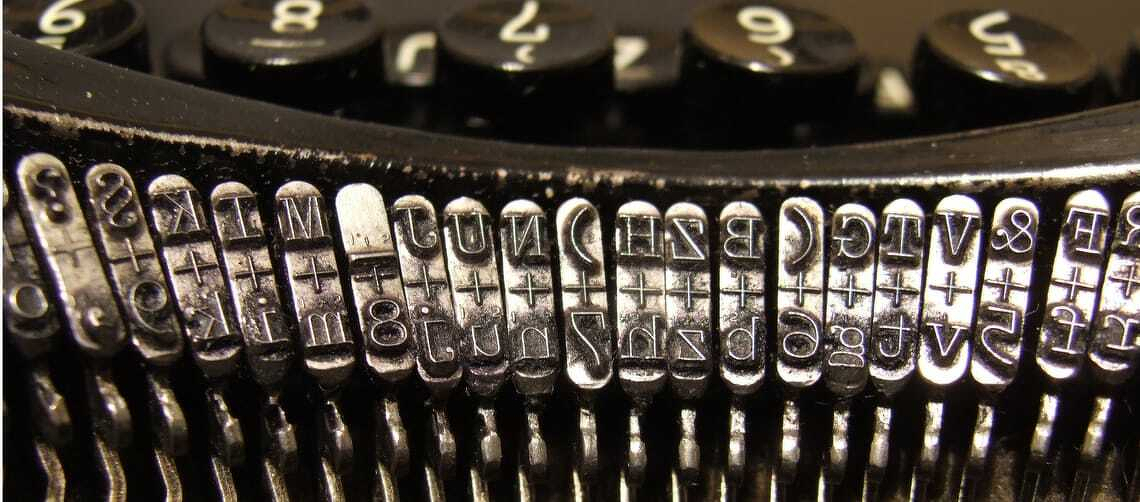

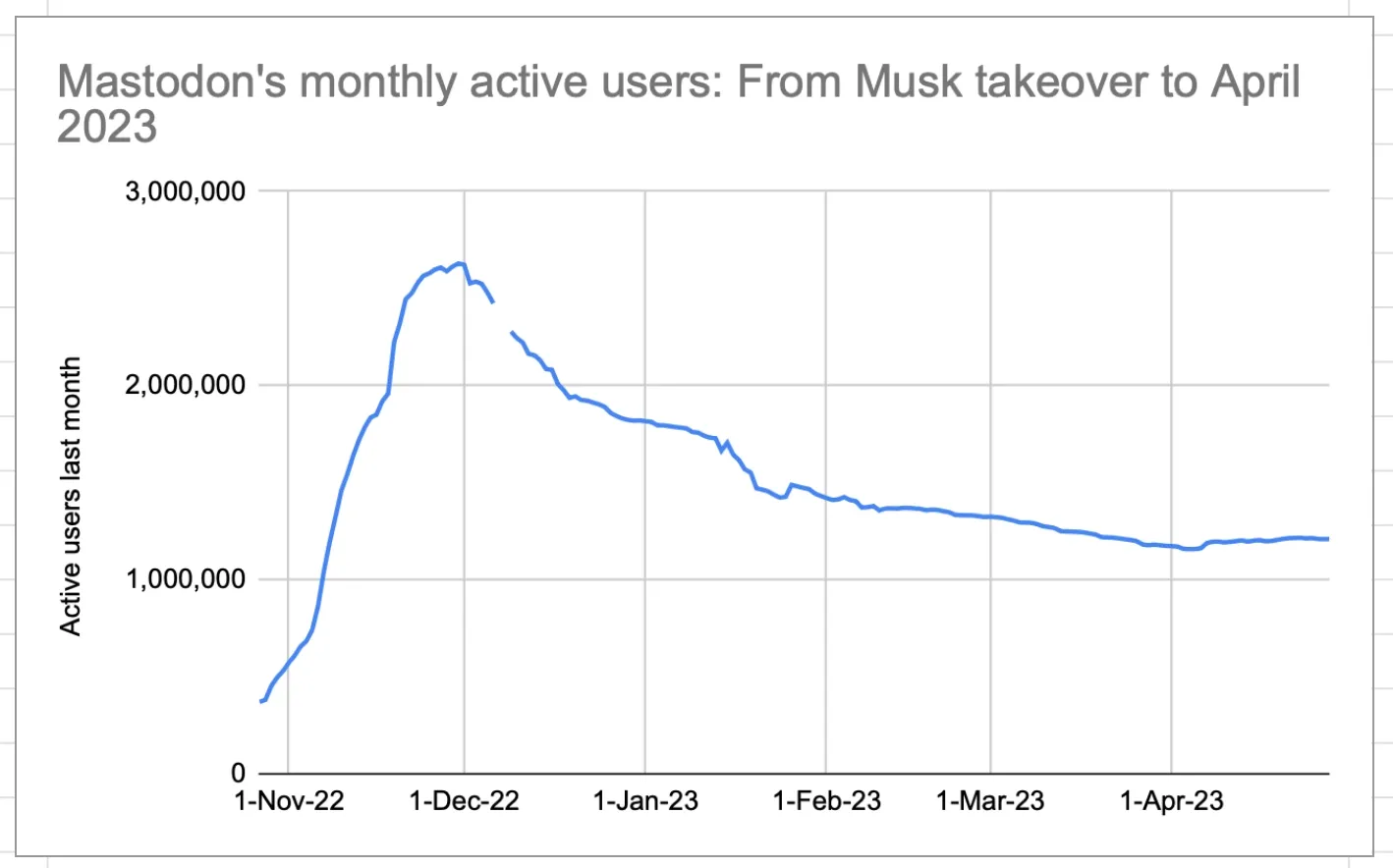
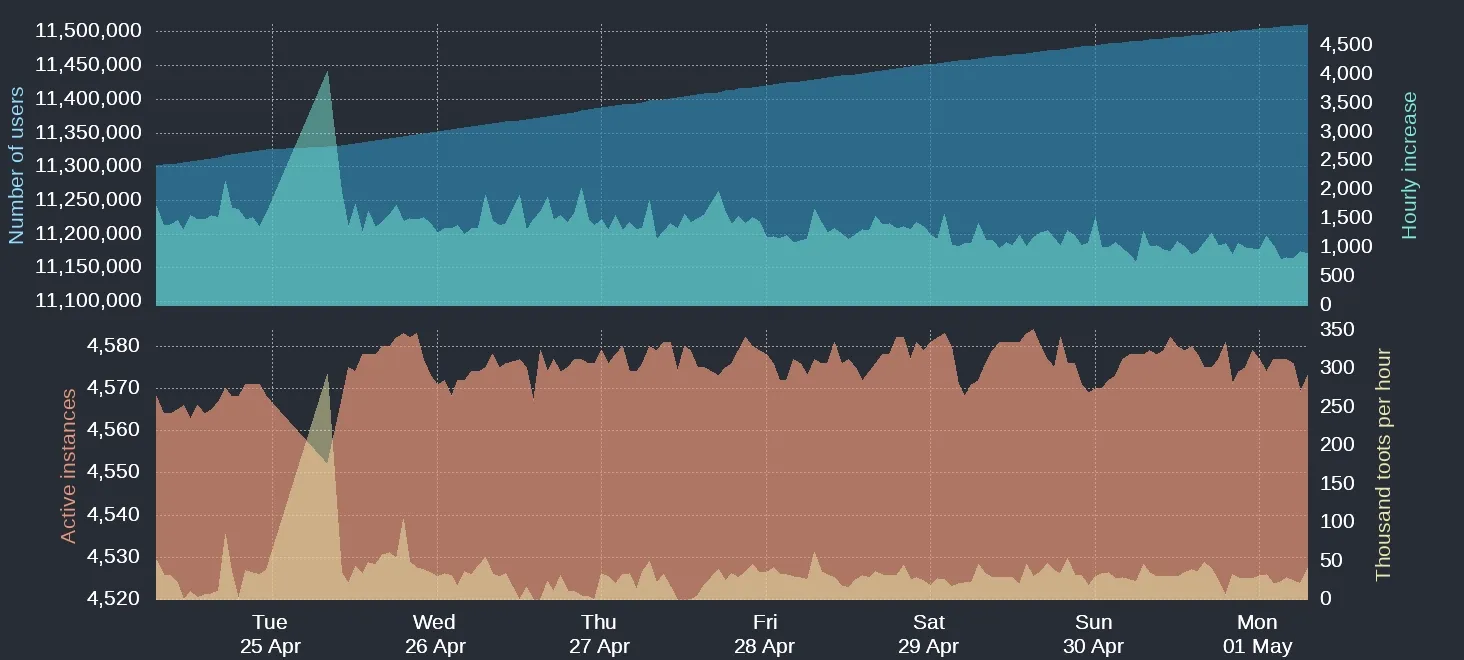
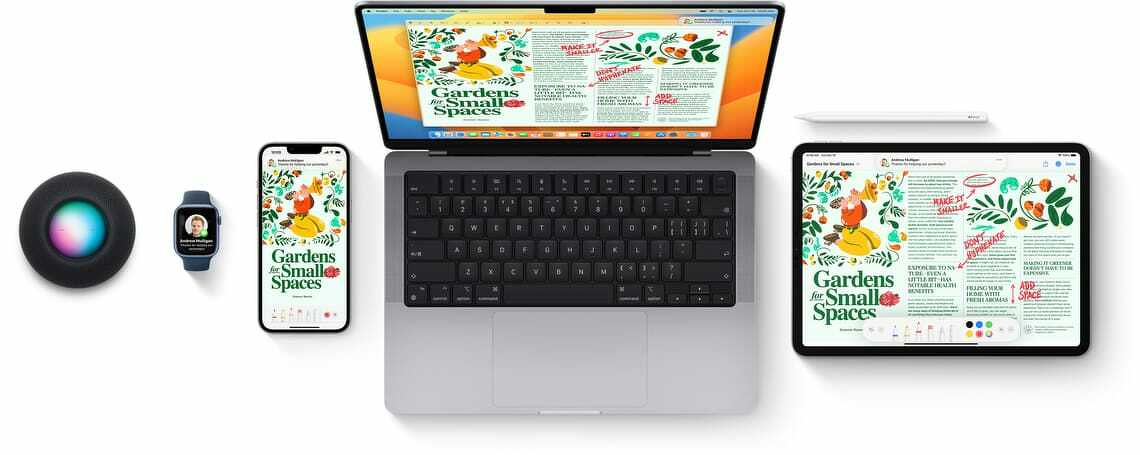
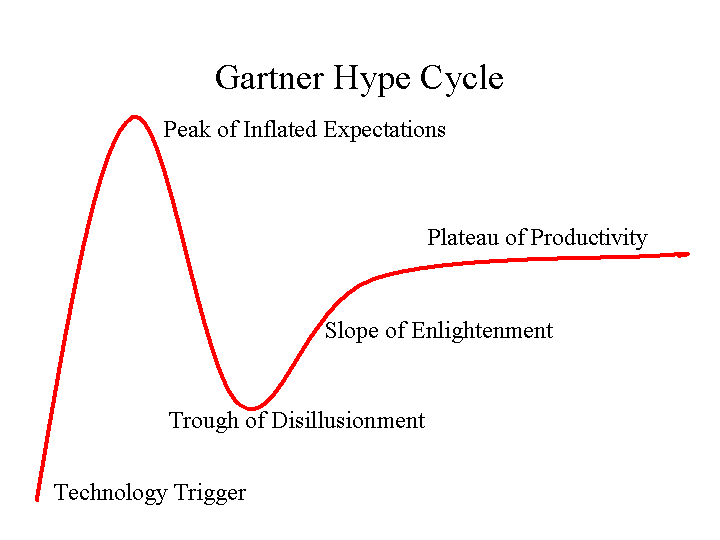
 )
)